5. Rinse the sensor and cap with deionized water and blot dry.
6. Pour the water sample into the cap to the fill line.
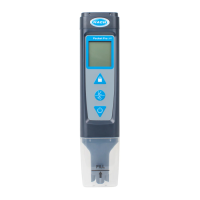
7. Put the sensor fully into the cap. The measured value shows on the top line.
8. To keep the measured value on the display when the sensor is removed from the
sample, push .
Note: The lock icon shows on the display when the measurement is stable.
9. To measure another sample, do steps 3–8.
10. When done with measurements:
a. Rinse the sensor and cap with deionized water.
b. Put the cap on the tester.
c. Set the power to off.
Advanced operation
Configure the settings
1. Push and hold until "SEt" shows on the display.
2. Push to scroll through the settings. The current value of the setting shows on the
bottom line.
Option Description
Unit Select the temperature unit that shows on the display—Celsius (default) or
Fahrenheit.
bUFr Select the pH buffers that are used for auto calibration—USA (4.01, 7.01, 10.01,
default), NIST (4.01, 6.86, 9.18) or Cus (custom standard).
Std Select the type of calibration standard to use for calibration—Aut (auto-recognition
standard, default) or CUS (custom standard). This setting is not in the pH settings
menu.
trEF Enter the conductivity reference temperature for temperature correction—15.0 to
30.0 °C (default = 25.0 °C).
tC Enter the conductivity temperature compensation factor (linear)—0.00% to 9.99%
per °C (default = 2.00% per °C).
The correction factor may need to be identified experimentally. For example, the
factor for ultrapure water is 4.55% per °C and the factor for NaCl salt solution
2.125% per °C.
Fctr Enter the TDS factor— 0.40 to 1.00 (default = 0.71)
Unit Select the salinity unit that shows on the display— ppt or %.
AOFF Set the auto-off feature to on (default) or off. When set to on, power is automatically
set to off after 8 minutes of no activity.
ACAL Enable or disable pH calibration reminder—Yes (enable, default) or No (disable).
When set to Yes, "?" shows next to the calibration icon when a calibration is due.
rSEt Change the settings to the factory defaults—Yes or No (default). When set to Yes,
changes the settings for all the parameters to the factory settings and default values.
3. To change the value of the setting, push or .
4. When done with changes, push and hold until "End" shows to go to continuous
measurement mode.
11


 To Next Page