EasyManua.ls Logo

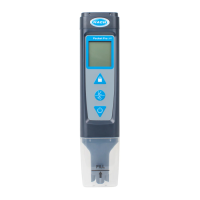
Hach Pocket Pro - User Manual

Hach Pocket Pro
12 pages
Print Icon
To Next Page IconTo Next Page
Loading...
User Manual
DOC022.53.80394
Pocket Pro
, Pro
+ pH
1

Questions and Answers

  • D
    daylauraAug 13, 2025
    How to fix ECAL error on Hach Test Equipment?
    • T
      Trevor DicksonAug 13, 2025
      If 'ECAL' appears on your Hach Test Equipment, it indicates a calibration failure, specifically that the pH calibration slope is greater than ±15%. Gently clean the sensor, then calibrate again. If the calibration failure continues, replace the tester or sensor as needed.
  • C
    Crystal WangAug 17, 2025
    What to do if the battery icon flashes on Hach Pocket Pro Test Equipment?
    • M
      Maxwell MillerAug 17, 2025
      If the battery icon is flashing on your Hach Test Equipment, it means the batteries have less than 10% power remaining. Replace all four batteries to resolve this issue.
  • R
    Raymond HughesAug 21, 2025
    What to do if Hach Test Equipment shows "- - - -" on the top line?
    • J
      Jenna EvansAug 21, 2025
      If you see "- - - -" on the top line of your Hach Test Equipment, it means the parameter value is not within the measurement range of the tester. Make sure that the sample's value is within the tester's measurement range. Also, gently clean the sensor and calibrate if necessary.
  • K
    Kelly VincentAug 25, 2025
    How to fix 'SENSOR?' error on Hach Test Equipment?
    • J
      Jonathan RamseyAug 26, 2025
      If your Hach Test Equipment displays 'SENSOR?', it means the calibration slope is ±10–15%. To fix this, gently clean the sensor.
  • J
    Jason GreenAug 28, 2025
    Why does Hach Test Equipment show "- - - -" on the bottom line?
    • D
      deborahfischerAug 28, 2025
      If the Hach Test Equipment displays "- - - -" on the bottom line, it indicates that the temperature value is not within the operating temperature range of the tester, or a temperature sensor failure has occurred. Ensure the sample temperature is within the tester's operating temperature range. Note that the tester can still be used without automatic temperature compensation if a temperature sensor failure occurred.
  • A
    Anthony LandrySep 1, 2025
    What to do if the battery icon flashes on my Hach Measuring Instruments?
    • G
      Gerald HaasSep 1, 2025
      If the battery icon flashes, it means the batteries have less than 10% power remaining. Replace all four batteries.
  • A
    Amy IbarraSep 5, 2025
    What to do if my Hach Measuring Instruments displays ' - - - - '?
    • S
      Scott MillerSep 5, 2025
      The display ' - - - - ' indicates that the temperature value is not within the measurement range of the tester. Ensure the sample temperature is within the measurement range. Gently clean the sensor and calibrate if needed.
  • J
    Jamie HenrySep 8, 2025
    How to fix "- - - -" on Hach Pocket Pro?
    • R
      rachel78Sep 8, 2025
      If your Hach Test Equipment displays "- - - -" on the top line, it indicates that the parameter value is outside the tester's measurement range. Ensure your sample's value is within the specified range. You may also need to gently clean the sensor and calibrate the device.

Summary

Specifications

General Information

Safety Information

Use of Hazard Information

Explains hazard symbols like DANGER, WARNING, CAUTION, and NOTICE for user safety.

Precautionary Labels

Advises reading instrument labels and understanding safety symbols for injury prevention.

Certification

Lists regulatory compliance standards such as FCC and Canadian regulations.

Product Overview

Product Components

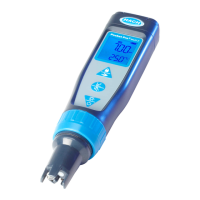
Lists and illustrates the main parts of the tester and included accessories.

Install the Batteries

Step-by-step instructions for correctly installing the tester's batteries.

User Interface and Navigation

Display Description

Details the meaning of icons and parameters displayed on the instrument screen.

Keypad Description

Explains the functions associated with each button on the tester's keypad.

Calibration

Auto Calibration

Procedure for calibrating the tester using automatic recognition of standards.

Custom Calibration

Steps for performing a manual pH calibration on the Pocket Pro+ tester.

Measurement

Advanced Operation

Configure the Settings

Guide to adjusting unit, buffer, auto-off, and calibration reminder settings.

Maintenance

Clean the Sensor

Instructions for cleaning the sensor based on common contaminants and display messages.

Replace the Batteries

Guidance on when and how to replace the tester's batteries.

Replace the Sensor

Instructions for replacing the sensor on Pocket Pro+ testers.

Troubleshooting

Replacement Parts and Accessories

Hach Pocket Pro Specifications

General IconGeneral
DisplayLCD
Waterproof RatingIP67
Automatic Temperature CompensationYes
Measurement ParameterspH, Conductivity, TDS, Salinity, Temperature
pH Range0 to 14 pH
Conductivity Accuracy±1% of reading
Operating Temperature0 to 50°C (32 to 122°F)
Measurement RangeDepends on parameter
ResolutionDepends on parameter
AccuracyDepends on parameter

Related product manuals