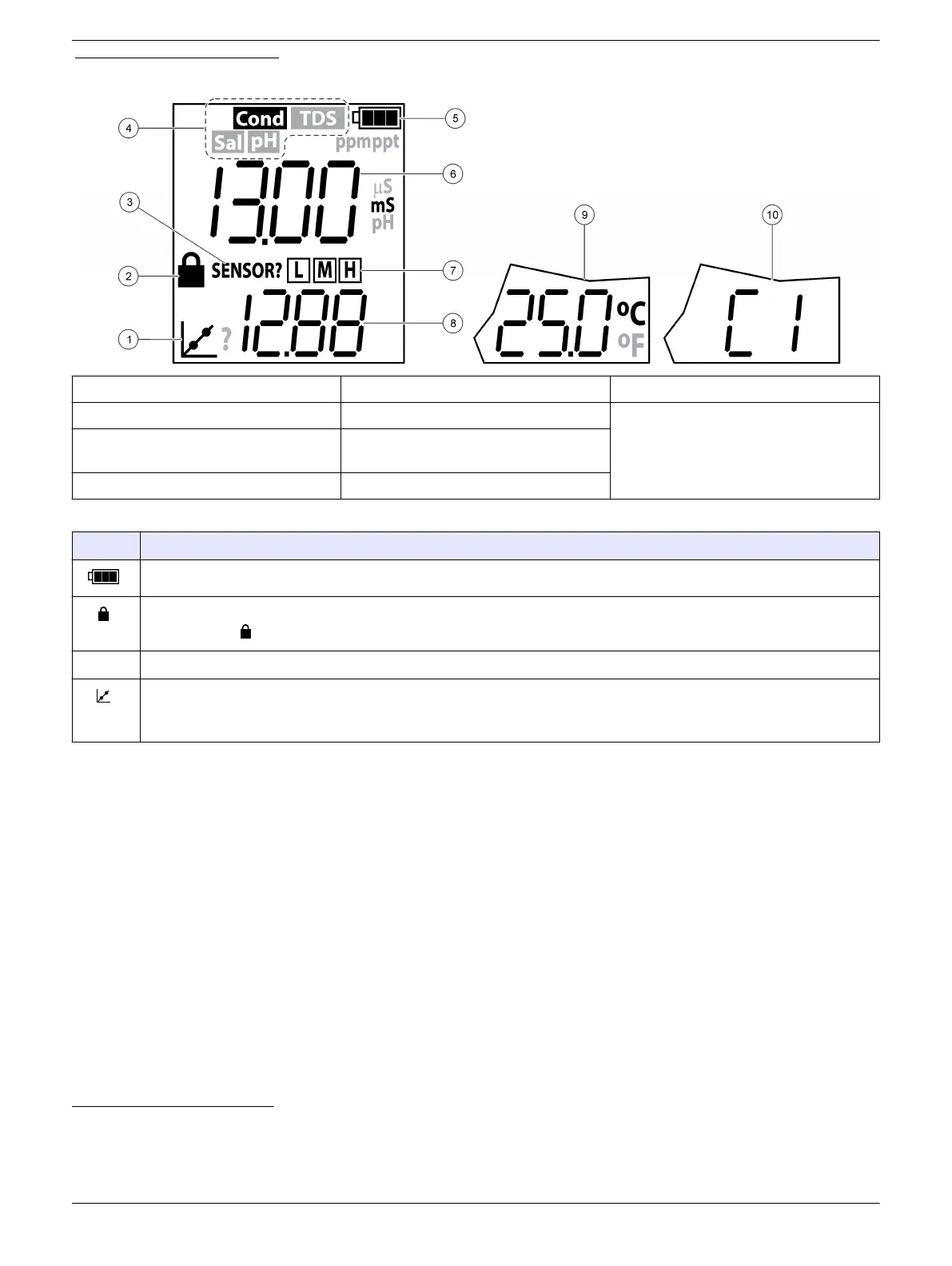
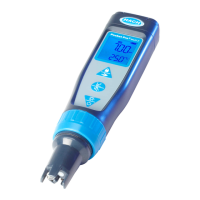
Figure 4 Display overview
1 Calibration icon 5 Battery icon 9 Temperature
2 Lock icon 6 Parameter value 10 Custom standard (C1, C2)
6
3 Sensor? icon 7 Calibration standard(s) measured for
last calibration (low, medium, high)
4
4 Parameter
3
8 Calibration standard(s) expected
5
Table 1 Display icons
Icon Description
Shows the battery power level. Flashes when the battery power is less than 10%.
Shows when the lock feature is on. When the lock feature is on, the parameter value on the display does not
change. Push to set the lock feature to on or off.
Sensor? Refer to Troubleshooting on page 12.
Shows when the tester is in calibration mode or when a calibration is due. If "?" shows next to the calibration icon,
the last calibration was not successful. When the ACAL setting is set to Yes (default), "?" shows next to the
calibration icon on the pH screen when a pH calibration is due.
Keypad description
Figure 5 shows the keypad. Table 2 gives the key descriptions.
3
Only one parameter shows at a time.
4
Shows after auto calibration
5
Shows during auto calibration
6
Shows during pH custom calibration.
7


 To Next Page