EasyManua.ls Logo

Hach SOLITAX sc - User Manual

Hach SOLITAX sc
30 pages
Print Icon
To Next Page IconTo Next Page
Loading...
DOC023.54.03232
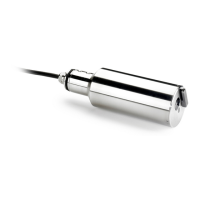
SOLITAX sc
User Manual
12/2009, Edition 4A
© HACH Company, 2006–2009. All rights reserved. Printed in Germany.

Other manuals for Hach SOLITAX sc

Questions and Answers

  • R
    Richard BeckJul 31, 2025
    What does it mean when my Hach SOLITAX sc Accessories display 'CAL. DATA'?
    • J
      James PatrickJul 31, 2025
      The 'CAL. DATA' message on your Hach Accessories means that the factory calibration data has been lost. It is recommended to contact customer service.
  • J
    Jessica LloydAug 4, 2025
    What to do if Hach SOLITAX sc Accessories display 'REPLACE WIPER'?
    • R
      rcamachoAug 4, 2025
      If the Hach Accessories display shows 'REPLACE WIPER', it means the counter has elapsed. You should replace the wiper and then reset the counter.
  • S
    Sandy VazquezAug 9, 2025
    What to do if Hach SOLITAX sc display 'POS. UNKNOWN'?
    • B
      brian99Aug 9, 2025
      If the Hach Accessories display shows 'POS. UNKNOWN', the wiper position is unknown. Try opening the TEST/MAINT menu and triggering the 'WIPE' function. If the problem persists, it's recommended to contact the manufacturer's customer service.
  • A
    Anthony HayesAug 13, 2025
    Why does my Hach Accessories display 'MOIST'?
    • M
      Michelle YoungAug 13, 2025
      The 'MOIST' message on your Hach Accessories indicates that the moisture value is greater than 10. You should immediately remove the sensor and store it in a dry place. It's also advisable to contact customer service.
  • L
    lee82Aug 17, 2025
    What does 'LED FAULTY' mean on my Hach SOLITAX sc Accessories?
    • H
      Hannah Alexander MDAug 17, 2025
      The 'LED FAULTY' message on your Hach Accessories indicates a faulty LED. It is recommended to contact customer service.
  • J
    Joseph CurtisAug 22, 2025
    Why does my Hach SOLITAX sc Accessories display 'TEST/MAINT'?
    • D
      deborahphillipsAug 22, 2025
      The 'TEST/MAINT' message on your Hach Accessories indicates that a counter has elapsed. It is recommended to contact customer service.
  • M
    Margaret LiAug 27, 2025
    Why does my Hach Accessories display 'GASKET'?
    • S
      Sara BakerAug 27, 2025
      The 'GASKET' message on your Hach Accessories indicates that a counter has elapsed. It is recommended to contact customer service.

Summary

Section 1 Specifications

Section 2 General Information

Safety Information

Provides crucial safety instructions and hazard warnings for operating the instrument.

Section 3 Installation

Sensor Installation

Guide for installing immersion type sensors in open tanks, including placement considerations.

Pipe Installation

Instructions for installing sensors in pipes, covering flow direction and placement.

Connecting Sensor Cable

Procedure for connecting the sensor cable to the controller socket.

Section 4 Operations

Sensor Calibration Procedures

Procedures and settings for calibrating the sensor for turbidity and suspended solids.

Setting Calibration Output Mode

Configure output behavior during calibration (Active, Hold, Transfer).

Turbidity Calibration

Procedure for calibrating turbidity measurements using standard solutions.

Suspended Solids Calibration

Procedure for calibrating suspended solids measurements using actual samples.

Section 5 Maintenance

Cleaning Sensor Windows

Instructions and precautions for cleaning the sensor's optical windows.

Replacing the Wiper

Step-by-step guide for replacing the sensor wiper assembly.

Section 6 Troubleshooting

Error Codes

Lists common error messages, their causes, and recommended solutions.

Warnings

Explains warning indicators, their causes, and the actions to take.

Section 9 Limited Warranty

Hach SOLITAX sc Specifications

General IconGeneral
BrandHach
ModelSOLITAX sc
CategoryAccessories
LanguageEnglish

Related product manuals