Excel-EN Installation, Commissioning & Operating Manual Approved Document Ref: UI-XLEN-01 Issue 7.0
41
SETUP & PROGRAMMING
4 1 4 1
Input Function Settings
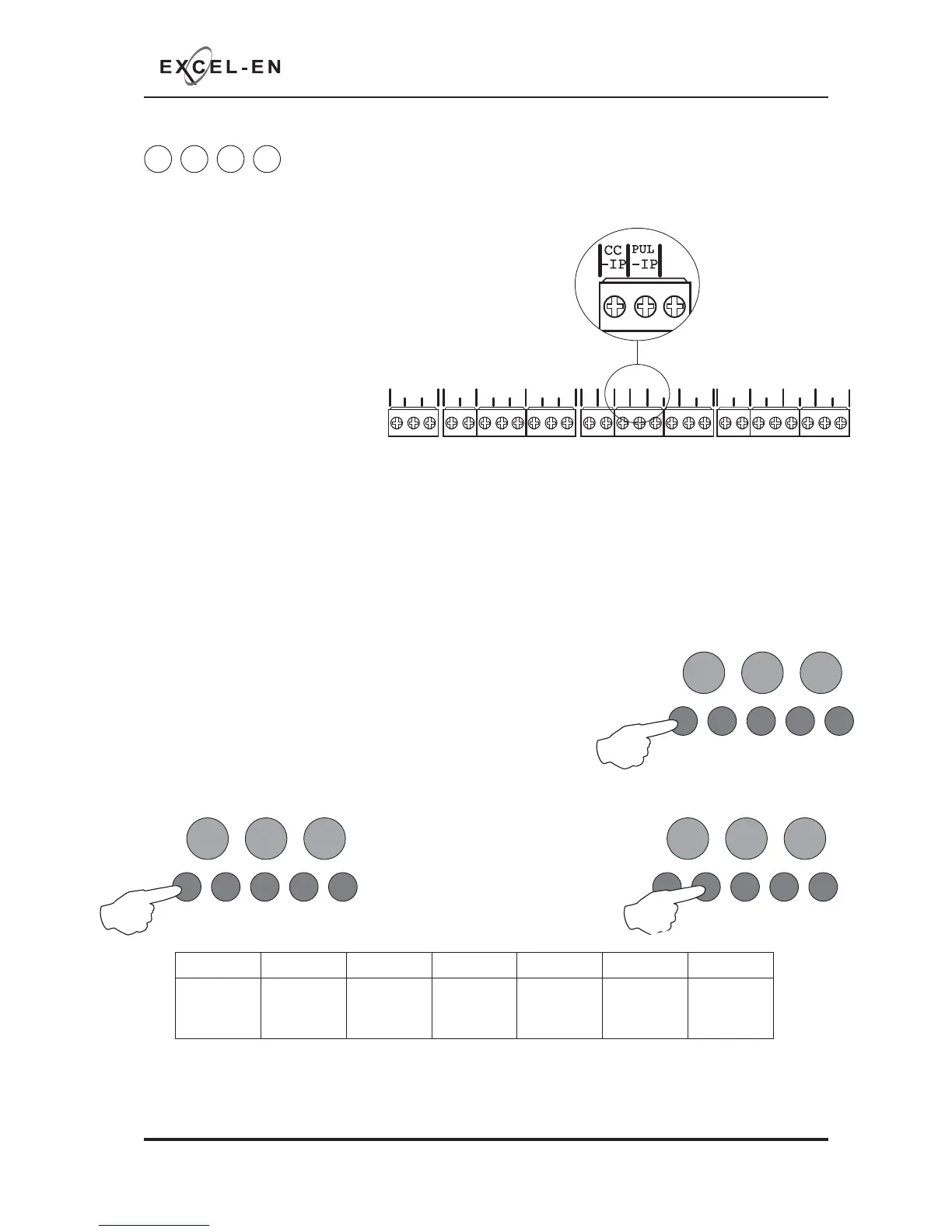
The panel has two inputs, located on the main circuit board, Class Change (CC) and Alert (PUL). Switching
a negative voltage into these inputs will cause the alarm sounders to operate. The Class Change input
(CC) will cause the alarms to sound
continously and the Alert input
(PUL) will cause the alarms to pulse.
Either or both of these inputs can
be programmed to have a different
function.
The available functions are:
• Class Change (continous
sounder operation).
• Alert (pulsing sounder
operation).
• Evacuate (a latching input which activates all the alarms and shows a general fi re indication on the
panel).
• Silence (for remote silence alarms control).
• Reset (for remote reset control).
• Fire Zone 12 (a non latching input which indicates zone 12 fi re LED).
• Fault Zone 12 (a non latching input which indicates zone 12 fault LED).
To change the default function of the inputs, enter the above code and press ENTER. The zone 1 fi re LED
will illuminate. This indicates setting the function of the CC input.
Use button 1 to move to zone 2 fi re LED for setting the function of
the PUL input and then back to zone 1 again.
The current setting for the input will be indicated by the amber, fault
LEDs as per table below.
With the required fi re LED lit, as per above, press the ENTER button
to enter ‘editing mode’. The fi re zone 1 LED will now pulse to indicate function 1 (Class Change).
Now use button 1 to move the
pulsing fi re LED to the required
setting as per the table below, then
use button 2 to select the function.
The amber, fault LED will move to
indicate the new current setting.
RESOUND SILENCE RESET
ENTER
1234
Disable
Mode
Test
Mode
Mute
Buzzer
Test
Lamps
RESOUND SILENCE RESET
ENTER
1234
Disable
Mode
Test
Mode
Mute
Buzzer
Test
Lamps
RESOUND SILENCE RESET
ENTER
1234
Disable
Mode
Test
Mode
Mute
Buzzer
Test
Lamps
PSU
@+
+
- - +- +- +- +-+- +-
28V 0V
C NC NO C NC NO
FIRE FAULT
FR
FLT
CC
PUL
-OP -OP -IP -IP
SNDR1 SNDR2 ZONE1 ZONE2 ZONE3 ZONE4



 To Next Page