Need help?
Do you have a question about the hager EGN200 and is the answer not in the manual?
Instructions for downloading the Hager Mood application onto your mobile device.
Guide to enabling Bluetooth, Location, and Mobile Data on your smartphone.
Steps to pair your mobile device with the time switch for the first connection.
Step-by-step process for creating a new program via the Hager Mood app.
How to select and configure actions (On, Off, Pulse) for program steps.
Configuring triggers such as time, sunset/sunrise, and luminosity for program steps.
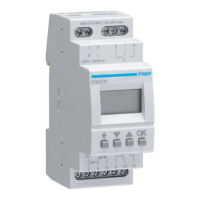
This document serves as a quick start guide for the Hager EGN100, EGN200, and EGN400 electronic time switches, which are designed for automatic control of various lighting loads. These devices offer weekly and yearly cycles, making them suitable for applications such as public lighting, illuminated signs, shop windows, monuments, and facades.
The EGN series time switches are equipped with a built-in astronomical clock, allowing lighting times to be synchronized with sunset and sunrise. This feature provides an intelligent and energy-efficient way to manage lighting based on natural light cycles. Additionally, the time switches can connect to an optional EEN002/EEN003 twilight sensor, enabling lighting control based on ambient brightness levels.
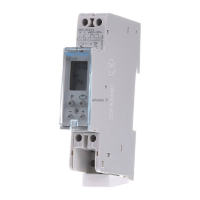
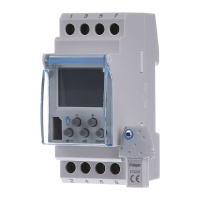
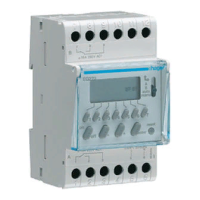
The EGN100, EGN200, and EGN400 models offer different channel configurations: 1 channel, 2 channel, and 4 channel, respectively. This allows for flexible control over multiple lighting circuits or groups.
A key feature of these time switches is their Bluetooth® multifunctionality, which integrates with the Hager Mood app. This app serves as the primary interface for setting up, programming, and managing the devices, offering a user-friendly experience for configuration and control.
The time switches support the implementation of "AND" logical operators between program steps. This advanced functionality allows for complex control scenarios where multiple conditions must be met for an action to occur. For example, a light could be programmed to switch on only when the brightness is below a certain lux level AND at a specific time, AND at sunset. This provides highly customizable and precise control over lighting.
Setting up the installation begins with downloading the free Hager Mood app, available for both Android and iOS devices. Users must ensure that Bluetooth, Location, and Mobile Data settings are enabled on their mobile device for the app to function correctly. The app guides users through creating an account (or using guest mode), assigning a name and location to the installation, and selecting the type of installation (Time switches).
Connecting a time switch for the first time involves powering the device and then using the app to add a new device. The app will discover the time switch, and users will accept the pairing request. If connection issues arise, the app provides troubleshooting steps, including checking notifications, re-enabling Bluetooth, and ensuring the time switch is visible for discovery. Once connected, the device is identified, and users can assign a name to it within the app.
Creating a new program is straightforward. From the home screen, users tap the device icon and then "View programs." They can then add a new program, choosing to enter settings step-by-step or select a template. The app allows users to select the specific output(s) for programming. Each program step requires defining an action (e.g., On, Off, On for a limited time) and a trigger (e.g., Time, Sunset/Sunrise, Luminosity). Users can also specify the days on which the step should be executed.
The "For a limited time (pulse)" action allows the output to be kept on or off for a specific duration (1-120 seconds), which is useful for momentary actions or specific lighting effects.
The trigger options provide flexibility:
Once program steps are defined, users can confirm their settings, assign a name to the program, and synchronize it with the device. The app also allows for loading programs from the app to a clock key (EGN103 and EGN003) and then from the clock key to the EGN103 time switch, providing a convenient way to transfer configurations.
The "AND" logical operator feature, available for EGN100/200/400, is configured within the device settings. Users activate a "special mode" and select the outputs to which the logical operator applies. This enables combining multiple conditions (e.g., brightness, time, astronomical events) for precise control.
RF-Quicklink connection allows the time switch outputs to be associated with Quicklink radio comfort devices (inputs/transmitters). This involves entering configuration mode on the input device, then selecting the desired output on the time switch, and confirming the transmitter configuration. The process varies slightly depending on the EGN model (EGN100 vs. EGN200/400).
Integration with Coviva (TKP100A + Coviva app) is also supported. Users add a comfort device in the Coviva app, which then searches for compatible devices. The pairing procedure for the time switch is followed to complete the integration, allowing the time switch to be controlled within the Coviva ecosystem.
The Hager Mood app includes a feature for updating device firmware. From the home screen, users can tap the device icon, then the device settings symbol, and navigate to the Firmware tab. If a new version is available, they can tap "New version available" to update the device, ensuring it benefits from the latest improvements and security patches. This helps maintain optimal performance and compatibility over time.
The manual also provides instructions on how to properly dispose of the product at the end of its service life, adhering to waste electrical and electronic equipment (WEEE) directives. This emphasizes responsible environmental practices.

 To Next Page

 General