dred
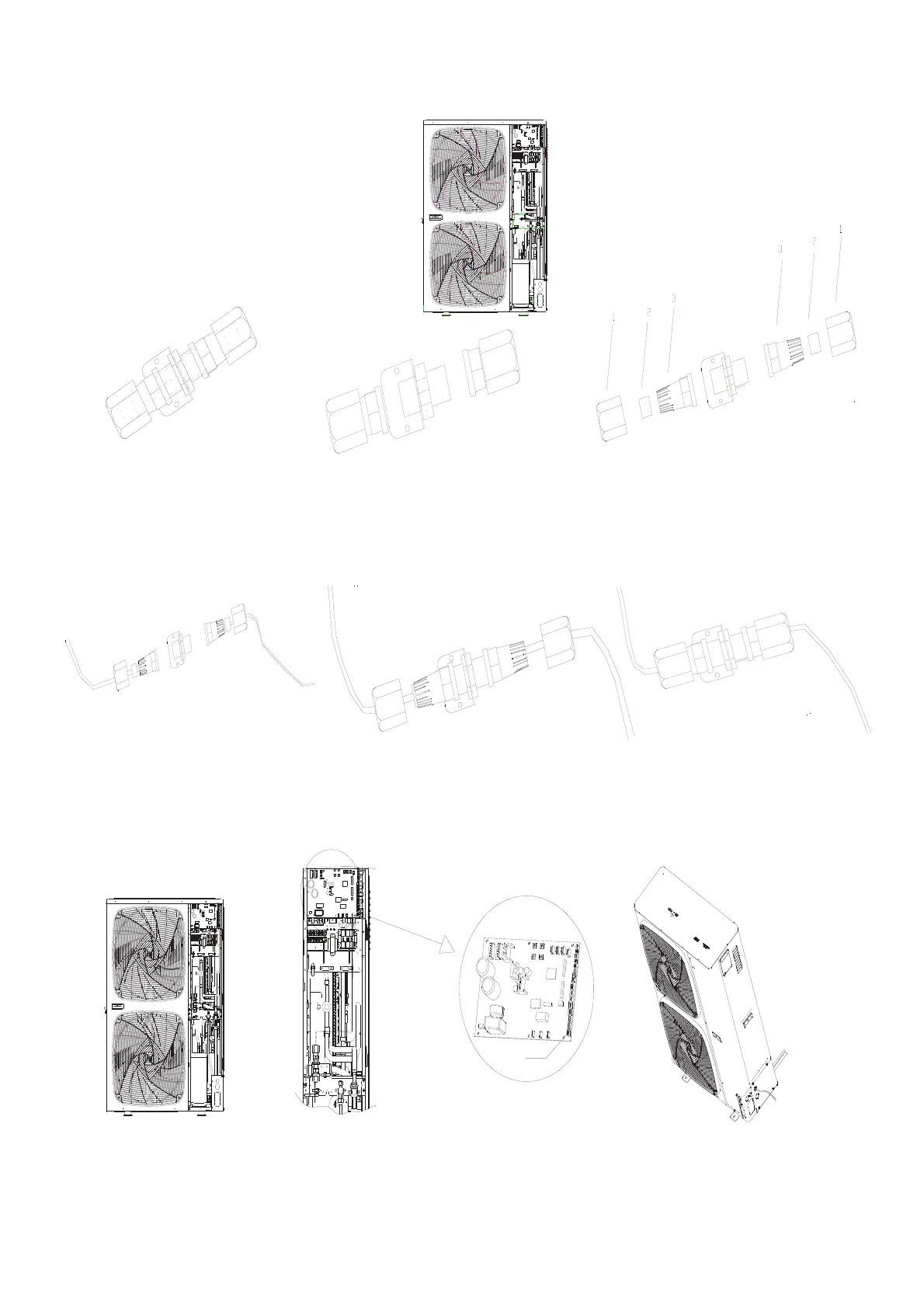
1. Open cover piece and locate the fixed DRM cable.
2.
ab c
3.
a. Fix Pin 1 for contractor supplied line through nut 1,seal ring 2,tapered cup nut 3 insert to stud 4.
b. Repeat step 1 for fixed DRM line.
c. Tighten the screw position on both sides.
abc
4.
abc
11.4. Dred unctionIRU8RQO\
2
a.Take out DRED module from outdoor packing bag.
b.Separate DRED module to 3 parts as shown.
c.Continue to separate the DRED module to 7 parts as shown
a.Tighten the DRED module to right side plate.
b.Tighten the screw.
Insert the DRED terminal into the 5 core ports (CN22) in PCB,check the picture.
c.Refit the trim cover.


 To Next Page