Service Manual
Model No.: 40D3505
Chapter 8. Measurements and Adjustments
8-1. Service Mode
8-1-1.How to enter into Service Mode
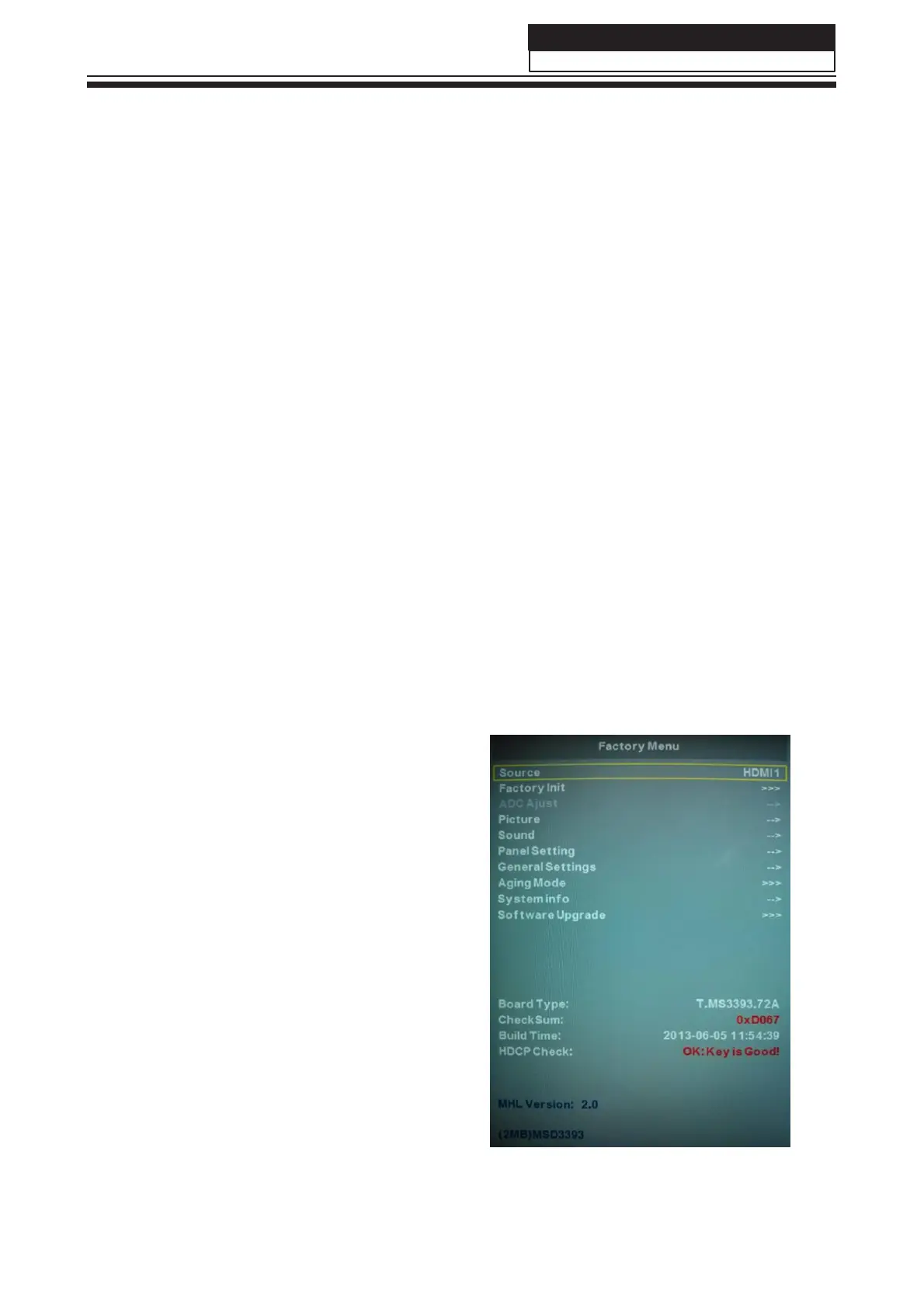
The way to the factory mode menu:
Step 1: Press Menu,
Step 2: Press “8893”,
System will be into the factory mode menu when 2 steps above are done.
At the end of the main factory menu, you can see the edition of the software,
like this" BUILD TIME 2014-01-21 23:17:21
VERSION v1.0 ”.
8-1-2.How to exit
If you want to exit this factory menu, please press the button ”Exit” on the remote.
system will be out the factory mode menu.
8-2. Measurements and Adjustments
8-2-1. The Main Menu
In factory mode menu,press up/down
button to choose the up/down item,press
right or OK button to the submenu.press
MENU button to go back.
31



 To Next Page