OSD Menu
OSD Menu
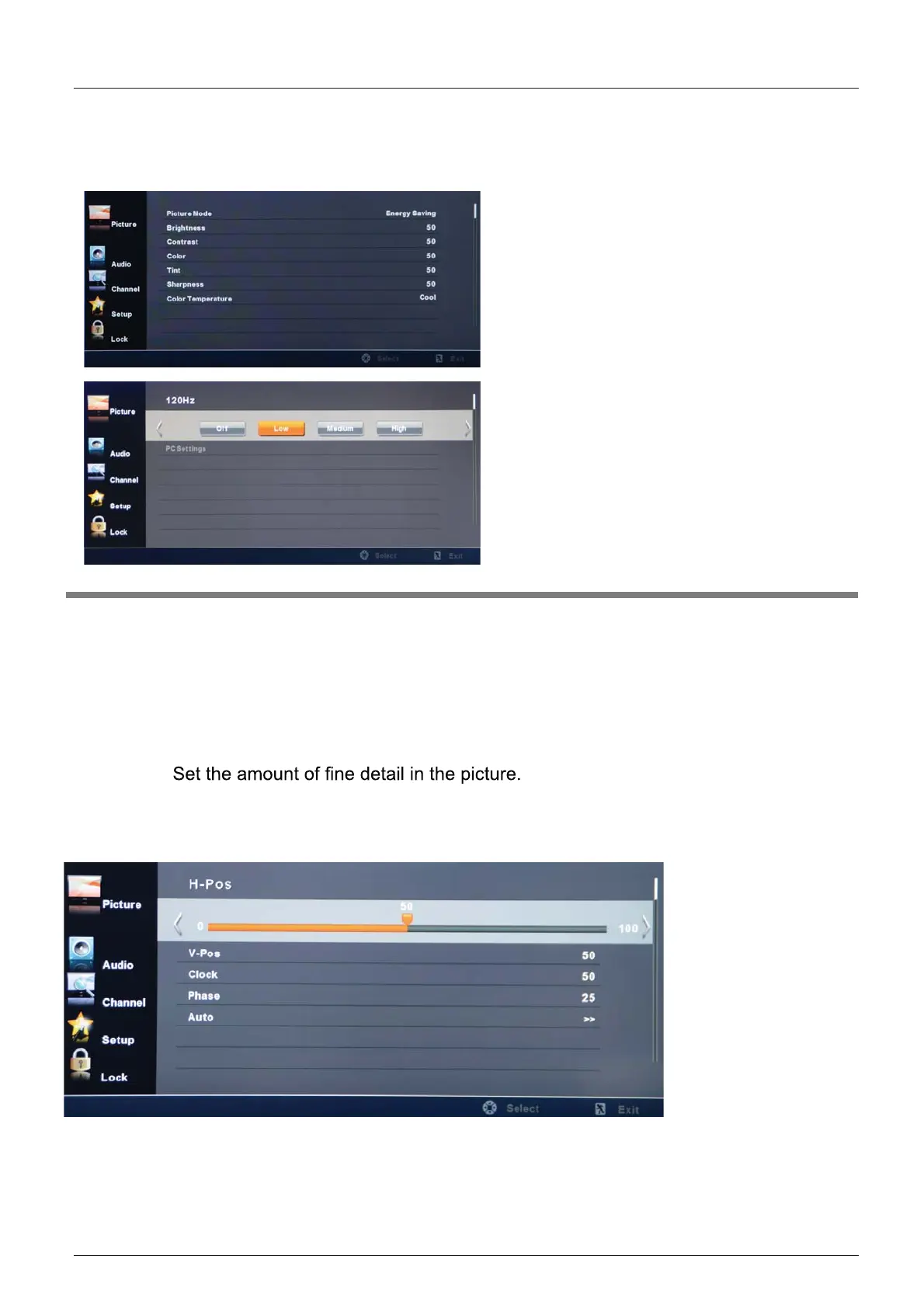
1. Picture menu
Picture mode: Select between Standard, Vivid, Mild, User and Energy Saving.
You may select the picture mode directly by pressing the PICTURE button on the remote
control.
Contrast: Control the difference between the bright and dark regions of the picture.
Brightness: Adjust brightness of the picture.
Color: Adjust the amount of color in the picture.
Tint: Adjust the tint (color tone) of the picture.
Sharpness:
Color Temp.: Select between Normal, Cool and Warm.
Description
15
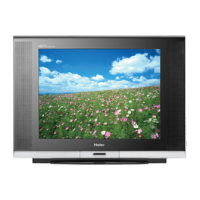
PC Setting (only for PC):
If the video input signal comes from your PC, you may
adjust the H-Position, V-Position,
Clock, Phase or perform an Auto adjustment.
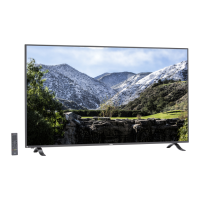
120Hz: Set the 120 Hz function to: Off, Low, Medium or High.


 To Next Page