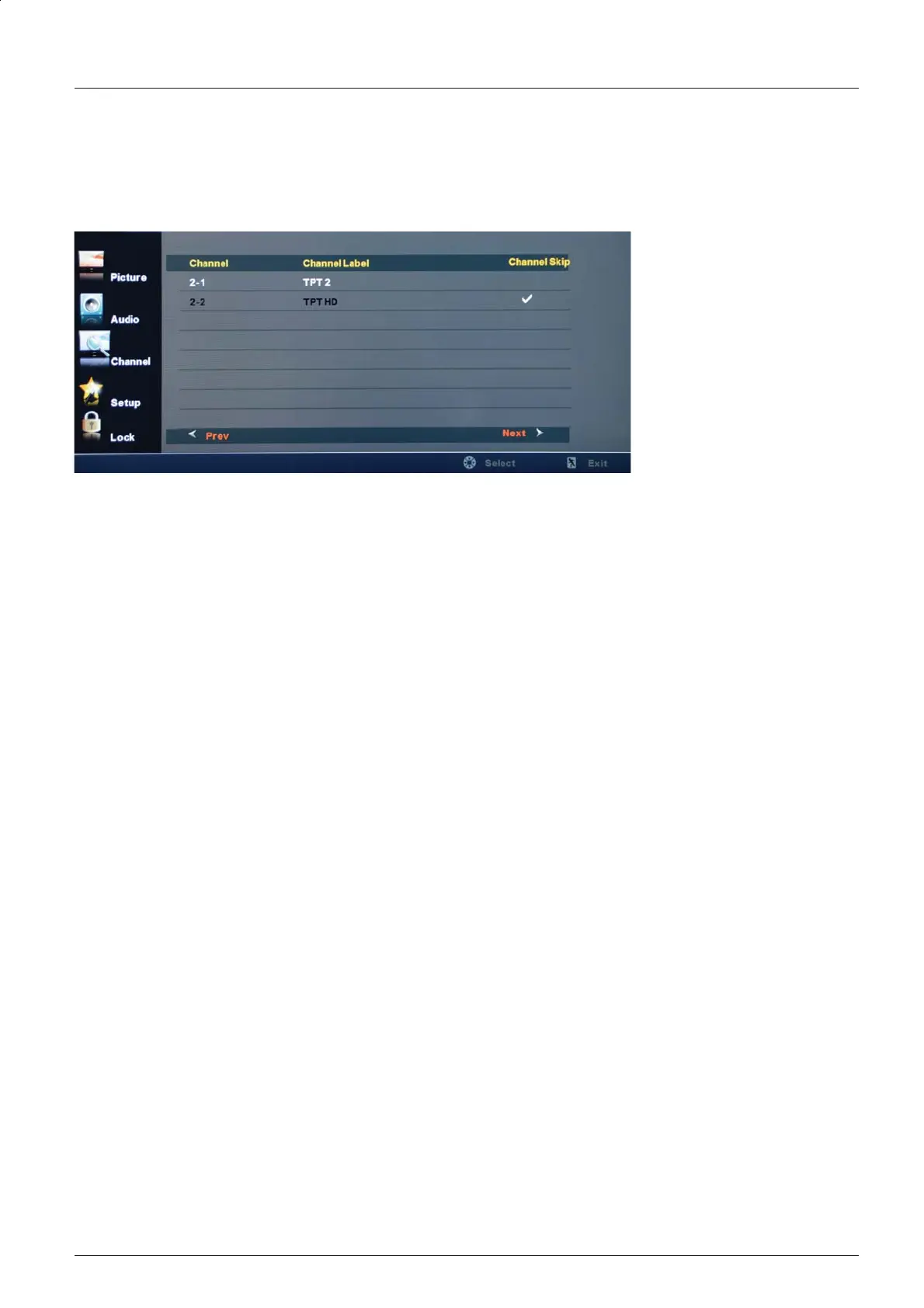
Channel Skip: Allows you to show or hide channels.
Use the
Ĥ0ĥ
button to highlight the desired channel, then press
the OK
button to show or
hide the highlighted channel.
Channel No.: Show and select the channel.
CH Labels: Change the label (name) of a channel.
Press the
=!0!?!
button to select the position , and press the
Ĥ0ĥ
button to select the
letter. Press the MENU button when you are finished.
OSD Menu
18


 To Next Page