OSD Menu
23
2. Music
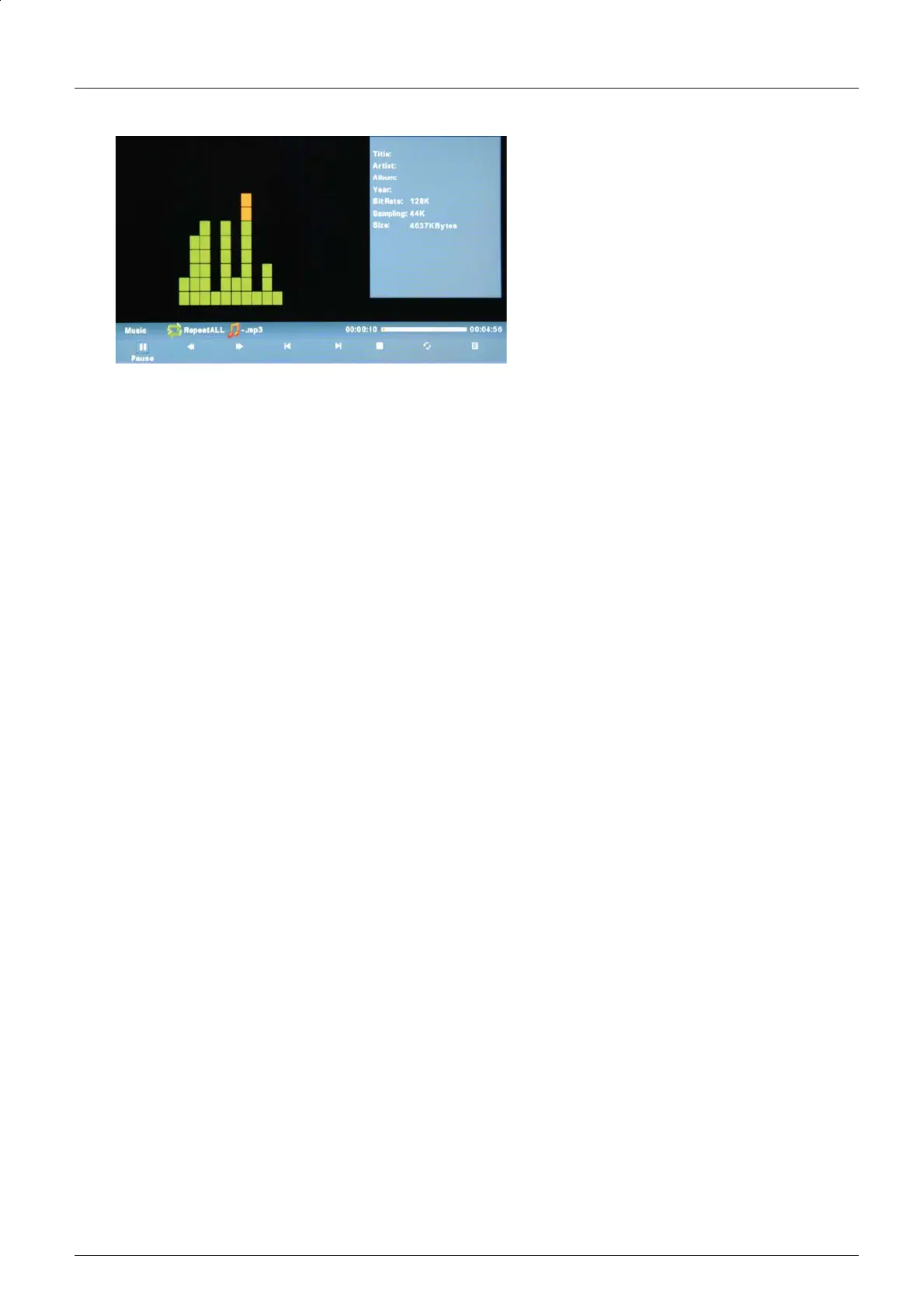
Display the playlist on the screen. Use the / buttons to select a file and press the
OK button to play the file.
Use the < / > buttons to select the option in the menu, and press the OK button to select.
Play/Pause: Play/pause the music.
FB/FF: Fast backward/fast forward.
Prev./Next: Play the previous/next file.
Stop: Stop the music.
Repeat: Select the repeat mode: Repeat All, Repeat 1, None.
Songlist:
You can Press the EXIT button to exit the list.
Ĥĥ
Press the OK button to display the music menu, and press the button to hide it.
ĥ


 To Next Page