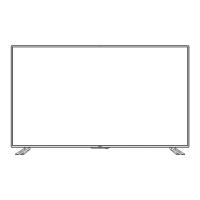
This document is a user manual for a Haier LED Television, specifically model 65UGX3500. It provides comprehensive instructions for setup, operation, and maintenance, along with important safety information and product specifications.
Function Description:
The Haier 65UGX3500 is an LED Television designed for home entertainment. It functions as a display unit for various audio and video sources, including antenna/cable TV, external audio/video devices (such as DVD players, gaming consoles), and digital audio devices. It also supports USB multimedia playback for viewing JPEG photos and listening to MP3 music. The television is equipped with an on-screen menu system for adjusting picture, audio, channel, and setup settings, as well as parental controls (Lock function). It is designed to provide a rich visual and auditory experience, with features like various picture and sound modes, aspect ratio adjustments, and digital audio output options.
Important Technical Specifications:
- Model: 65UGX3500
- Display:
- Viewable: 65" (165.1cm)
- Television System: NTSC, ATSC
- Channel Coverage:
- NTSC: CH2-CH69 (Antenna)/CH1-CH135 (Cable)
- ATSC: CH2-CH69 (Antenna)/CH1-CH135 (Cable)
- Connections:
- Rear Connectors: OPTICAL OUT, L/R (audio), VIDEO, YPbPr, LINE OUT, HDMI1, HDMI2
- Side Connectors: HDMI3, HDMI4(MHL), RF, USB
- Dimensions (W x H x D):
- With Stand: 57.28" x 34.92" x 11.02"
- Without Stand: 57.28" x 32.79" x 2.40"
- Weight:
- With Stand: 44.84 lbs
- Without Stand: 44.44 lbs
- Wall Mounting:
- Wall Mount Pattern (H x V): 400 x 200 mm
- Screw type: M8 x 10mm
- Power:
- Power Consumption: 200W
- Standby: ≤ 0.50W
- Mains Power: 120V~60Hz
- Audio Power: 10W+10W
- Ambient Temperature: 41°F ~ 95°F
- Package Contents: TV unit x 1, TV stand x 2, Remote control x 1, Stand screws x 4, User manual x 1, Registration card x 1, Battery x 2
Usage Features:
- Initial Setup Wizard: Guides users through basic settings like menu language, time zone, and TV signal source upon first power-on.
- Input Source Selection: Allows switching between various inputs (TV, HDMI1-4, Composite, Component, USB) using the remote control.
- On-Screen Menu Navigation: Intuitive menu system for adjusting settings related to Picture, Audio, Channel, Setup, and Lock (parental controls).
- Picture Modes: Offers preset modes (Standard, Vivid, Mild, Theater, Night) and a customizable User mode for picture settings (Brightness, Contrast, Color, Tint, Sharpness, Color Temperature, 120 Full Motion). An "Energy Saving" mode is available to decrease backlight brightness.
- Audio Modes: Provides preset sound modes (Standard, Music, Theater, Night) and a customizable User mode for audio settings (Balance, Bass, Treble, Total Sonics, Total Volume, Total Surround, Digital Audio Output Mode).
- Channel Management: Features auto channel scan for Air (antenna) and Cable signals, channel skip, channel number assignment, and channel label editing.
- Setup Options: Includes Menu Language, Aspect Ratio (Normal, Wide, Zoom, Cinema), Audio Only mode, Time Zone, Sleep Timer, Noise Reduction, Closed Caption (Off, CC Off, CC On, CC on Mute), Over Scan, Restore Default, and CEC control.
- Parental Controls (Lock): Allows setting a password to restrict access to certain channels or programs based on US TV ratings (age-based and content-based) and Canadian ratings (English and French).
- USB Multimedia Playback: Supports viewing JPEG photos and listening to MP3 music from a USB storage device. Features include play, pause, stop, skip, repeat, and zoom functions for photos, and play, pause, fast reverse, fast forward, and repeat functions for music.
- Remote Control: A comprehensive remote control with dedicated buttons for power, input, USB, CC, number keys, volume, channel, mute, menu, back, display, exit, SAP, sleep, wide, audio, picture, OK, channel list, favorite, navigation arrows, play, reverse, and forward.
- Side Control Buttons: Physical buttons on the TV for basic operations: middle key (power on/off, shut down), left/right keys (volume adjustment, parameter adjustment in menu), up/down keys (channel adjustment, source selection, menu navigation).
Maintenance Features:
- Cleaning: The manual advises cleaning the screen and cabinet with a soft, dry cloth. It explicitly warns against using liquid or aerosol cleaners.
- Power Cord Care: Users are instructed to protect the power cord from being walked on or pinched and to unplug the TV during lightning storms or when not in use for extended periods to prevent damage from power surges.
- Ventilation: Emphasizes the importance of not blocking ventilation openings to prevent overheating and shorten the display unit's life.
- Professional Servicing: Strongly advises against opening the TV cabinet or attempting repairs by unqualified personnel due to the presence of dangerously high voltages. All servicing should be referred to qualified service personnel.
- Battery Replacement: Caution against incorrect battery replacement to avoid explosion; replace only with the same or equivalent type. Batteries should not be exposed to excessive heat.
- Environmental Responsibility: Haier is committed to recycling electronic products. Users are encouraged to dispose of old receivers according to local regulations and provides a recycling resource (1800RECYCLING.COM).
- Troubleshooting Guide: A section dedicated to common symptoms and their corresponding solutions, such as "Ghost" or double image, no power, no picture, good picture but no sound, good sound but poor color, snowy picture and noise, horizontal dotted line, TV not responding to remote control, and pixels (dots) that are always dark or always lit.

 Need help?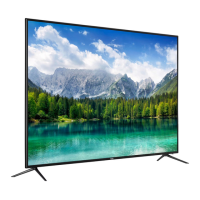

 To Next Page
 General