EasyManua.ls Logo

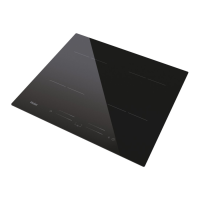
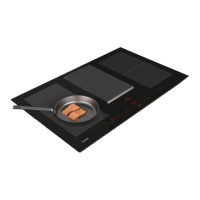
Haier HAIPSJ64MC - User Manual

Haier HAIPSJ64MC
227 pages
Print Icon
To Next Page IconTo Next Page
Loading...
HAIER
HAIPSJ64MC
ENGLISH
Instruction Manual For Induction Hob
ITALIANO
Manuale di istruzioni per piano di cottura ad induzione
POLSKI
Instrukcja obsługi płyty indukcyjnej
FRANÇAIS
Manuel d’utilisation de la table de cuisson à induction
ESPAÑOL
Manual de instrucciones de la encimera de inducción
DEUTSCH
Bedienungsanleitung für Induktionskochfeld
Návod na obsluhu indukčnej varnej dosky
SLOVENČINA
Návod k obsluze indukční varné desky
ČEŠTINA
Uputstvo za upotrebu indukcione ploče
SRPSKI
Manual de instruções para placa de indução
PORTUGUÊS

Questions and Answers

  • R
    Richard SantiagoAug 17, 2025
    What to do if the LED doesn't come on when my Haier Hob is plugged in?
    • B
      brookephamAug 17, 2025
      If the LED does not come on when your Haier Hob is plugged in, first ensure the plug is securely in the outlet and that the outlet is working. If it still doesn't work, check the connection between the accessorial power board and the display board. If the connection is okay, the accessorial power board or the display board might be damaged and need replacement.
  • S
    Samantha RosalesAug 20, 2025
    What to do if my Haier HAIPSJ64MC Hob heating stops and flashes 'u'?
    • S
      Sean EvansAug 20, 2025
      If heating stops suddenly during operation and the display flashes 'u' on your Haier Hob, it could be due to several reasons. Ensure you are using the proper pot as described in the instruction manual. Also, the pot diameter may be too small. If the issue persists, the pan detection circuit might be damaged, requiring replacement of the power board. Finally, the unit might be overheated; in this case, wait for the temperature to return to normal and then push the “ON/OFF” button to restart the unit.
  • S
    Sergio MercadoAug 22, 2025
    Why is the Cooking Mode Indicator on, but my Haier Hob isn't heating?
    • M
      Monica CarrollAug 22, 2025
      If the Cooking Mode Indicator comes on but heating does not start on your Haier Hob, it could be due to a high hob temperature. Also, check the fan to ensure it runs smoothly; if it doesn't, replace it. The power board might also be damaged, requiring replacement.
  • K
    Kathy OsborneAug 26, 2025
    Why some buttons don't work on my Haier HAIPSJ64MC Hob?
    • G
      gonzalezdavidAug 26, 2025
      If some buttons on your Haier Hob can't work, or the LED display is not normal, the display board is likely damaged and needs to be replaced.
  • A
    Alyssa NguyenAug 28, 2025
    Why do heating zones on my Haier Hob display 'u'?
    • A
      Anthony GomezAug 28, 2025
      If heating zones on the same side of your Haier Hob (such as the first and second zone) display 'u', check the connection between the power board and the display board. If the connection is not the issue, the display board's communication part or the main board might be damaged, requiring replacement of the display board or the power board, respectively.
  • A
    Andrew ThomasAug 31, 2025
    Why does my Haier Hob fan motor sound abnormal?
    • J
      jenkinswayneAug 31, 2025
      If your Haier Hob fan motor sounds abnormal, the fan motor is likely damaged and needs to be replaced.
  • J
    Joshua GarrisonSep 2, 2025
    What to do if my Haier HAIPSJ64MC shows E5 error?
    • G
      grussellSep 2, 2025
      If your Haier Hob displays error code E5, wait for the temperature of the IGBT to return to normal. Then, touch the “ON/OFF” button to restart the unit. Also, check whether the fan runs smoothly; if not, replace it.
  • C
    Christopher DunnSep 5, 2025
    What does E1 mean on my Haier HAIPSJ64MC?
    • S
      sandersjasonSep 5, 2025
      If your Haier Hob displays error code E1, inspect whether the power supply is normal. Power on after the power supply is normal.
  • L
    Lydia LewisSep 8, 2025
    What does error E3 mean on my Haier Hob?
    • K
      kimberly60Sep 8, 2025
      If your Haier Hob displays error code E3, wait for the temperature of the ceramic plate to return to normal. Touch the “ON/OFF” button to restart the unit.
  • M
    Mr. Jack Turner Jr.Sep 12, 2025
    What does F3/F6 error mean on Haier HAIPSJ64MC?
    • J
      John LarsenSep 12, 2025
      If your Haier Hob displays error code F3 or F6, it indicates a ceramic plate temperature sensor failure (short circuit). Check the connection or replace the ceramic plate temperature sensor.

Summary

Safety Reminding and Maintenance

General Safety Precautions

Covers warnings about hot surfaces, children, fire hazards, and safe practices.

Preci Probe: Important Safety Notes

Preci Probe Safety Guidelines

Important safety notes for using the Preci Probe.

Product Introduction

Hob Features and Benefits

Overview of the induction hob's features.

Working Principle

Electromagnetic Heating Mechanism

Explanation of how induction heating works.

Safety

Overheating and Item Detection

Protection from overheating and detection of small items.

Residual Heat and Auto Shutdown

Warnings about residual heat and automatic shutdown feature.

Installation

Worktop Preparation and Ventilation

Instructions for cutting the worktop and ensuring proper ventilation.

Power Supply Connection

Guidelines for connecting the hob to the power supply.

Operation of Product

Touch Controls Usage

How to use the touch controls effectively.

Cookware Selection Guide

Criteria for choosing suitable cookware for induction.

How to use

Start Cooking Process

Step-by-step guide to starting the cooking process.

Heat Setting Adjustment

How to select and adjust heat settings.

Pan Detection Issues

Explains display flashes related to pan detection.

Finish cooking

Turning Off Cooking Zones

Procedures for switching off cooking zones and the entire hob.

Boost Function Operation

How to activate and cancel the boost function.

Locking the Controls

Control Lock and Unlock

How to lock and unlock the hob controls.

Pause Mode

Entering and Exiting Pause Mode

How to pause and resume cooking operations.

Power Management Function

Setting Maximum Power Levels

How to set maximum power absorption levels.

Timer control

Timer Usage Modes

Explains using the timer as a minute minder or for auto-shutdown.

Minute Minder Function

How to use the timer as a minute minder.

Zone Auto-Shutdown Timer

How to set the timer to turn off cooking zones.

Setting Timer for Multiple Zones

How to set the timer for multiple cooking zones.

Cancelling the Timer

How to cancel an active timer setting.

Default working times

Auto Shut Down Times

Table of default auto shutdown times.

Cook with mefunction

Pairing Hob with App

Steps to pair the induction hob with the hOn App.

Using the Cook with Me Function

How to select recipes and use the function.

Preci Probe & Ladle

Introduction to Preci Probe

Description of the Preci Probe.

Ladle Usage and Care

Instructions for using and cleaning the ladle.

Charging the Preci Probe

How to charge the Preci Probe.

Hob and Probe Pairing Procedure

Step-by-step guide to pair the Preci Probe with the hob.

Cooking Methods with the Preci Probe

Preci Probe as Thermometer

Using the probe to monitor food temperature.

Assisted Cooking: Cook with me

Using the app-guided cooking function.

Sous Vide Cooking Method

Description of the Sous Vide cooking technique.

Grill Cooking Method

Description of the Grill cooking technique.

Simmering Cooking Method

Description of the Simmering cooking technique.

Steaming Cooking Method

Description of the Steaming cooking technique.

Support

Contacting Authorized Service

Information on contacting the service center.

Selection of cooking vessels

Identifying Suitable Cookware

Methods to test and identify compatible cooking vessels.

Cookware Diameter Guidelines

Recommended pan diameters for different zones.

Cleanness and Maintenance

Surface Cleaning Methods

Instructions for cleaning the hob surface.

Failure Display and Inspection

Troubleshooting Common Failures

Table of failure codes, problems, and solutions.

Specific Failure Scenarios

Details specific failures and their solutions.

Customer Care Service

Contacting After Sales Service

Steps to follow before calling customer service.

Special Declaration

WEEE Disposal Information

Information regarding the disposal of electronic waste.

Product Information for Domestic Electric Hobs

Technical Specifications and Energy Saving

Details product information, energy consumption, and saving tips.

Haier HAIPSJ64MC Specifications

General IconGeneral
Hob typeZone induction hob
Hob coverNo
Knobs colorNickel
Product colorBlack
Hob width size59 cm
Top surface typeGlass-ceramic
Appliance placementBuilt-in
Cooking zone 5 typeRegular
Cooking zone 6 typeSimmer
Cooking zone 1 boost2000 W
Cooking zone 1 power1500 W
Number of cooking zones4 zone(s)
Cooking zone 1 power sourceElectric
Cooking zone 5 power sourceGas
Number of gas cooking zones0 zone(s)
Number of simultaneously used cooking zones4
Timer typeDigital
Control typeTouch
Built-in displayYes
Control positionTop front
Package depth645 mm
Package width690 mm
Package weight12000 g
AC input voltage220 - 240 V
Connected load (electric)- W
Weight and Dimensions IconWeight and Dimensions
Depth520 mm
Width590 mm
Height115 mm
Weight11000 g
Installation compartment depth490 mm
Installation compartment width560 mm
Installation compartment height52 mm

Related product manuals