
 Need help?
Do you have a question about the Haier HAMTSJ86TFTCF/1 and is the answer not in the manual?
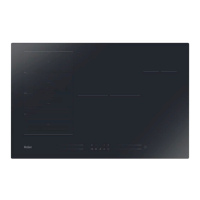
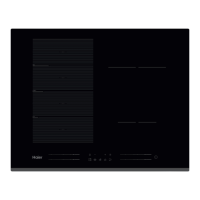
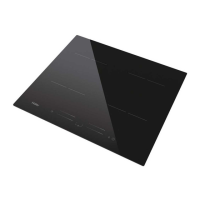
This document describes the Haier HAMTSJ86TFTCF/1 Induction Hob, a safe, advanced, efficient, and economical cooking appliance.
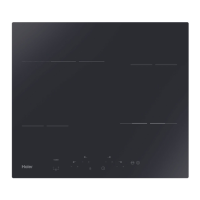
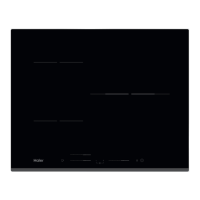
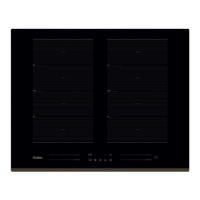
The induction hob operates by electromagnetic vibrations that generate heat directly in the pan, rather than indirectly through heating the glass surface. The glass only becomes hot because the pan eventually warms it up. It features four cooking zones with varying power levels: two zones with a maximum of 2000/3200 W, two zones with a maximum of 3000/3600 W, and one zone with a maximum of 1400/2000 W. The hob includes a control panel with heating zone power controls, an ON/OFF control, a Keylock control, a "Swipe down menu," and a "Cook with me" function.
The hob's controls are touch-sensitive, requiring no pressure. Users should use the ball of their finger and ensure controls are clean and dry.
To begin, touch the ON/OFF control for three seconds. The hob will beep, the touchscreen will power on, and it will enter standby mode. Place a suitable pan on the desired cooking zone, ensuring the pan's bottom and the zone's surface are clean and dry. Touch the heating zone slider control to display the power setting screen. Select the desired power level using the horizontal slider or direct buttons. The hob offers various power levels for tasks like melting, keeping warm, simmering, and boiling. An "H" symbol indicates a hot surface, remaining visible until the surface cools to a safe temperature.
Only induction-suitable cookware should be used, identifiable by an induction symbol or a magnet test. Cookware made of pure stainless steel, aluminum, copper without a magnetic base, glass, wood, porcelain, ceramic, or earthenware is not suitable. Pans should have a smooth, flat base that sits flush against the glass and matches the cooking zone's size for optimal efficiency. Pans smaller than 80 mm may not be detected.
The Boost function can be activated by touching the heating zone slider control and swiping left until "B" appears. To cancel, select a level other than "B." This function works on any cooking zone and returns to its original setting after 5 minutes (or to level 14 if the original setting was 0).
Access the menu by swiping down the fine line in the middle of the screen.
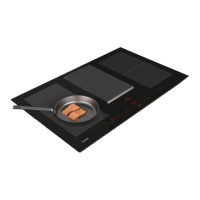
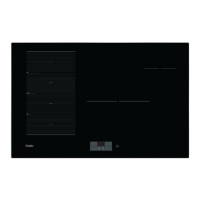
This area can be used as a single large zone or four independent zones. To activate as a single large zone, swipe down the menu and select the flexible area control. The power setting works like any other zone. If a pot is moved, the flexible area automatically detects the new position and maintains the power. To add another pot, deactivate the flexible area to detect new cookware. For four independent zones with different power settings, do not activate the flexible area control.
This feature adjusts power based on pot position: level 2 for the bottom, level 10 for the middle, and level 14 for the top of the flexible area. Activate by swiping down the menu and selecting Varycook control. Power changes automatically when the pot is moved.
Controls can be locked to prevent unintended use, disabling all controls except ON/OFF. To lock/unlock, touch and hold the Lock control. In an emergency, the hob can be turned off with the ON/OFF control, but must be unlocked for subsequent use.
Heating can be paused instead of turning off the hob. When activated, all active cooking areas enter pause mode. To activate/deactivate, swipe down the menu and select the pause mode control. The hob will shut down after 10 minutes if not exited from pause mode.
Users can set a maximum power level for the hob (2.5kW to 7.4kW) to avoid overloading. The hob automatically limits power to operate at lower levels if needed.
Set a timer for individual cooking zones by touching the heating zone slider control and selecting the timer control. Adjust the time using the timer buttons. The countdown starts immediately, and the corresponding cooking zone switches off automatically when the timer expires. Other active zones continue to operate.
The hob has an automatic shutdown safety function. Default working times vary by power level (e.g., 8 hours for levels 1-4, 6 hours for levels 5-8, 4 hours for level 9, and 4 hours for levels 10-12, 2 hours for levels 13-14). If a pan is removed, heating stops immediately, and the hob switches off after 2 minutes.
This feature allows pairing the hob with the hOn app. Download and install the app, then register the hob. To pair, swipe down the menu, select settings, then network settings, and finally "connect with app." The Wi-Fi button will light up upon successful connection.
The hob offers special functions like Melting, Keep Warm, Simmering, and Boiling, accessible by touching the heating zone slider control and selecting the desired function.
The hob has a self-diagnostic function. Error codes (EL, EH, C1, C2, ET, E1, E2, E3, E4, E7, EU, UE) are displayed for various issues like supply voltage problems, high temperatures, or sensor failures. Solutions include checking power supply, restarting the unit, replacing components, or contacting a qualified technician. Common issues like unresponsive controls, scratched glass, pan noises, or fan noise are also addressed with solutions like unlocking controls, using appropriate cookware, or checking for blockages.


 To Next Page
 General