EasyManua.ls Logo

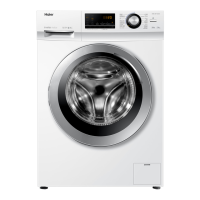
Haier HW80-12829 - User Manual

Haier HW80-12829
33 pages
Print Icon
To Next Page IconTo Next Page
Loading...
GB
User manual
Washing machine
HW60-12829
HW60-14829
HW70-12829
HW70-14829
HW80-12829
HW80-14829
HW100-12829
HW100-14829

Questions and Answers

  • H
    Hayley JonesSep 4, 2025
    Why does my Haier HW80-12829 Washer operation stop for a period of time?
    • A
      Andrea MoralesSep 4, 2025
      If your Haier Washer displays an error code or the operation stops for a period of time, consider display codes, reduce or adjust the load. It may also be because the programme performs soaking cycle or detergent is not appropriate or excessive use of detergent. You may need to cancel the programme and restart.
  • G
    gillespiestephanieSep 18, 2025
    What to do if my Haier HW80-12829 shows E2 error?
    • H
      hfarleySep 18, 2025
      If your Haier Washer displays error code E2, shut the door properly. This indicates a lock error.
  • C
    Christopher MooreSep 16, 2025
    How to troubleshoot E4 error on Haier HW80-12829?
    • G
      Guy WilsonSep 16, 2025
      If your Haier Washer displays error code E4, make sure that tap is fully opened, water Pressure is normal and check drain hose installation. This indicates that water level not reached after 10 minutes. at the latest or drain hose is self-syphoning.
  • T
    Thomas RileySep 14, 2025
    How to fix E1 error on Haier HW80-12829?
    • M
      melinda90Sep 14, 2025
      If your Haier Washer displays error code E1, check the drain hose installation. This indicates a drainage error where water is not fully drained within 6 minutes.
  • F
    fparsonsSep 12, 2025
    Why does my Haier HW80-12829 have automatic adjustment of washing time?
    • J
      Jessica PageSep 12, 2025
      The automatic adjustment of washing time in your Haier Washer is normal and doesn't affect functionality. The washing programme duration will be adjusted.
  • S
    Stephen TranSep 12, 2025
    How to remove grey patches on laundry after washing in Haier Washer?
    • J
      Jeffrey MartinSep 12, 2025
      If your laundry has grey patches after being washed in your Haier Washer, pretreat the laundry with a special cleaner. This is caused by fats such as oils, creams or ointments.
  • R
    Rodney DillonSep 9, 2025
    How to remove washing powder residues on laundry from Haier HW80-12829 Washer?
    • E
      edward81Sep 9, 2025
      If you find washing powder residues on your laundry after washing with your Haier Washer, perform an extra rinse, try to brush the points from the dry laundry, or choose another detergent. The cause may be insoluble particles of detergent can remain as white spots on the laundry.
  • J
    Justin ParksSep 7, 2025
    Why is my Haier HW80-12829 providing unsatisfactory washing result?
    • W
      William DavisSep 7, 2025
      If you're not satisfied with the washing results from your Haier Washer, select another programme, choose the detergent according to the degree of pollution and according to manufacturer, reduce loading, or loose the laundry. The cause may be that the selected wash program was not appropriate for how dirty the laundry was, maximum load has been exceeded, or laundry was unevenly distributed in the drum.
  • J
    Jesse GarciaSep 5, 2025
    How to get rid of excessive foam in my Haier HW80-12829 Washer?
    • M
      Michelle SanchezSep 5, 2025
      If you notice excessive foam in the drum or detergent drawer of your Haier Washer, check the detergent recommendations and reduce the amount of detergent used.
  • J
    justin03Aug 20, 2025
    What to do if my Haier HW80-12829 Washer fails to operate?
    • D
      Debra SnyderAug 21, 2025
      If your Haier Washer isn't operating, here's what to check: * Ensure the program has been started. * Verify the door is properly closed. * Make sure the machine is switched on. * Check the power supply. * Deactivate the child lock, if it's enabled.

Summary

Safety Information

Pre-Use Safety Checks

Essential checks before first use, including transport damage and packaging.

Daily Operation Safety

Guidelines for safe daily use, child supervision, and appliance handling.

Maintenance and Cleaning Safety

Safety precautions for cleaning the appliance and performing maintenance.

Installation Safety

Requirements and precautions for safely installing the washing machine.

Control Panel

Key Operational Buttons

Explains the function of Power, Programme, Start/Pause, and other key buttons.

Advanced Functions and Indicators

Covers Delay, Extra Rinse, Child Lock, indicators, and display functions.

Programmes

Programme Selection Guide

Table detailing wash programmes, load capacity, temperature, and fibre type.

Daily Use

Care and Cleaning

Troubleshooting

Troubleshooting Display Codes

Solutions for problems indicated by error codes like E1, E2, F3, F4.

Troubleshooting Without Codes

Solutions for common issues like non-operation, water fill, or drainage problems.

Specific Error Scenarios

Addresses issues like time adjustment, spinning, results, and power failure.

Installation

Customer Service

Haier HW80-12829 Specifications

General IconGeneral
ModelHW80-12829
Load Capacity8 kg
Spin Speed1200 rpm
Energy Efficiency ClassA+++
ColorWhite
Delay StartYes
Child LockYes
DisplayLED
TypeFront Load

Related product manuals