EasyManua.ls Logo

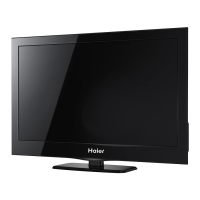
Haier LE42U6500A - User Manual

Haier LE42U6500A
20 pages
Print Icon
To Next Page IconTo Next Page
Loading...
LED LCD TV
OWNER' S MANUAL
MODEL: L E 4 2 U 6 5 0 0 A
Please READ this manual carefully
before operating your TV, and retain
it for future reference

Questions and Answers

  • G
    gregorybryanJul 31, 2025
    What to do if my Haier LCD TV has no picture?
    • M
      melanie28Jul 31, 2025
      If your Haier LCD TV shows no picture, ensure the power cord is properly inserted and the power switch is turned on. Also, check the contrast, brightness, and volume settings. Try pressing the standby key on the remote control to inspect the TV.
  • H
    Hannah JohnsonAug 4, 2025
    Why does my Haier LE42U6500A have a normal picture but no sound?
    • L
      Logan MaxwellAug 4, 2025
      If your Haier LCD TV displays a normal picture but has no sound, inspect whether the mute function on the remote control is activated or not, or check the audio system to ensure it's correctly set up.
  • P
    Pamela RobertsonAug 8, 2025
    Why does my Haier LE42U6500A LCD TV have no color but normal audio?
    • M
      Matthew MercerAug 8, 2025
      If your Haier LCD TV has no color but the audio is normal, adjust the color control settings.
  • D
    Diana HorneAug 13, 2025
    How to fix a scrambled picture on my Haier LE42U6500A LCD TV?
    • L
      Lori IbarraAug 13, 2025
      To fix a scrambled picture on your Haier LCD TV, retune the channel.
  • B
    brownjeremyAug 17, 2025
    What causes snow on my Haier LE42U6500A?
    • D
      Dawn Oneill DDSAug 17, 2025
      Snow on your Haier LCD TV can be caused by issues with the antenna's position, direction, or connection.
  • S
    scottdavisAug 21, 2025
    What causes a ghost image on my Haier LE42U6500A?
    • O
      ostuartAug 22, 2025
      A ghost image on your Haier LCD TV can be caused by issues with the antenna's position, direction, or connection.
  • C
    Catherine SteeleAug 26, 2025
    What causes interference on a Haier LCD TV?
    • A
      Andrea WattsAug 26, 2025
      Interference on your Haier LCD TV can be caused by electronic equipment, cars, motorcycles, or fluorescent lights.

Summary

Safety and Warnings

Important Safety Instructions

Essential safety guidelines for proper operation and maintenance.

Cautionary Symbols Explained

Explains key safety symbols related to electrical shock, heat, and moisture.

Safe Usage and Handling Precautions

Placement and Operation Warnings

Warnings about TV placement, ventilation, heat exposure, and physical handling.

Wall Mount Installation Guide

Step-by-Step Mounting Procedure

Detailed instructions for securely installing the TV on a wall mount.

Front Panel and Connectivity Ports

Rear Panel Connection Ports

Details the various input/output terminals located on the back of the TV.

Connecting External AV Equipment

AV and YPbPr Input Connections

How to connect VCRs, DVDs, and other video devices using AV and YPbPr inputs.

Remote Controller Functions

Remote Control Button Guide

Comprehensive explanation of each button's function on the remote.

Basic TV Operation and Setup

Selecting Input Signal Sources

How to choose and switch between different video input sources.

TV Tuning and Picture Settings

Channel Tuning and Country Setup

Process for scanning for channels and selecting the country for tuning.

Channel Management and Signal Info

Auto and Manual Tuning Procedures

Steps for automatically scanning or manually tuning TV channels.

Troubleshooting Common Issues

Resolving Picture and Audio Problems

Solutions for common display issues like snow, interference, and no picture.

Haier LE42U6500A Specifications

General IconGeneral
Screen Size42 inches
Display TypeLCD
Resolution1920 x 1080
Display ResolutionFull HD
Backlight TypeLED
Smart TVYes
Operating SystemAndroid
HDMI Ports3
USB Ports2
Wi-FiYes
Refresh Rate60 Hz
Audio Output20 W
BluetoothYes

Related product manuals