Manual search
Manual search
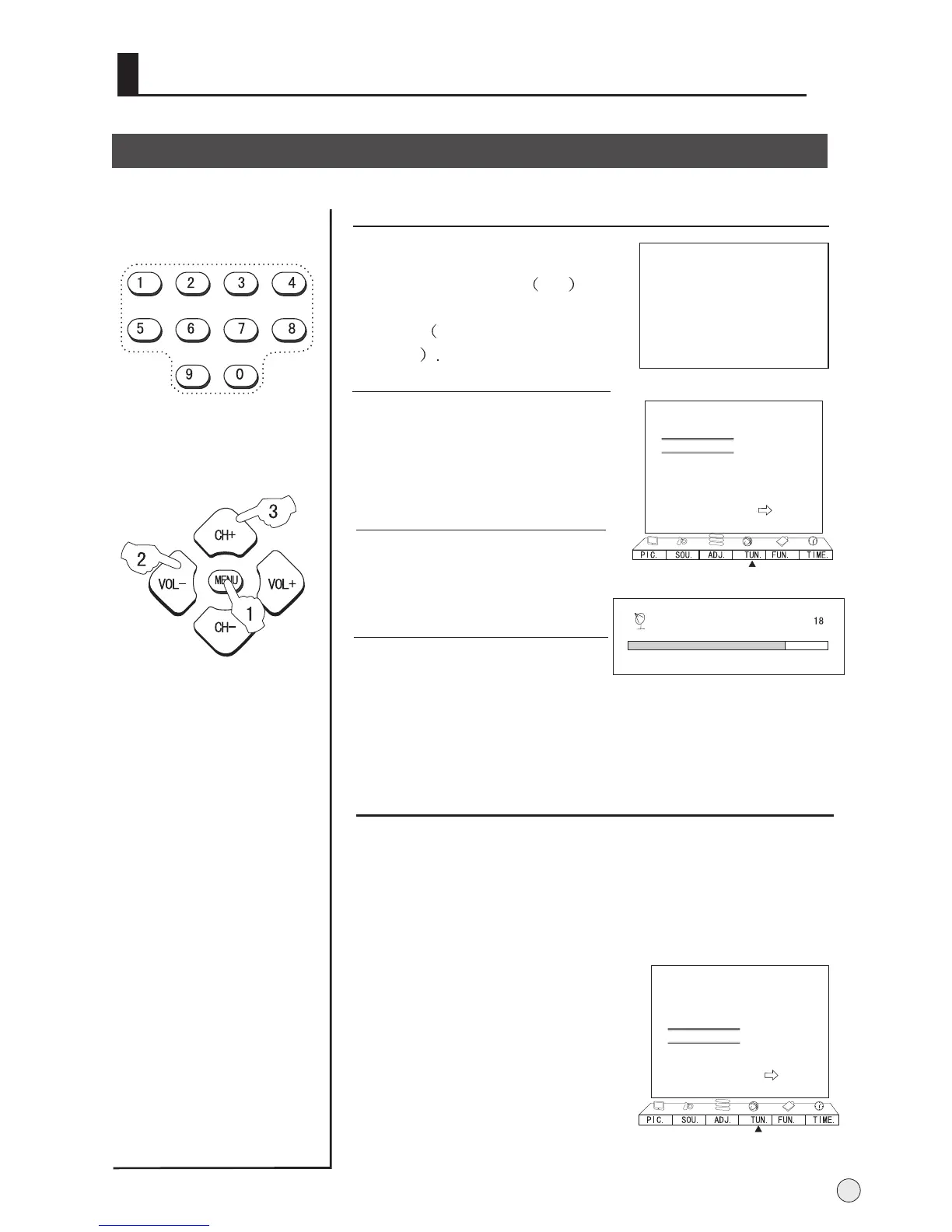
1 Press the CH+/- buttons or the
PROGRAM NUMBER 0-9
button to choose desired
channels regard channel 1 as
example
2 Press the MENU button and
VOL+/- button, till the TUN.
menu shown on the right display
on the screen.
3 buttons to
select " Manual Search" item.
Press the CH+/-
TV01
AUTO
D/K
4 Press the VOL-/+ buttons to
start searching.
17
Color Sys. Auto
Sound Sys. D/K
Manual Search
Store Program ---
Fine Tune 49.75MHz
Skip Off
Auto Search
Prog. Switch
B
C
A
Searching Channel
Fine tune
If the picture and/or sound are poor, try using the FINE
TUNE feature. Do not use this feature unless reception
is poor.
2 Press VOL-/+ buttons repeatedly
to carry out fine tune, till the best
picture and sound are obtained,
then loosen the button.
Color Sys. Auto
Sound Sys. D/K
Manual Search
Store Program ---
Fine Tune 49.75MHz
Skip Off
Auto Search
Prog. Switch
B
C
A
When searching successfully for the channel, the Manual search
stopping automatically, at this time, press CH- button to select
Store Program, then press VOL+/- to set the store.
1 Repeat step 1-2, then press CH+/- buttons to select
" Fine Tune" item.
VHF-L 188.16



 To Next Page