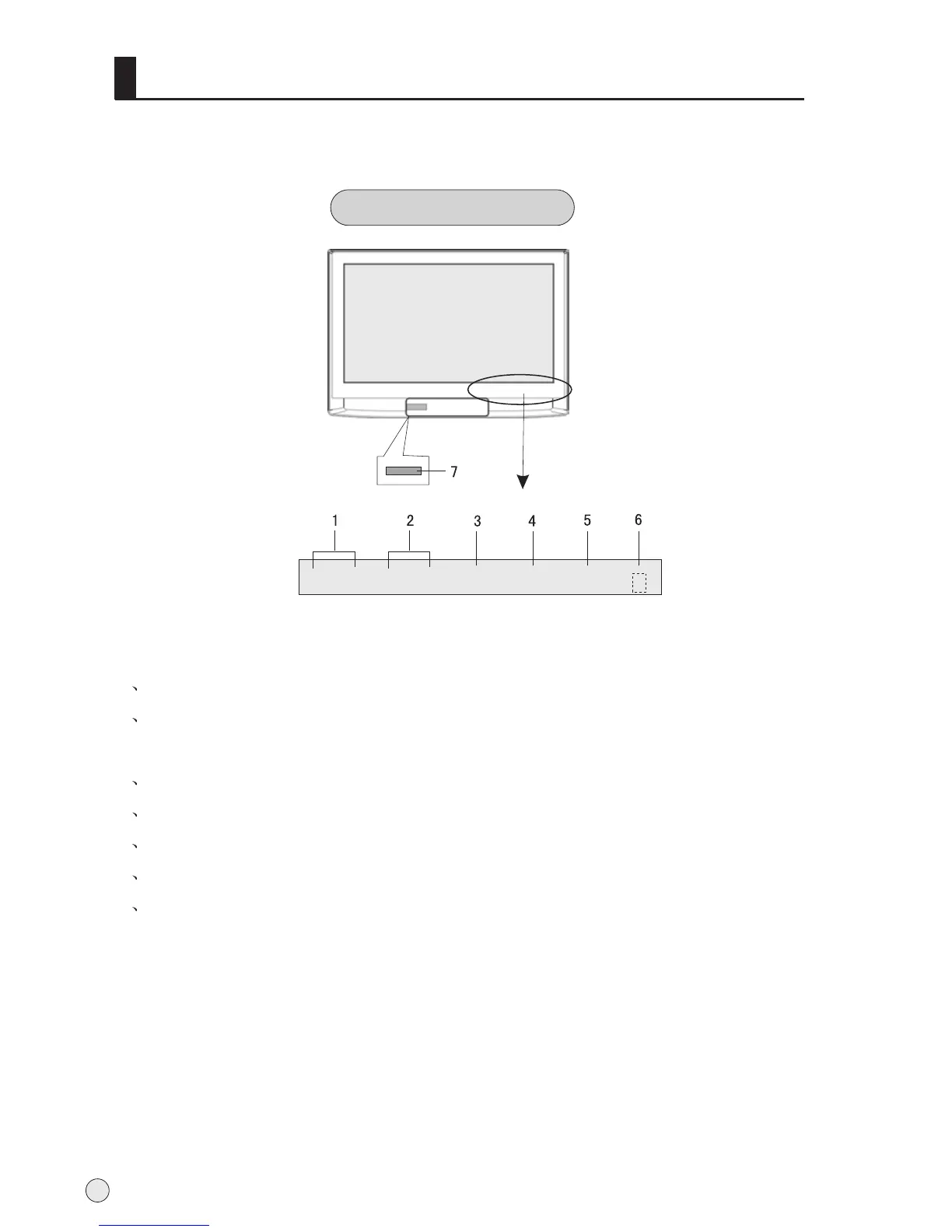
Front panel Control
Buttons and functions
1 Channel number increase and decrease.
2 Volume decrease:for lowering the volume or adjusting the menu.
Volume increase: for enhancing the volume or adjusting the menu.
3 TV/AVbutton
4 Menu button
5 Power and indicator: for turning on or off the power supply.
6 Remote receiving window
7 Card jack
- This is a simplified representation of front panel.
- Here shown may be somewhat different from your TV.
Buttons and interface location
4
- CH + - VOL +
TV/AV MENU
POWER



 To Next Page