PC setting
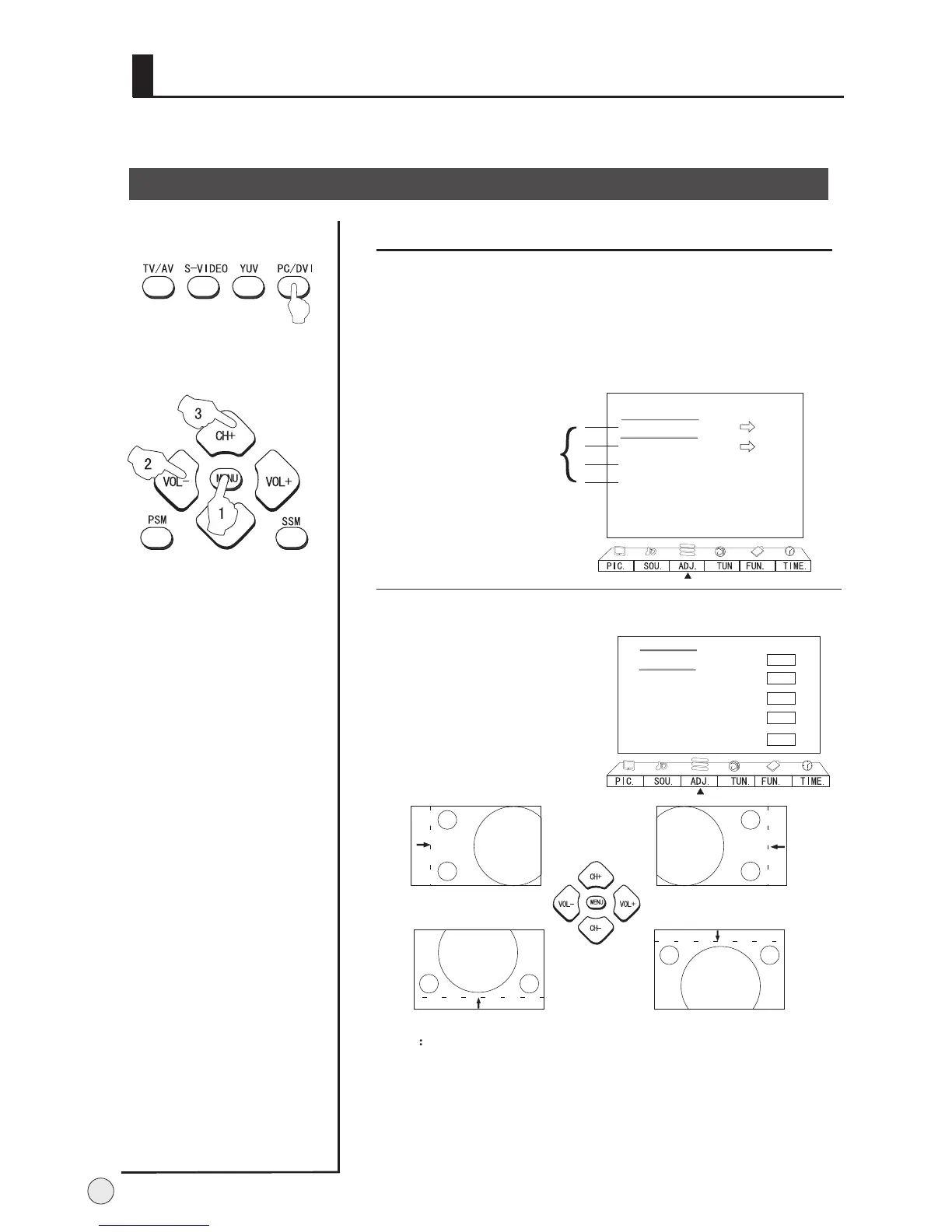
Press PV/DVI button to select PC or DVI mode.
PC setting
30
Adjust menu
In VGA and DVI input mode, H-Position and V-Position can be adjusted to
eliminate transverse line interference and decentered picture.
Display Mode Normal
Color Temperature Normal
Black Stretch On
Adjust
RGB
Default
Auto Sync.
B
C
A
Only be adjustable
in the VGA/DVI mode.
1 Press MENU button and VOL+/VOL- button , till the ADJ.
Menu display on the screen.
2 Press CH+/- buttons to select the item to be adjusted, then
press VOL+/- buttons to adjust.
Note:
1. As adjusting H position or V
position parameter, It is
natural that the picture will
have faintness once in a while
if the range is more, then to
adjust contrarily to normal
position.
2. H-position,V-position,Auto
Adjust are not available in TV
mode.
3. Auto Adjust is not available
in AV and S-VIDEO mode.
H Size Horizontal size of picture can be adjusted in this item.
H Position: Horizontal position of picture can be adjusted in this
item.
V Size: Vertical size of picture can be adjusted in this item.
V Position: Vertical position of picture can be adjusted in this
item.
Fine Tune: Adjust phase to the best effect suiting for VGA signal.
Adjust
Press CH+/- buttons to select
Adjust, then press VOL-/+
buttons to enter the sub menu.
H Size
H Position
V Size
V Position
Fine Tune
B
C
A
0
0
0
0
0
This will adjust the picture of H-positon, V-positon, H-size, V-size
and Fine Tune.



 To Next Page