SIM Card & microSD
5
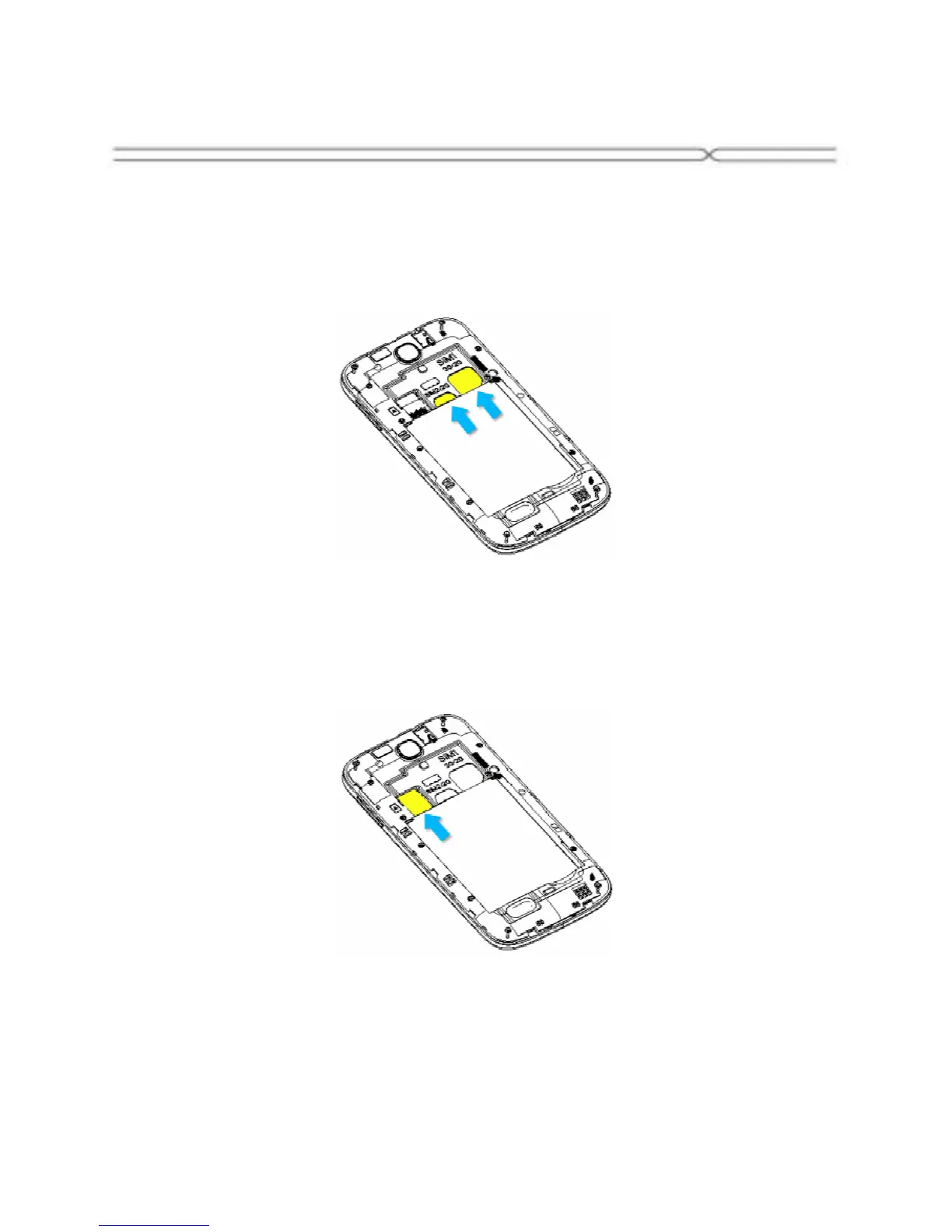
Installing the SIM Card
Make sure that the clipped corner of the SIM card is facing the correct
direction and the metallic contacts are facing the correct direction. Slide the
SIM card into the card slot until it stops.
Installing the microSD Memory Card
Slide microSD card into the SD card slot with the metallic pins facing
downwards. Push the card until it locks into place.



 To Next Page