EasyManua.ls Logo

Haier W757 - User Manual

Haier W757
42 pages
Go to English
Print Icon
To Next Page IconTo Next Page
Loading...
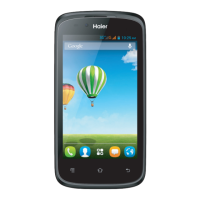
HaierPhone W757
Manuel utilisateur
Votre smartphone à écran tactile Haier W757 fonctionne grâce au
système d'exploitation Android 4.2 (Jelly Bean).

Questions and Answers

Summary

Precautions

General Safety Guidelines

Rules for safe operation, transportation, and usage in specific environments like hospitals or gas stations.

Battery Cover & Battery

Removing the Battery Cover

Step-by-step instructions for safely detaching the phone's back cover.

Installing the Battery and Charging

Guidance on inserting the battery and connecting the charger for power.

SIM Card & microSD

Installing the SIM Card

Instructions for correctly inserting the SIM card into its designated slot.

Installing the microSD Memory Card

Steps for inserting the microSD card into its slot.

Phone Functionality

Making a Call

Instructions on how to use the dial pad to make phone calls.

Call Options

Details on making calls via Phone, People, Messaging, and Call log.

Connecting to WLAN

WLAN Connection Steps

Steps to connect to a WLAN network for internet access.

Accessing the Internet

Taking Pictures;Videos

Troubleshooting Common Issues

Phone Not Turning On

Solutions for issues related to turning the phone on, including battery checks.

Network Connectivity Problems

Guidance for resolving network connection issues, signal strength, and SIM card validity.

Call Quality and SIM Card Errors

Troubleshooting poor call quality and SIM card related errors.

Call Reaching and Function Issues

Solutions for callers not being able to contact you and issues with setting functions.

Summary

Precautions

General Safety Guidelines

Rules for safe operation, transportation, and usage in specific environments like hospitals or gas stations.

Battery Cover & Battery

Removing the Battery Cover

Step-by-step instructions for safely detaching the phone's back cover.

Installing the Battery and Charging

Guidance on inserting the battery and connecting the charger for power.

SIM Card & microSD

Installing the SIM Card

Instructions for correctly inserting the SIM card into its designated slot.

Installing the microSD Memory Card

Steps for inserting the microSD card into its slot.

Phone Functionality

Making a Call

Instructions on how to use the dial pad to make phone calls.

Call Options

Details on making calls via Phone, People, Messaging, and Call log.

Connecting to WLAN

WLAN Connection Steps

Steps to connect to a WLAN network for internet access.

Accessing the Internet

Taking Pictures;Videos

Troubleshooting Common Issues

Phone Not Turning On

Solutions for issues related to turning the phone on, including battery checks.

Network Connectivity Problems

Guidance for resolving network connection issues, signal strength, and SIM card validity.

Call Quality and SIM Card Errors

Troubleshooting poor call quality and SIM card related errors.

Call Reaching and Function Issues

Solutions for callers not being able to contact you and issues with setting functions.

Haier W757 Specifications

General IconGeneral
BrandHaier
ModelW757
CategoryCell Phone
LanguageEnglish

Related product manuals