Battery Cover & Battery
4
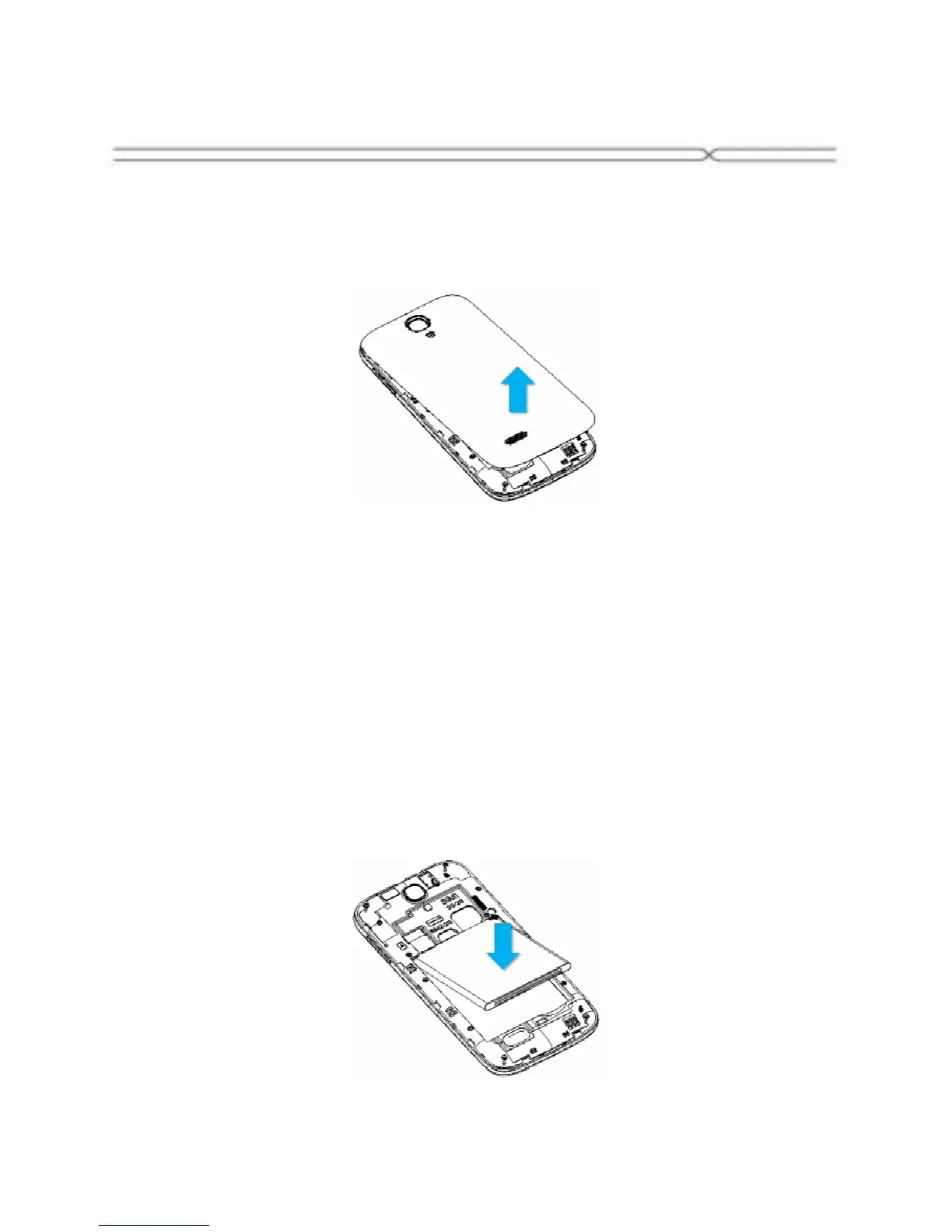
Removing the Battery Cover
1. Hold the device firmly and locate the cover release latch.
2. Place your fingernail in the opening and remove the cover according to
the arrow direction.
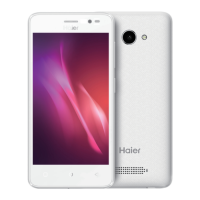
Installing the Battery
1. With the metallic contacts of the battery facing the metallic contacts in
the battery slot, press the battery down until it locks into place
2. Ensure the battery is inserted in the phone. To charge the battery, plug in
the charger connector at your phone (USB interface) and then plug the
other end into an AC power socket.
The battery symbol indicates the charging status. While charging, the
charge indicators will scroll. When all the scroll bars are steady, the battery
is fully charged. Disconnect the charger from the phone. Disconnect the
charger from the AC power socket.
Note: If the battery is powerless, the battery icon will reappear after a few
minutes of charging.



 To Next Page