Connecting to WLAN
11
Connecting to WLAN
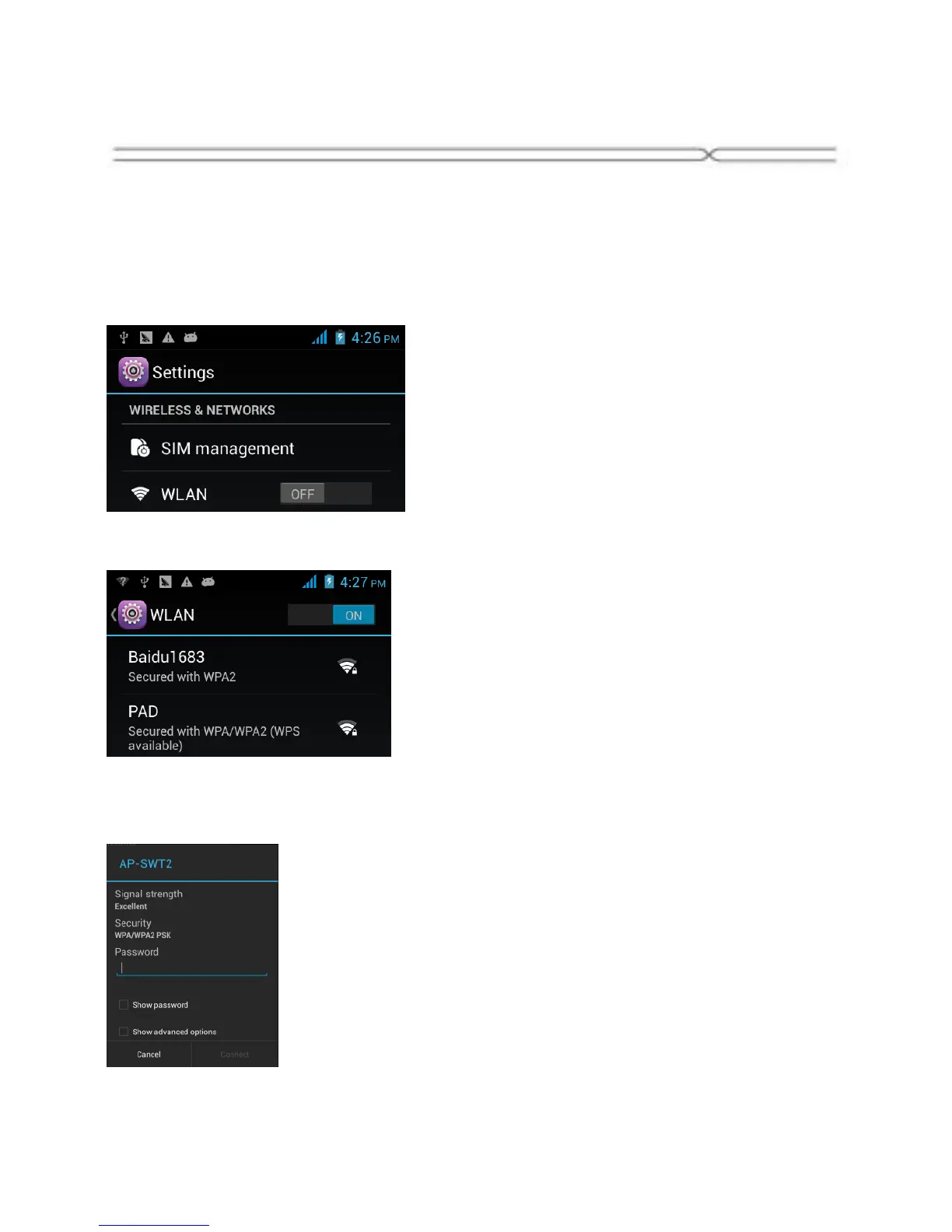
1. You can connect to the WLAN, and use it to surf the Internet at high
speed and download.
Touch Launcher → Settings → WLAN.
2. Turn on the switch to activate WLAN.
3. Touch WLAN.
4. Choose an available WLAN network to connect
5. Secured networks are indicated with a Lock icon. If the network is
secured, you are prompted to enter a password or other credentials (Ask
your network administrator for details)
6. Touch “Connect”.


 To Next Page