6
●
Control card and
changing the tempera
-
ture setting
Please refer to the FM-202 Instruction
manual.
●
Replacing the tip
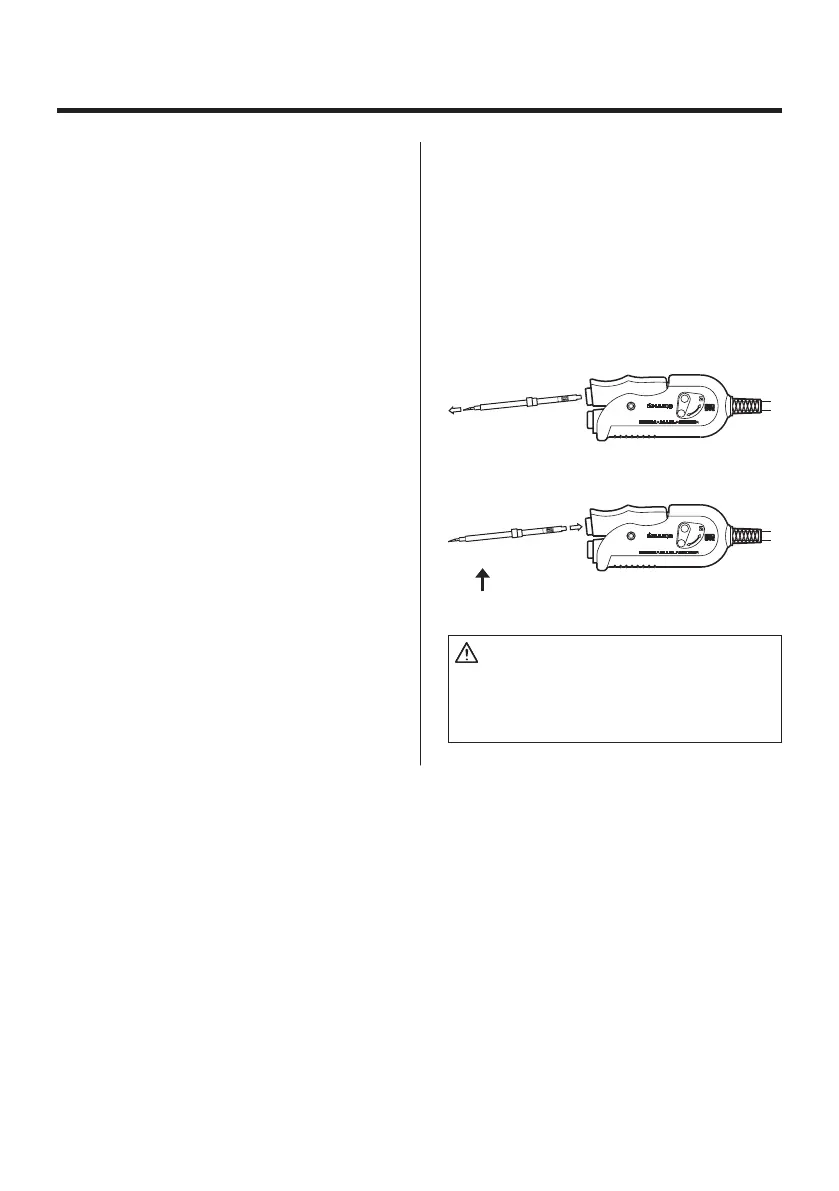
Removing and inserting the tip:
Removing the tip:
Hold the handle and pull the tip out of the
handpiece with the heat resistant pad.
Inserting the tip:
Before inserting the tip; Insert the Tip ID
number key into the process gate until the
buzzer sounds once.
Hold head part and insert the tip into the
handpiece. Push until the tip stops.
CAUTION:
The tip can be very HOT. Use the heat resis
-
tant pad for handling hot tips, but do not hold
the hot portion of the tip, even with the pad,
for longer than necessary.
5
6. When the set temperature is reached,
the buzzer sounds and the heater lamp
at the lower right of the temperature
display starts blinking.
NOTE:
Once the two tips are inserted into the hand-
piece, heat control begins.
Both tips of the set must be inserted or the
handpiece will not heat.
CAUTION:
Never set the temperature to any value over
400°C (750°F). Doing so may damage the
station. Set the temperature according to the
type of work to be done.
●
Operating instructions
1. Set the Temperature
2. Switch lever on the handle
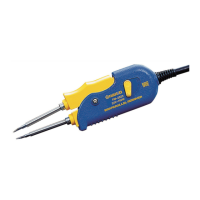
The FM-2023 is double acting.
• When the tips are touching - i.e. the
handpiece is closed- an ʻRʼ is visible on
the handle. Operate by squeezing the
movable part of the handle at the back.
• When the handpiece is open, an ʻNʼ
is visible on the handle. Operate by
squeezing the movable part of the
handle at the front.
3. Apply solder or flux
If there is insufficient solder on the PWB,
or the soldered area is too small, apply
solder or flux to the PWB. Solder may
also be applied to the tips.
4. Melt the solder
Place the tips on the soldered part and
melt the solder. Confirm that the solder is
fully melted. See sketch ʻAʼ.
5. Remove the component
After confirming that the solder is fully
melted, lightly squeeze the handpiece to
grasp the component and lift to remove
the component. See sketch ʻBʼ.
CAUTION:
Very high tip temperatures may damage the
printed circuit board, possibly causing the
printed pattern to become detached. HAKKO
recommends setting the tip temperature be
-
low 300°C (572°F) for all normal work. Using
the lowest possible effective temperature not
only helps protect parts that are sensitive to
heat, it also helps protect the tip from deterio-
ration caused by heat.


 To Next Page