EasyManua.ls Logo

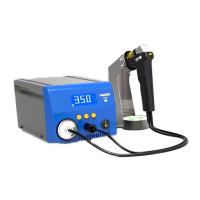
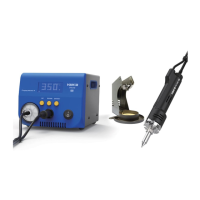
Hakko Electronics FR-400 - User Manual

Hakko Electronics FR-400
37 pages
Print Icon
To Next Page IconTo Next Page
Loading...
Table of Contents
........................... 1
...................................................... 1
...................... 2
............................................................ 3
................................................................ 4
............................................ 13
........................................................ 23
....................................... 28
................................................... 30
................................. 31
.............................................................. 32
................................................... 35
1. PACKING LIST AND PART NAMES
2. SPECIFICATIONS
3. WARNINGS, CAUTIONS AND NOTES
4. INITIAL SETUP
5. OPERATION
6. PARAMETER SETTING
7. MAINTENANCE
8. CHECKING PROCEDURE
9. ERROR MESSAGE
10. TROUBLE SHOOTING GUIDE
11. PARTS LIST
12. WIRING DIAGRAM
ThankyouforpurchasingtheHAKKOFR-400DesolderingTool.
Thisproductisadesolderingtoolequippedwithaquickchangemechanism.
PleasereadthismanualbeforeoperatingtheHAKKOFR-400.
Keepthismanualreadilyaccessibleforreference.
Instruction Manual
DESOLDERING TOOL
FR-400
Question and Answer IconNeed help?

Do you have a question about the Hakko Electronics FR-400 and is the answer not in the manual?

Summary

Technical Specifications

Safety Warnings and Precautions

Initial Setup Procedures

Operation Guide

Desoldering Process Steps

Step-by-step guide for performing desoldering operations.

Setting Nozzle Temperature

How to set the desired nozzle operating temperature.

Adjusting Nozzle Temperature Offset

Adjusting the nozzle temperature offset for accuracy.

Vacuum Performance Check

Checking nozzle clogging and suction force.

Parameter Settings Configuration

Auto Shutoff Function Setup

Setting up and configuring the automatic shutoff feature.

Vacuum Operation Mode Selection

Selecting manual or timer operation for the desoldering pump.

Auto Sleep Function Activation

Activating and setting the automatic sleep feature.

Password Protection for Settings

Setting password levels to limit configuration changes.

Factory Default Settings Reset

Restoring the unit to its original factory default settings.

Maintenance Procedures

Filter Pipe Replacement Guide

Steps for safely replacing the filter pipe.

Checking and Troubleshooting Procedures

Error Message Reference

Troubleshooting Common Issues

Hakko Electronics FR-400 Specifications

General IconGeneral
BrandHakko Electronics
ModelFR-400
CategoryPower Tool
LanguageEnglish

Related product manuals