6. PARAMETER SETTING
13
Parameter name
Temp Mode
ShutOff Set
Timer**
Vaccum Mode
Vacuum Time
***
Auto Sleep
Timer**
Sleep Temp
Low Temp
Error Alarm
Ready Alarm
Pass. Lock
Password****
Initial Reset
● PARAMETER SETTINGS
Press and hold any one of the three control buttons, and turn on the power switch to
display the parameter setting screen. The following parameters can be set:
* For USA.
** Timer can be set when ShutOff / Auto Sleep is set to
“
ON
”
.
***
Vacuum Time is displayed when Vacuum Mode is set to "Timer".
****Password is displayed when Password Lock is set to "Lock" or "Partial".
Initial value
°C (°F*)
OFF
30 min.
Normal
1 sec.
ON
6 min.
200°C (390°F)
150°C (270°F)
ON
ON
OFF
-
Value
°C / °F
OFF / ON
30 to 60 min.
Normal / Timer
1 to 5 sec.
OFF / ON
1 to 29 min.
200 to 300°C
(390 to 570°F)
30 to 150°C (54 to 270°F)
ON / OFF
ON / OFF
ON (Lock/Partial) / OFF (Unlock)
“ABCDEF”
Select three letters
°C / °F / Cancel
①
②
Press and hold any one of
the three control buttons while
turning on the power switch.
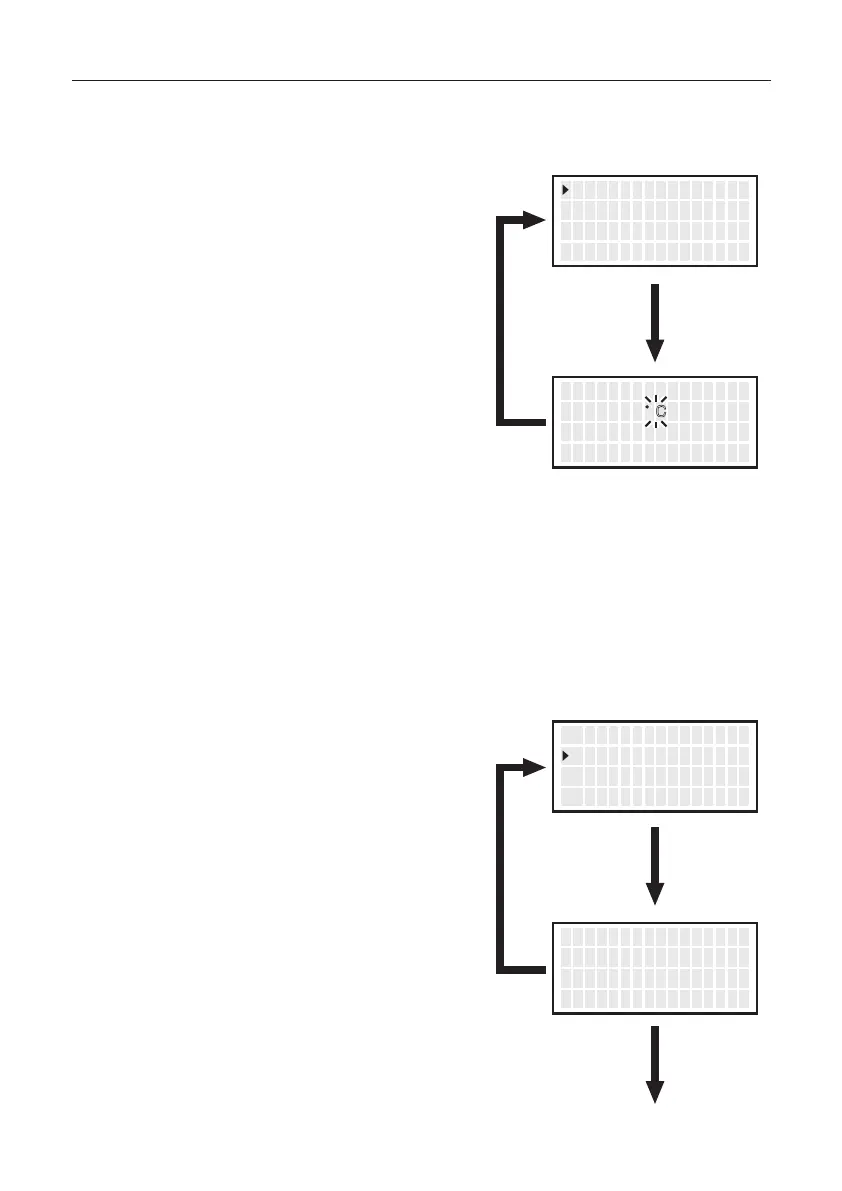
● Temp Mode
1.
Move the cursor to select “Temp Mode”.
After selecting, press <ENT>.
The displayed temperature can be switched between Celsius and Fahrenheit.
2. °C and °F will be switched alternately
if you press the <↑> or <↓> button.
3. Return to parameter setting display
if you press the <ENT> button after
setting.
● ShutOff Set
1.
Move the cursor to select “
ShutOff Set
”.
After selecting, press <ENT>.
Select whether you will activate the auto shutoff function. When the auto shutoff
function is set to on and no operation is performed for constant time after the handpiece
is set in the iron holder, the buzzer sounds three times and the auto shutoff function
will be enabled.
2. ON and OFF will be switched alternately
if you press the <↑> or <↓> button.
3. Selecting “ON” allows you to make the
setting for “Timer”.
(Default is 30 minutes.)
<↑> <↓> <ENT>
T emp M o d e
S h u t O f f S e t
V acuumM o d e
゚ C
OFF
NOR
<↑> <↓> <ENT>
T emp M o d e S e t
゚ F
<↑> <↓> <ENT>
T emp M o d e
S h u t O f f S e t
V acuumM o d e
゚ C
OFF
NOR
<↑> <↓> <ENT>
S h u t O f f S e t
S h u t O f f
T i m e r
OFF
30m
Select
“OFF”
Select
“ON”
(Next page)
14


 To Next Page