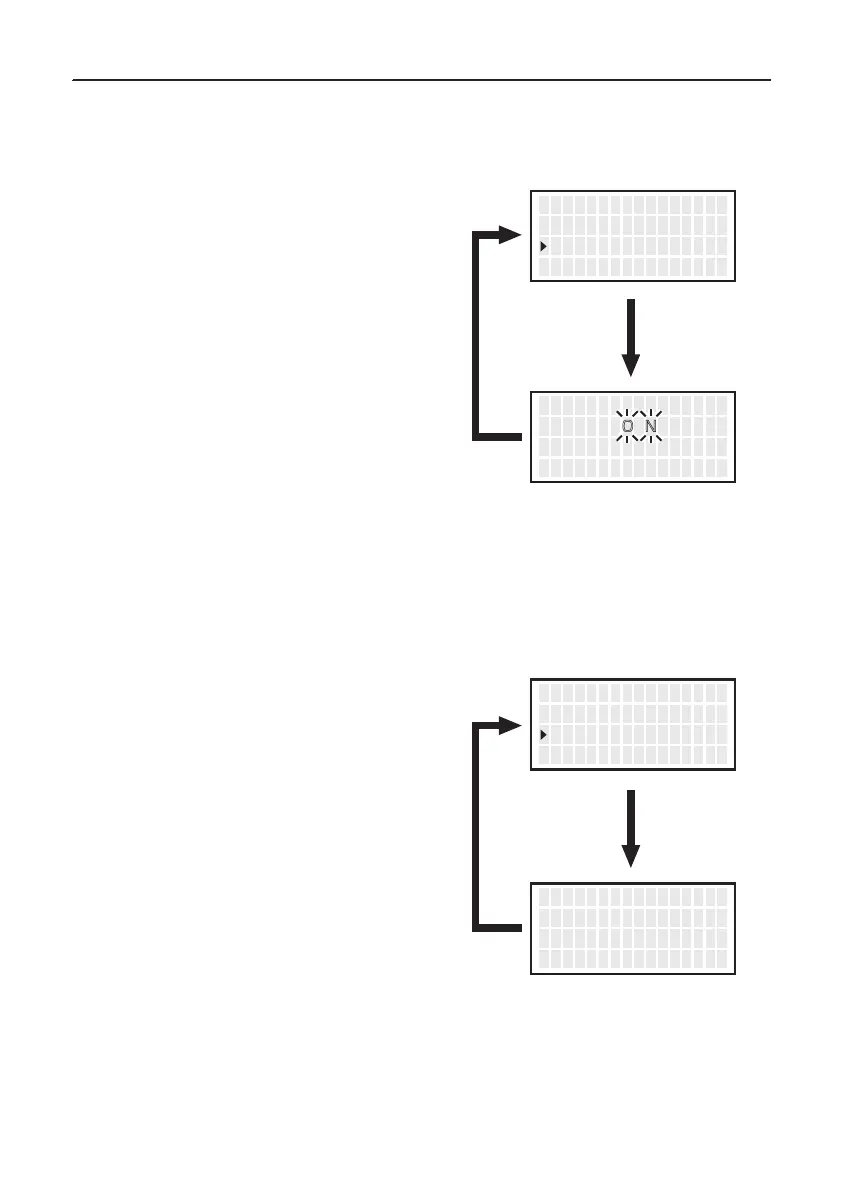
● Error Alarm
● Ready Alarm
In the buzzer sound setting mode, which sets whether to sound the buzzer when a
error occurs.
When the set temperature alert setting mode is on, the buzzer sounds if you reached
the usable temperature.
1.
Move the cursor to select “
Error Alarm
”.
After selecting, press <ENT>.
2. ON and OFF will be switched alternately
if you press the <↑> or <↓> button.
3. Return to parameter setting display if you
press the <ENT> button after setting.
2. ON and OFF will be switched alternately
if you press the <↑> or <↓> button.
3. Return to parameter setting display if you
press the <ENT> button after setting.
1.
Move the cursor to select “
Ready Alarm
”.
After selecting, press <ENT>.
<↑> <↓> <ENT>
S l e e p T emp
L o w Temp
E r r o r A l arm
200゚ C
150゚ C
ON
<↑> <↓> <ENT>
E r r o r A l arm S e t
OFF
<↑> <↓> <ENT>
L o w Temp
E r r o r A l arm
Read y A l arm
150゚ C
OFF
ON
<↑> <↓> <ENT>
Read y A l arm S e t
O N
OFF
19
6. PARAMETER SETTING (continued)
● Pass. Lock
Set the password to limit changes by the following levels.
Lock
Partial
Unlock
1.
Move the cursor to select “
Pass. Lock
”.
After selecting, press <ENT>.
2. Using the <↑> or <↓> button, select an
option from “Lock”, “Partial”, and “Unlock”.
6. Using the <↑> or <↓> button, enter a
password. (Selection of three characters
from ABCDEF)
* When selecting “Partial” or “Lock”
* When selecting “OK”
3. Select Lock ON/OFF for set temperature/
preset selection/offset temperature change.
(Only when selecting “Partial”)
5. Press the <ENT> button.
(Only when selecting “Partial”)
4. After having selected all selections, use the
<↑> or<↓> button to select “OK/Cancel”.
(Only when selecting “Partial”)
7. After entering, press the <ENT> button.
Select “OK” or “Cancel” using the <↑> or
<↓> button.
8. After selecting, press the <ENT> button
to return to the parameter setting screen.
The password is displayed under “Pass. Lock”
on the parameter setting screen.
: All setting changes require a password entry.
:
Select whether or not to enter your password for set temperature/preset selection/
offset temperature change. Other procedures require password entry.
: Any setting change does not require a password entry.
<↑> <↓> <ENT>
E r r o r A l arm
Read y A l arm
P ass . Lock
OFF
OFF
OFF
<↑> <↓> <ENT>
P assw o r d Lock S e t
U nlock
Select
“Unlock”
Select
“Lock”
Select
“Partial”
<↑> <↓> <ENT>
S e t T emp
P r ese t S e l
O f f s e t T emp
ON
ON
ON
<↑> <↓> <ENT>
P r ese t S e l
O f f s e t T emp
O K
ON
ON
<↑> <↓> <ENT>
P assw o r d S e t
* * *
O K
<↑> <↓> <ENT>
P ass. Lock
P assw o r d
I n i t i a l R e s e t
ON
CAUTION
This setting cannot be changed unless you enter the correct password.
20


 To Next Page