2: Installing the QE65000
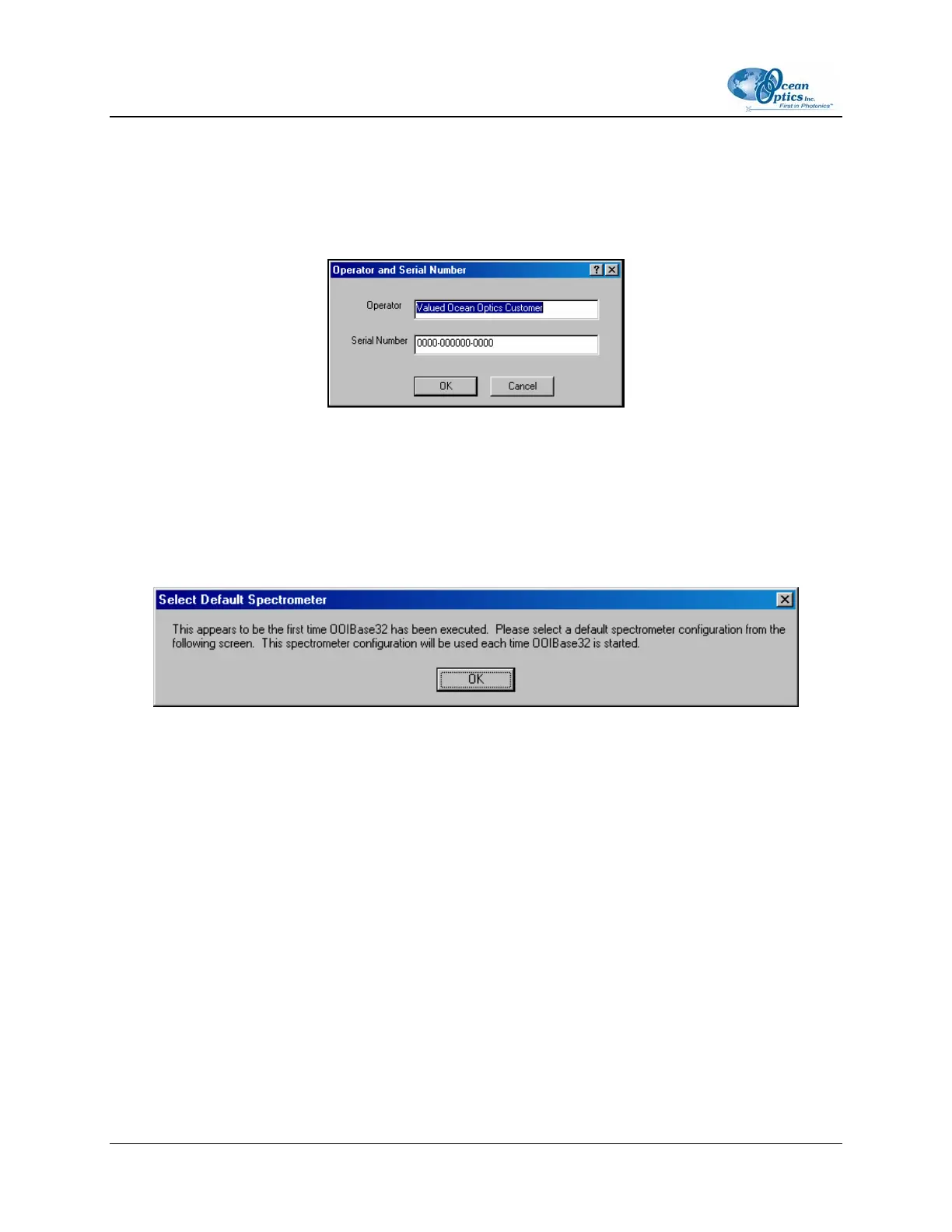
Operator and Serial Number Dialog Box
The Operator and Serial Number screen prompts you to enter a user name and software serial number
into OOIBase32. Some data files created by OOIBase32 during sampling procedures use this information
in the file headers.
Default Spectrometer Configuration File
The Default Spectrometer Configuration File screen prompts you to select a spectrometer configuration
(.SPEC) file for use with the QE65000. The unique serial number of the QE65000 precedes the file
extension (for example, DEFAULT.SPEC).
Navigate to the OOIBase32 installation directory and select the spectrometer configuration file.
Configure Hardware Screen
The Configure Hardware screen prompts you to enter spectrometer-specific information into
OOIBase32 the first time you run the program. Typically, you need only enter this information the first
time you run OOIBase32. However, you can alter the hardware configuration at any time using the
Spectrometer Configuration screen. Select Spectrometer | Configure from the OOIBase32 menu bar
to access the Spectrometer Configuration screen.
8 220-00000-000-02-0605



 To Next Page