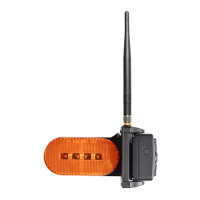
CA116 Camera
CA116 Rear Camera Package Contents:
1. Manual
2. 3dBi 2.4G Antenna x 1PC
3. 3.5mm to DC power cable x 1PC
4. DC power cable to 2P wires x 1PC
5. PB Stainless steel flat tail screws M3*10mm (5PCS)
6. PA Stainless steel Philip's head screw M4*18 (5PCS)
7. Magnet Mount x 1PC (optional)
8. Torx screw 1PCS (optional)
9. Metal plate with 3M tape x 1PC (optional)
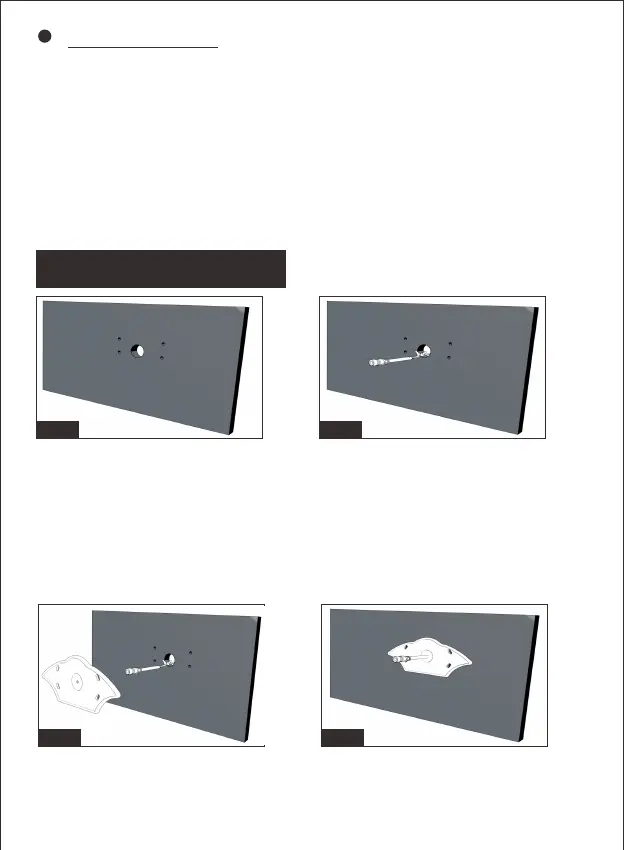
Figure1:
Select a suitable mounting position and drill a center hole on
the vehicle wall.
Figure2:
For prewired trailer and fifthwheel, plug the 3.5mm to DC power cable.
For unprewired trailer and fifthwheel, wire the DC to 2P cable with the
vehicle circuit. Ensure correct polarity when wiring the cables.
Red + Black
Figure3/Figure4: Feed the supplied power cable through gasket.
Ensure the bare end of the cable goes into the vehicle and the flat side
faces inward.
Fig.2Fig.1
Fig.4Fig.3
-8-
CA116 Installation


 To Next Page