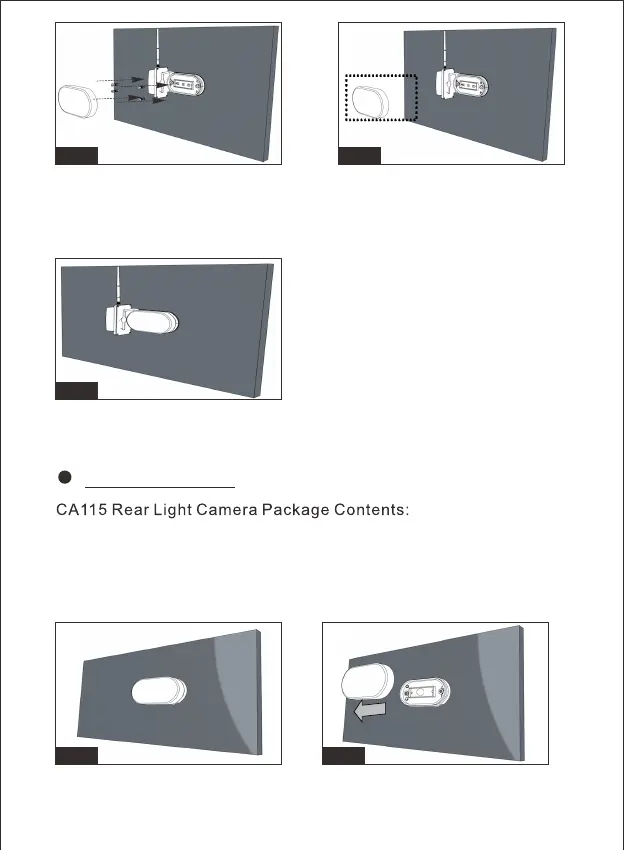
Figure17/Figure18: Remove the LED cover by straight screwdriver
Figure19: Secure the LED base on the vehicle wall using the four
self-tapping screws.
Figure20/Figure21: Replace the LED cover. Installation done.
Fig.19 Fig.20
Fig.21
CA115 Camera
1. Manual
2. 3dBi 2.4G Antenna x 1PC
3. PB Stainless steel flat tail screws M2.6*8mm (5PCS)
4. PA Stainless steel Philip's head screw M4*18 (6PCS)
5. Terminal Cap x 4PCS
Fig.1 Fig.2
-4-


 To Next Page