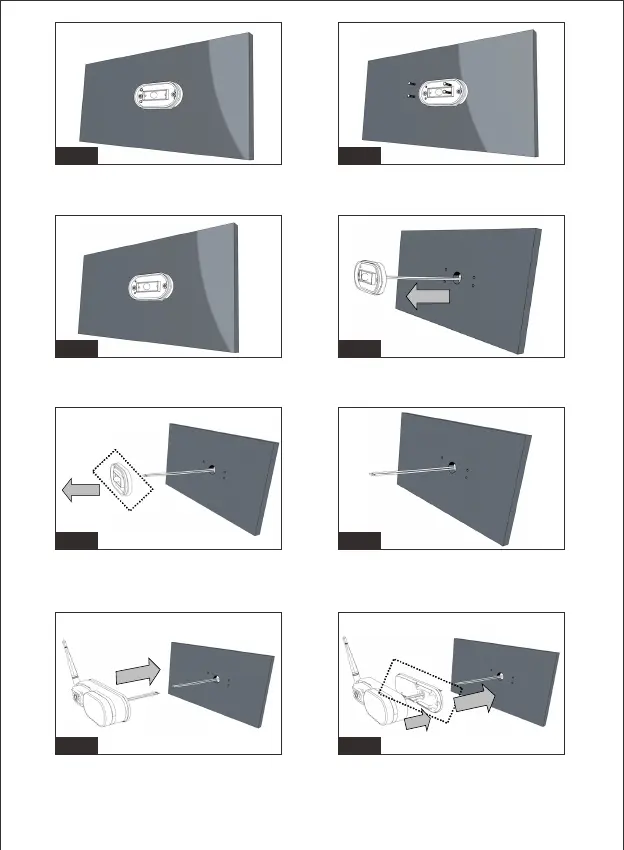
Figure1/Figure2/Figure3: Remove Rear Light From vehicle by
straight screwdriver
Figure6: Remove the rear light and pull out the cables
Fig.3 Fig.4
Fig.5 Fig.6
Figure7/Figure8: Cutting the cables by a plier and stripping the cables
to expose the conductive core
Fig.7 Fig.8
Figure9/Figure10/Figure11: Secure the rear light camera base on the
vehicle wall, aligning to the pre-install mounting holes.
Fig.9 Fig.10
-5-


 To Next Page