9
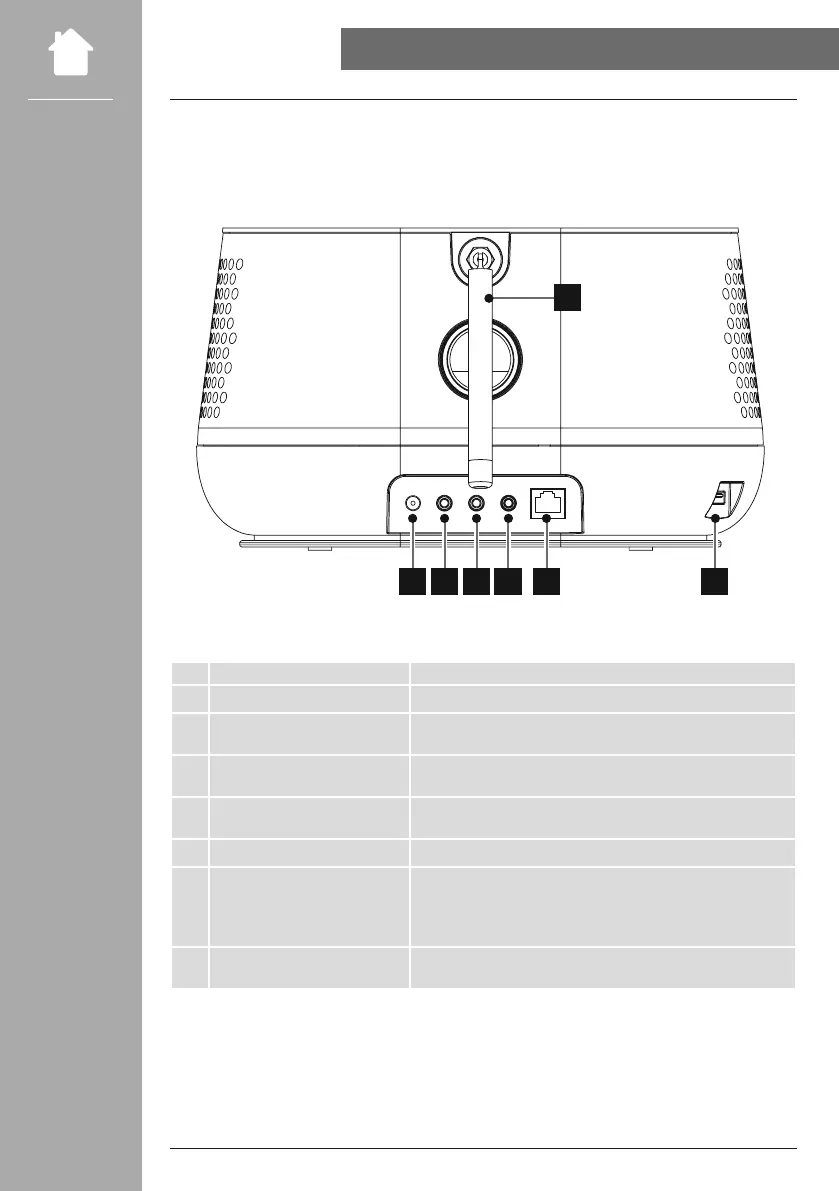
Mains connection Connection of the enclosed mains adapter to the power supply
Aux-in (3.5 mm)
Analogue connection with external audio sources via 3.5 mm
audio cable
Headphone connection (3.5 mm)
Analogue connection with wired headphones with 3.5 mm jack
connection
Line out (3.5 mm)
Analogue connection with external loudspeakers and other audio
devices via 3.5 mm audio cable
Ethernet / LAN Connection to the home network via RJ45 patch cable
USB connection
- Connection of USB storage media with FAT 16/32 formatting for
playback of audio content
- Charging port for smartphones/tablets and other USB devices
(max. 5V / 1A)
Antenna connection
Coaxial connection for enclosed or optionally available antenna for
reception of DAB/VHF signals



 To Next Page