14
7.2Backingupandrestoringcontacts
•
Backup
• Ontheleft,twooptionsareavailable:Data
BackupandBackupContacts.
• Bydefault,Backupdataisselected.
•
BackupContacts
• Anewmenuopensontherightsidewithwhich
youcaneitherbeginthebackuporimport
contacts.
•
StartingBackup
• Allcontactsontheterminaldevicearestored
in.vcfformat.
• Oncethebackupiscomplete,amessageshows
thebackuplocation.
•
ImportContacts
• Allavailablecontactbackups(.vcfles)are
displayed.
Note–Importingcontacts
• Thelenamesofsavedcontactbackupsare
composedofthedateofthebackupwithno
separators.
•
onthedesiredbackuple
• Restoringofthecontactsbegins.
8.Filemanagementviafolderstructure
•
Files
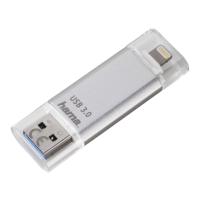
• ThentheSave2Datamini(microSDcard)is
connected,youautomaticallyaccessitsstorage.
• Choosewhethertoaccessthefolderstructure
ofthe
Save2Data(microSDcard)or
yourterminaldevice.
• Thenyoucanexchange,move,renameordelete
lesbetweenthetwostoragedevices.
• Theprocedurefortransferringlesisidenticalto
transferringpictures(seesection6.1.2).
• Asidefromdatatransfers,thismenualsoallows
youtocreatenewfolders.
•
• EnterafoldernameandconrmwithOK.
Note–Transferringdocuments
• Thismenuallowsyoutoopenandtransfer
documents(suchas.pdfdocuments,tables,
etc.).
• Transferringdocumentsdirectlytothe
terminaldeviceisnotpossible.Youcansave
documentsonlyintheSave2Datafolderin
theterminaldeviceview.
• ThisfolderisboundtotheSave2Dataapp.
Youcanaccessthisfolderonlyusingtheapp.
• IfyoudeletetheSave2Dataapp,anyles
containedwithintheSave2Datafolderare
alsodeleted.


 To Next Page