40
Reset
Click Reset to rest
Save
After completing the settings on this page, click Save to save the settings.
Reset
Click Reset to restore to default values.
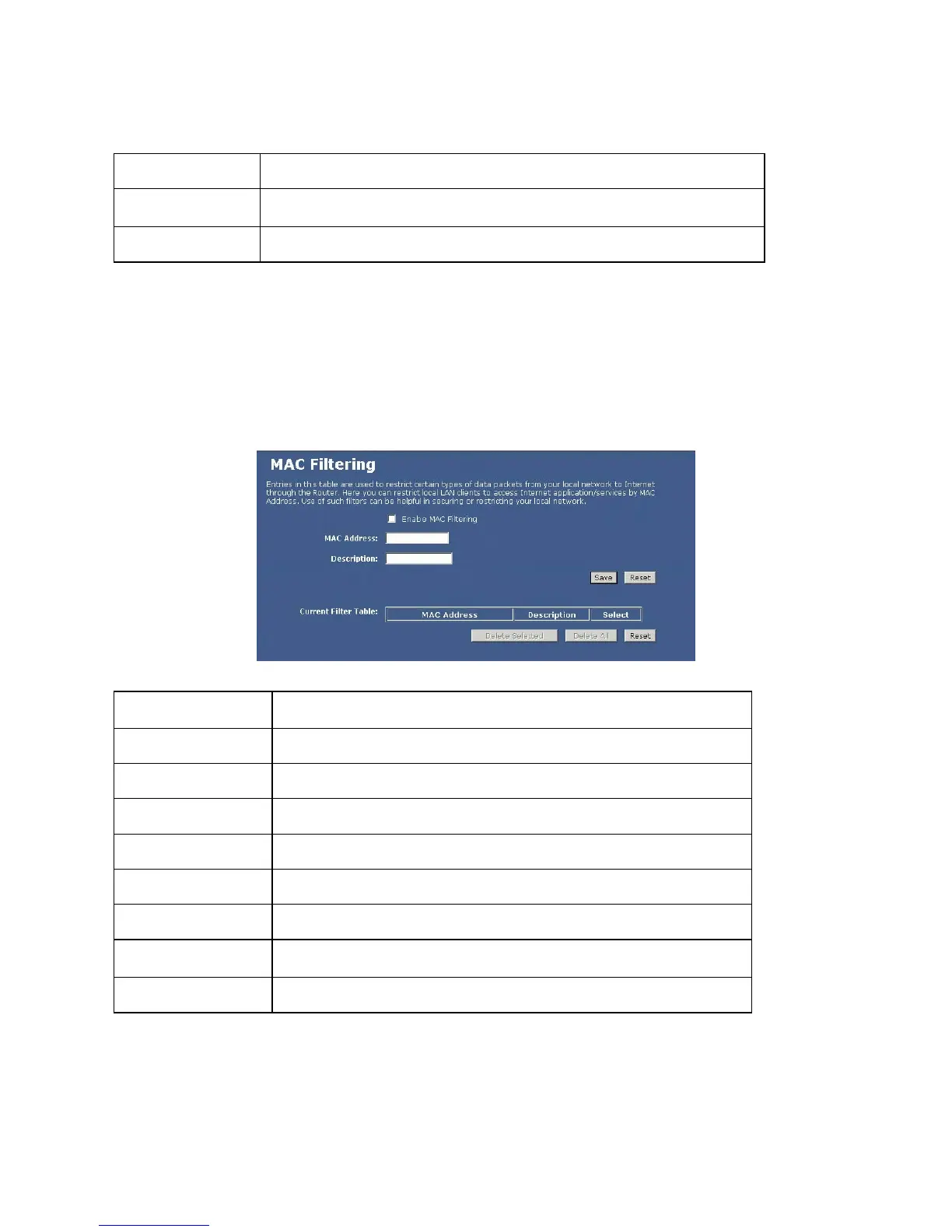
MAC Filtering
This screen is used to restrict devices on your local network from being able to access the Internet. You do this
by entering the MAC address of any device you want to restrict.
Enable MAC Filtering
Check to enable MAC filtering function.
MAC Address
Enter the client MAC address.
Description
You may key in a description for the MAC address.
Current Filter Table
Shows the current filter information.
Delete Selected
Click Delete Selected to delete items which are slected.
Delete All
Click Delete All to delete all the items.
Reset
Click Reset to rest
Save
After completing the settings on this page, click Save to save the settings.
Reset
Click Reset to restore to default values.


 To Next Page