47
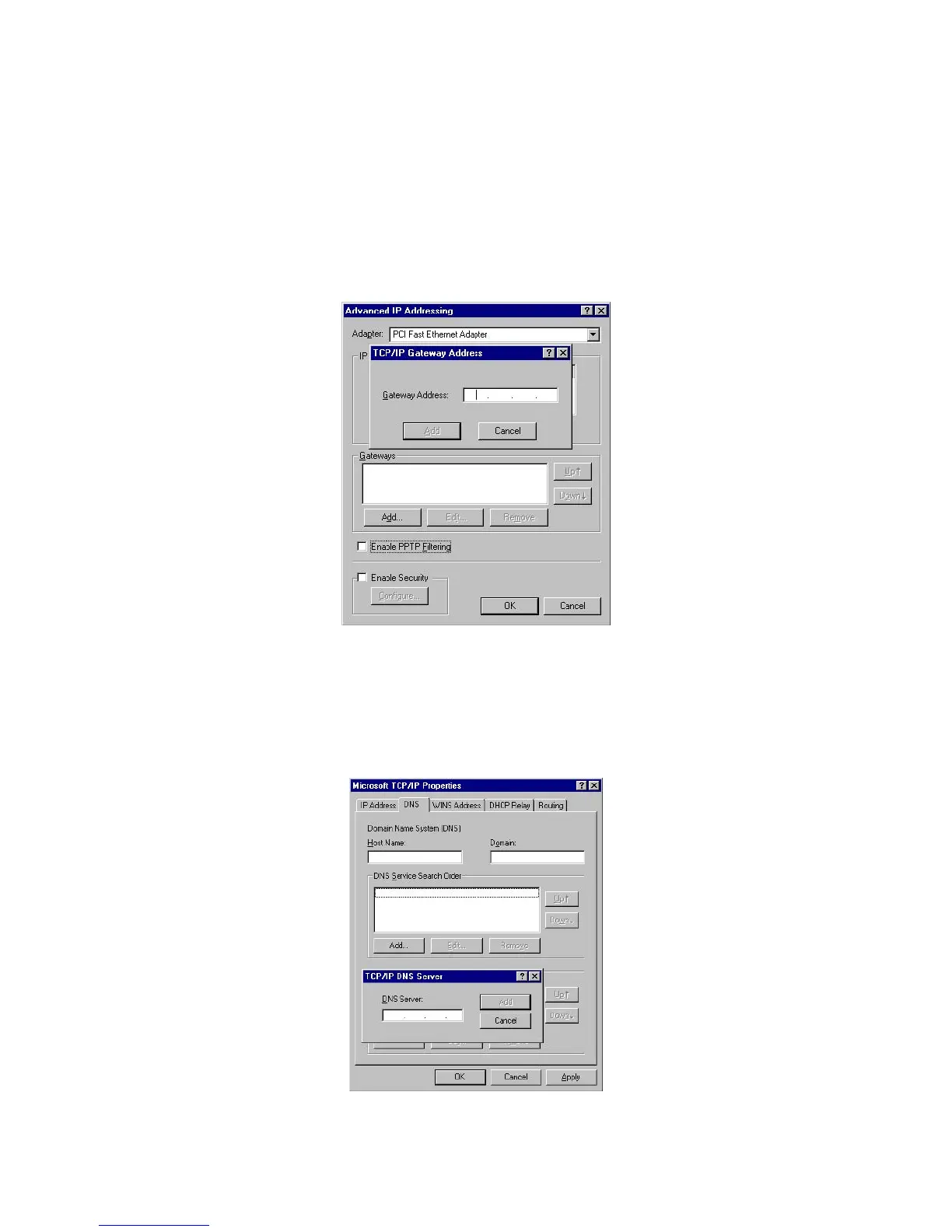
• Click the Advanced button on the screen above.
• On the following screen, click the Add button in the Gateways panel, and enter the Wireless Router's IP
address.
• If necessary, use the Up button to make the Wireless Router the first entry in the Gateways list.
2. The DNS should be set to the address provided by your ISP, as follows:
• Click the DNS tab.
• On the DNS screen, shown below, click the Add button (under DNS Service Search Order), and enter
the DNS provided by your ISP.


 To Next Page