5. Computer
5. Computer
5.1 Funktionstasten
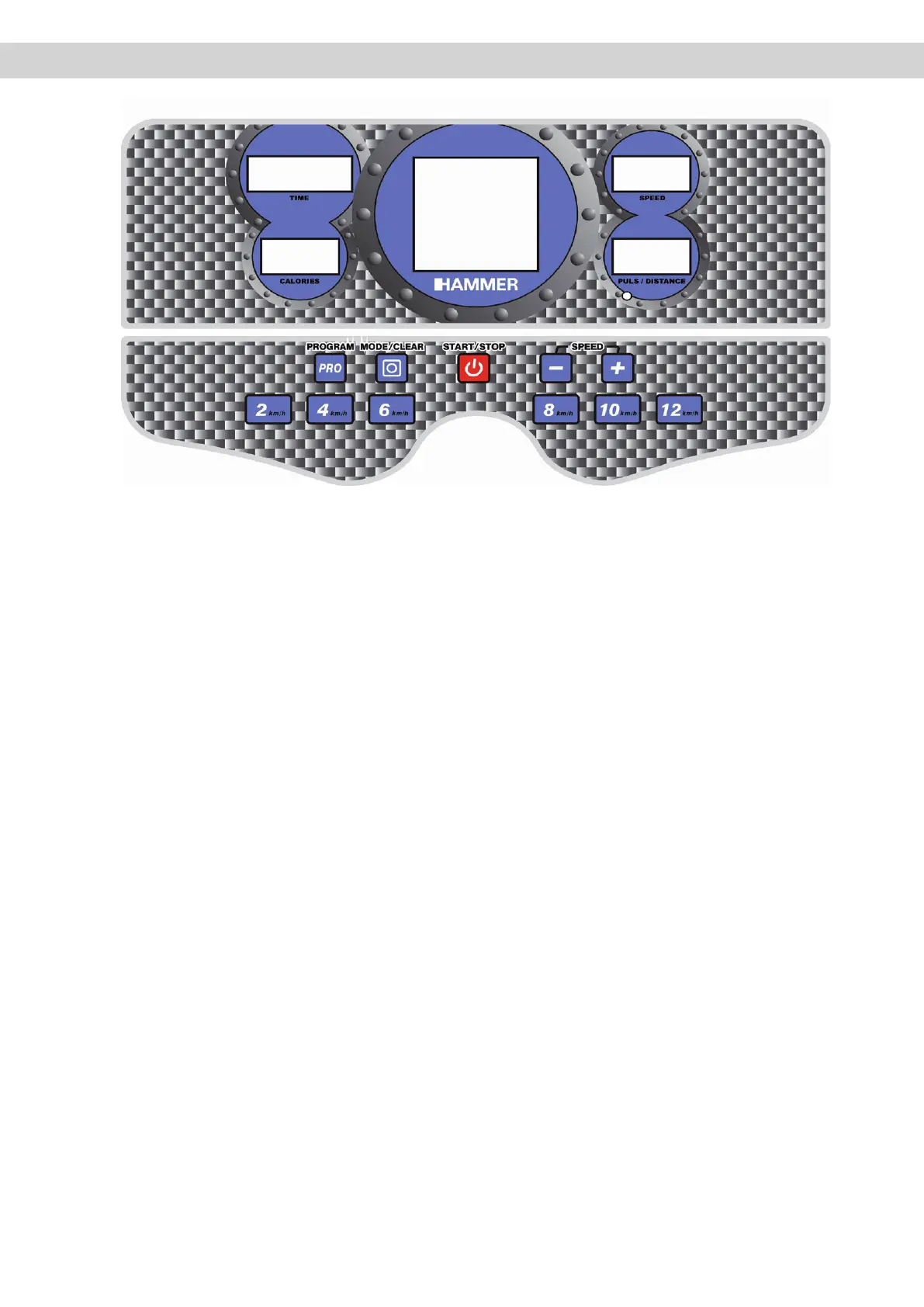
PRO (Program): Auswahl der vorgegebenen Programme
P1 bis P9 und Anwahl der USER-Programme U1 bis U3.
MODE/SELECT: Anwählen und Eingeben der
Vorgabedaten.
START/STOP: Startet und stoppt Ihr Training. Bei
Drücken der START/STOP-Taste während des das
Trainingsprogramm gestoppt und es erscheint blin-
kend „PAU“ im rechten oberen Anzeigefenster. Nach
120s wird alles auf „Null“ zurückgesetzt. Bei Aktivierung
der START/STOP-Taste vor den 120s wird das
Trainingsprogramm fortgesetzt.
SPEED (+/-): Änderung der Geschwindigkeit (auch am
rechten Handlauf durch kleineQuickspeed-Tasten mög-
lich)
GESCHWINDIKEITS-TASTEN: Kurzanwahl gewünschter
vorgegebener Geschwindigkeiten. Die Geschwindigkeits-
Kurzanwahl kann auch an den Handgriffen erfolgen.
Durch Drücken des +- oder - - Knopfes kann die
Geschwindikeit entsprechend erhöht- oder verringert
werden.
5.1 Buttons
PRO (Program): Choice of default programmes P1 to P9
and selection of USER-programme U1 to U3
MODE/SELECT: Selection and entering of default data
START/STOP: Starts and stops your training. Pressing
the START/STOP-button during training will stop
the training programme and „PAU“ appears and flashes
in the upper right display field. After 120seconds eve-
rything will be set back to „Zero“. If the START/STOP-
button is activated before the 120s are up, the training
programme will continue.
SPEED (+/-): Change of speed (also possible at the right
hand-grip by small quickspeed-keys)
SPEED-BUTTONS: Quick selection of default speeds
15



 To Next Page