B
DD
DD
A
C
B
DD
C
7
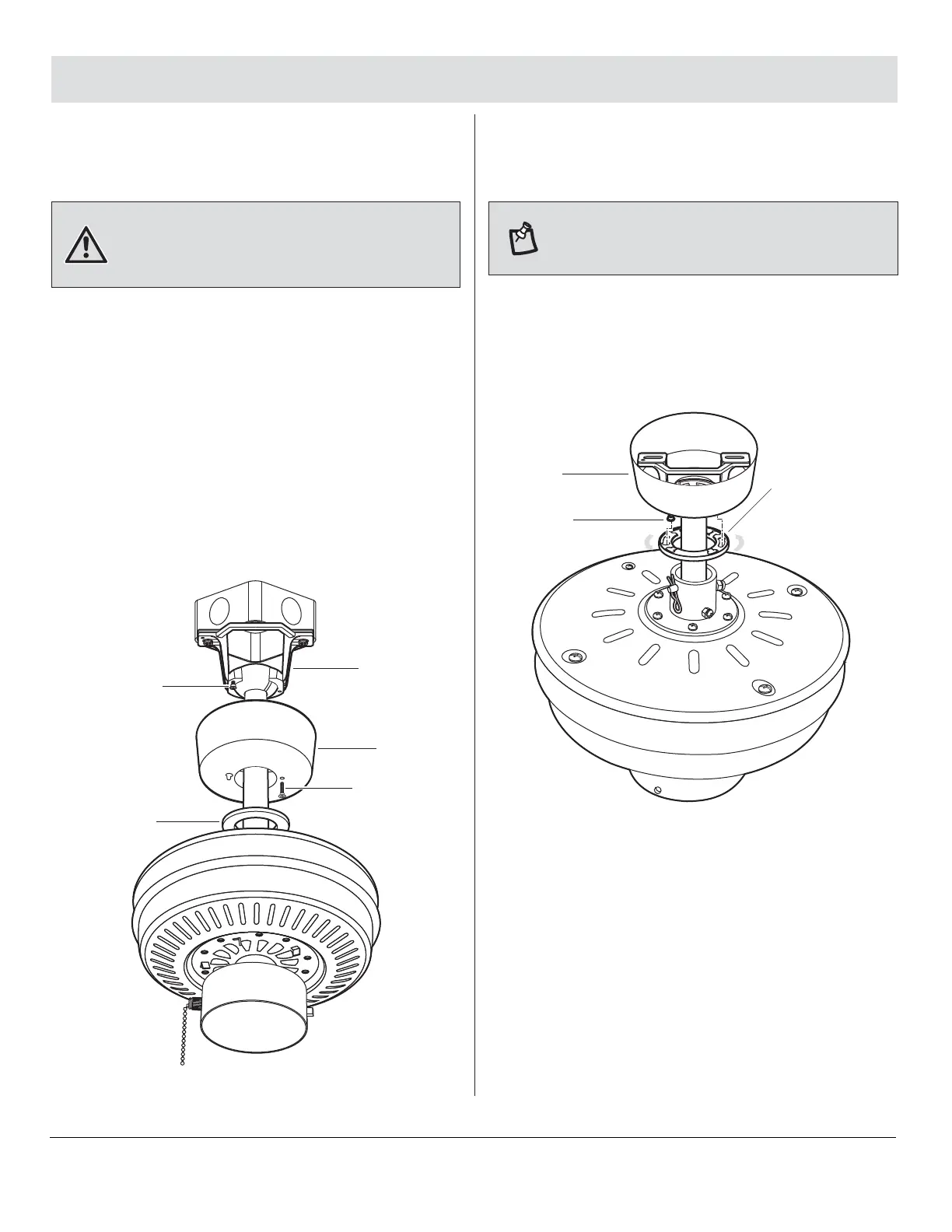
Installing the canopy
8
Assembly — Hanging the Fan (continued)
11 HAMPTONBAY.COM
Please contact 1-855-HD-HAMPTON for further assistance.
□ Tuck the connections neatly into the ceiling outlet
box.
□ Slide the canopy (B) up to the mounting bracket (A)
and place the key hole on the canopy (B) over the
loose canopy mounting screw (DD) on the mounting
bracket (A). Turn the canopy (B) clockwise until the
canopy (B) locks in place at the narrow section of the
key holes.
□ Align the circular hole on the canopy (B) with the
remaining hole on the mounting bracket (A). Secure
the canopy mounting screw (DD) previously removed
in the hole and tighten the two canopy mounting
screws (DD).
WARNING: Make sure the tab on the mounting bracket (A)
properly sits in the groove in the hanger ball (D) before
attaching the canopy (B) to the mounting bracket (A) by
turning the canopy housing until it drops into place.
NOTE: Adjust the canopy mounting screws (DD) as
necessary until the canopy (B) and canopy bottom cover (C)
are snug.
□ Attach the canopy bottom cover (C) to the canopy
mounting screw heads on the bottom of the canopy
(B) by inserting the screw heads into the key slots in
the canopy bottom cover (C) and rotating the canopy
bottom cover (C) clockwise.
Attaching the canopy
bottom cover



 To Next Page