EasyManua.ls Logo

HAMPTON BAY HB-7612-02 - User Manual

HAMPTON BAY HB-7612-02
20 pages
Print Icon
To Next Page IconTo Next Page
Loading...
THANK YOU
We appreciate the trust and condence you have placed in Hampton Bay through the purchase of this doorbell. We
strive to continually create quality products designed to enhance your home. Visit us online to see our full line of
products available for your home improvement needs. Thank you for choosing Hampton Bay!
USE AND CARE GUIDE
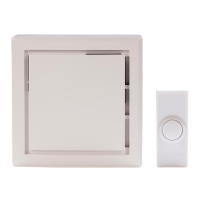
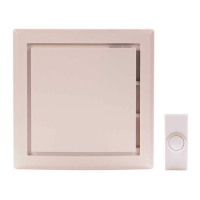
WIRELESS OR WIRED DOORBELL
Questions, problems, missing parts?
Before returning to the store, call Hampton Bay Customer Service
8 a.m. - 5 p.m., CST, Monday - Friday
1-844-760-3644
HAMPTONBAY.COM
Illustrations may vary from actual unit.
Item #1001407776
1001407811
1001407821
Model #HB-7612-02
HB-7614-02
HB-7621-02
Item #1003008638
1003008637
1003008626
1003008632
Model # HB-7622-03
HB-7623-03
HB-7624-03
HB-7625-03

Questions and Answers

  • K
    Kim FreemanNov 5, 2025
    What to do if HAMPTON BAY HB-7612-02 doorbell does not sound?
    • A
      Anne MartinezNov 5, 2025
      If your HAMPTON BAY Accessories doorbell isn't sounding, there are several potential causes to investigate: * **Transformer Issues:** Use a voltmeter to test the transformer's voltage output. It should read between 18-22 volts A/C when the doorbell is not in use. If it's below 18 volts, the transformer needs replacing. * **Push Button Problems:** Remove the push button from the door frame, disconnect the wires, and touch the bare wires together. If the doorbell then sounds, the push button is defective and should be replaced. * **Doorbell Malfunction:** Disconnect the wire from the terminal marked “TRANS”. While someone presses the front door push button, briefly touch the “TRANS” wire to the terminal marked “FRONT”. A small spark indicates the button, wiring, and transformer are wo...
  • S
    Sharon GreenNov 13, 2025
    Why does my HAMPTON BAY Accessories doorbell sound but not play the entire tune?
    • P
      Pamela SmithNov 13, 2025
      If your HAMPTON BAY Accessories doorbell sounds, but the entire tune doesn't play, or the 'TUNE' button isn't working, consider these possibilities: * **Diode Issues:** Check that the diode is securely attached to the main push button (refer to step 5 under Installation - Wired Doorbell). Ensure a diode isn't installed on more than one push button, especially if some buttons have pre-installed diodes. If the tune is still incomplete, replace the diode (Type 1N4001-50V-1A, available at a local electrical component supplier). * **Transformer Problems:** If the diode is connected to the 'FRONT' door push button and the doorbell does play the entire tune, the doorbell might not be receiving enough power. Test the transformer voltage output with a voltmeter. The voltage should read between...
  • C
    Chelsea GomezNov 19, 2025
    How to troubleshoot HAMPTON BAY Accessories doorbell that does not sound?
    • G
      Gregory WallNov 19, 2025
      To troubleshoot why your HAMPTON BAY Accessories doorbell isn't sounding, first, test the transformer voltage output using a voltmeter set to A/C voltage. It should read between 18-22 volts A/C when the doorbell is not in use. If it's below 18 volts, replace the transformer. If the transformer is fine, remove the push button from the door frame, disconnect the wires, and touch the bare wires together. If the doorbell rings, the push button is defective and needs replacement. As an additional check, disconnect the wire from the 'TRANS' terminal. While someone presses the front door push button, quickly touch the 'TRANS' wire to the 'FRONT' terminal. A small spark indicates the button, wiring, and transformer are working. Repeat for the 'REAR' terminal and button. If the wiring is okay, then...
  • A
    Alexander GarrisonDec 1, 2025
    What to do if HAMPTON BAY Accessories doorbell doesn't play the entire tune?
    • E
      Emily GayDec 1, 2025
      If your HAMPTON BAY Accessories doorbell sounds but doesn't play the entire tune, or the 'TUNE' button isn't working, it might be due to the push button diode. Ensure the diode is securely attached to the main push button. If a diode is installed on more than one push button, the doorbell may not function correctly. If the push button has a pre-installed diode, do not install an additional one. If the musical tune still doesn't sound completely, replace the diode (Type 1N4001-50V- 1A, available at a local electrical component supplier). If the diode is correctly connected to the 'FRONT' door push button and the doorbell plays the entire tune, the doorbell might not be receiving enough power. Test the transformer voltage output with a voltmeter set to A/C voltage. The voltage should be betw...

Summary

Safety Information

PRECAUTIONS

Please read and understand this entire manual before attempting to assemble, install, or operate this doorbell.

Warranty

3-YEAR LIMITED WARRANTY

This product is guaranteed to be free of factory defective parts and workmanship for a period of 3 years from date of purchase.

Pre-Installation

PLANNING INSTALLATION

Before installing the doorbell, ensure that all parts are present. Compare parts with the Hardware Included and Package Contents sections.

SPECIFICATIONS

Details power requirements for both wired and wireless doorbell installations.

TOOLS REQUIRED

Lists the necessary tools for installation, including screwdrivers, pliers, and drill bit.

HARDWARE INCLUDED

Lists and illustrates the hardware components included with the doorbell kit.

PACKAGE CONTENTS

Details the various doorbell models and accessories included in the package.

Installation - Wired Doorbell

Verifying the transformer power rating

Ensures the correct transformer voltage and wattage are used for wired installations.

Removing the existing doorbell

Instructions on how to safely disconnect and remove an old doorbell unit.

Mounting the doorbell

Steps for physically attaching the doorbell base to the wall securely.

Wiring the doorbell

Connects the doorbell wires to the appropriate terminals on the doorbell base.

Installing the diode

Explains the importance and installation process of the diode for proper function.

Installation - Wireless Doorbell

Installing the batteries

Guide on inserting the correct type and number of batteries for wireless operation.

Syncing the doorbell and push button

Procedure to pair the doorbell receiver with the wireless push button.

Testing the doorbell and push button placement

Temporary positioning and testing before final mounting to ensure functionality.

Mounting the doorbell base

Steps for physically attaching the wireless doorbell base to the wall.

Operation

Adjusting the doorbell volume

Instructions on how to control the loudness of the doorbell chime.

Selecting a musical tune - wired doorbell

Guide to choosing different musical tunes for the wired doorbell.

Setting wireless push buttons

Options for setting wireless push buttons to play specific doorbell tunes.

Selecting a musical tune - wireless doorbell

How to select desired musical tunes for wireless push buttons.

Care and Cleaning

Cleaning Instructions

Recommendations for cleaning the doorbell cover and base using a dry cloth.

Troubleshooting - Wired Doorbell

The doorbell does not sound

Addresses issues related to transformer, push button, or doorbell unit functionality.

Doorbell sounds but does not play the entire tune or the TUNE button does not work

Diagnoses problems with the push button diode or transformer power output.

Troubleshooting - Wireless Doorbell

The doorbell does not sound

Covers issues like unsynced buttons, incorrect battery installation, or dead batteries.

The batteries seem okay, but the doorbell does not work after installation

Addresses mounting interference from metal or concrete, and distance issues.

Doorbell sounds when not intended (false triggers)

Troubleshoots interference from other wireless devices and re-syncing procedures.

HAMPTON BAY HB-7612-02 Specifications

General IconGeneral
TypeCeiling Fan Remote Control
Product TypeRemote Control
Compatible WithHampton Bay ceiling fans
FinishWhite
IncludesRemote control
CompatibilityMost major ceiling fan brands

Related product manuals