EasyManua.ls Logo

HAMPTON BAY HB-7733-03 - User Manual

HAMPTON BAY HB-7733-03
16 pages
Print Icon
To Next Page IconTo Next Page
Loading...
THANK YOU
We appreciate the trust and condence you have placed in Hampton Bay through the purchase of this wireless doorbell
kit. We strive to continually create quality products designed to enhance your home. Visit us online to see our full line of
products available for your home improvement needs. Thank you for choosing Hampton Bay!
USE AND CARE GUIDE
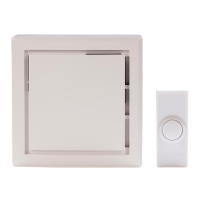
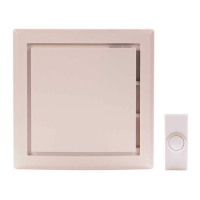
WIRELESS DOORBELL KIT
Questions, problems, missing parts?
Before returning to the store, call Hampton Bay Customer Service
8 a.m. - 5 p.m., CST, Monday - Friday
1-844-760-3644
HAMPTONBAY.COM
Illustrations may vary from actual unit.
Item #1003008639
1003008643
Model #HB-7733-03
HB-7734-03

Questions and Answers

  • S
    Shawn PooleAug 4, 2025
    Why my HAMPTON BAY Accessories doorbell does not sound?
    • J
      jeremiahpearsonAug 4, 2025
      Your HAMPTON BAY Accessories doorbell might not be working due to several reasons: * The batteries might not be correctly installed. Ensure they are placed according to the diagram inside the push button and doorbell. * The batteries could be dead. Check and replace them if necessary. * The push button and doorbell may not be synced. To sync them, press and hold the button on the doorbell until it sounds a 'Beep-Beep'. Then, press the push button within 30 seconds. The doorbell will make a 'Beep-Beep' sound to confirm syncing. Test by pressing the push button.
  • T
    Tara SmithAug 17, 2025
    What to do if HAMPTON BAY Accessories doorbell sounds when not intended?
    • C
      Cynthia ValenzuelaAug 17, 2025
      If your HAMPTON BAY Accessories doorbell is falsely triggering, it might be due to interference from another wireless device. To resolve this: 1. Remove the push button battery and wait 30 seconds. 2. Reinstall the battery, then press and hold the push button for 10 to 15 seconds within 60 seconds. 3. Press and hold the button on the doorbell until it sounds a “Beep-Beep-Beep-Beep”. 4. To re-sync, press and hold the doorbell button until it sounds a “Beep-Beep”. 5. Press the push button within 30 seconds. A “Beep-Beep” tone will confirm syncing. Test the operation by pressing the push button.

Summary

Safety Information

Warranty

3-Year Limited Warranty

Details the terms and conditions of the limited warranty for the product, including coverage and exclusions.

Pre-Installation

Planning Installation

Ensuring all parts are present before installation and comparing them with included sections.

Specifications

Details power requirements for the doorbell and push button, including battery types.

Tools Required

Lists necessary tools for installation, such as screwdrivers and drill bits.

Hardware Included

Identifies included hardware components like screws, wall anchors, tape, and jumpers.

Installation

Installing the batteries

Guide on how to insert batteries into the doorbell unit.

Removing the battery tab

Instructions for removing the battery tab from the push button.

Testing the doorbell and push button placement

Steps to test the doorbell functionality before permanent mounting.

Mounting the push button

Instructions for attaching the push button to the door jamb using screws or tape.

Mounting the doorbell

Guide on how to securely hang the doorbell unit on the wall.

Operation

Setting the wireless push button

Configuring the push button for front or rear door tunes using a jumper.

Selecting a tune

How to cycle through and select desired doorbell tunes using the tune button.

Care and Cleaning

Troubleshooting

HAMPTON BAY HB-7733-03 Specifications

General IconGeneral
BrandHAMPTON BAY
ModelHB-7733-03
CategoryAccessories
LanguageEnglish

Related product manuals