EasyManua.ls Logo

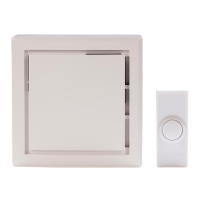
HAMPTON BAY HB-7621-02 - User Manual

HAMPTON BAY HB-7621-02
20 pages
Print Icon
To Next Page IconTo Next Page
Loading...
THANK YOU
We appreciate the trust and condence you have placed in Hampton Bay through the purchase of this doorbell. We
strive to continually create quality products designed to enhance your home. Visit us online to see our full line of
products available for your home improvement needs. Thank you for choosing Hampton Bay!
USE AND CARE GUIDE
WIRELESS OR WIRED DOORBELL
Questions, problems, missing parts?
Before returning to the store, call Hampton Bay Customer Service
8 a.m. - 5 p.m., CST, Monday - Friday
1-844-760-3644
HAMPTONBAY.COM
Illustrations may vary from actual unit.
Item #1001407776
1001407811
1001407821
Model #HB-7612-02
HB-7614-02
HB-7621-02
Item #1003008638
1003008637
1003008626
1003008632
Model # HB-7622-03
HB-7623-03
HB-7624-03
HB-7625-03

Questions and Answers

  • J
    Jenna GonzalezNov 8, 2025
    What to do if HAMPTON BAY HB-7621-02 doorbell does not sound?
    • M
      Mr. Christopher Howard DDSNov 8, 2025
      If your HAMPTON BAY Accessories doorbell isn't sounding, there are several potential causes to investigate: * **Transformer Issues:** Use a voltmeter to test the transformer's voltage output. It should read between 18-22 volts A/C when the doorbell is not in use. If it's below 18 volts, the transformer needs replacing. * **Push Button Problems:** Remove the push button from the door frame, disconnect the wires, and touch the bare wires together. If the doorbell then sounds, the push button is defective and should be replaced. * **Doorbell Malfunction:** Disconnect the wire from the terminal marked “TRANS”. While someone presses the front door push button, briefly touch the “TRANS” wire to the terminal marked “FRONT”. A small spark indicates the button, wiring, and transformer are wo...
  • B
    Brian WilliamsNov 15, 2025
    Why does my HAMPTON BAY HB-7621-02 Accessories doorbell sound but not play the entire tune?
    • F
      Frederick VelazquezNov 15, 2025
      If your HAMPTON BAY Accessories doorbell sounds, but the entire tune doesn't play, or the 'TUNE' button isn't working, consider these possibilities: * **Diode Issues:** Check that the diode is securely attached to the main push button (refer to step 5 under Installation - Wired Doorbell). Ensure a diode isn't installed on more than one push button, especially if some buttons have pre-installed diodes. If the tune is still incomplete, replace the diode (Type 1N4001-50V-1A, available at a local electrical component supplier). * **Transformer Problems:** If the diode is connected to the 'FRONT' door push button and the doorbell does play the entire tune, the doorbell might not be receiving enough power. Test the transformer voltage output with a voltmeter. The voltage should read between...
  • C
    Cristina PerryNov 23, 2025
    How to troubleshoot HAMPTON BAY Accessories doorbell that does not sound?
    • X
      xherreraNov 24, 2025
      To troubleshoot why your HAMPTON BAY Accessories doorbell isn't sounding, first, test the transformer voltage output using a voltmeter set to A/C voltage. It should read between 18-22 volts A/C when the doorbell is not in use. If it's below 18 volts, replace the transformer. If the transformer is fine, remove the push button from the door frame, disconnect the wires, and touch the bare wires together. If the doorbell rings, the push button is defective and needs replacement. As an additional check, disconnect the wire from the 'TRANS' terminal. While someone presses the front door push button, quickly touch the 'TRANS' wire to the 'FRONT' terminal. A small spark indicates the button, wiring, and transformer are working. Repeat for the 'REAR' terminal and button. If the wiring is okay, then...
  • B
    Barbara DavisDec 1, 2025
    What to do if HAMPTON BAY Accessories doorbell doesn't play the entire tune?
    • J
      Jeremy ColeDec 1, 2025
      If your HAMPTON BAY Accessories doorbell sounds but doesn't play the entire tune, or the 'TUNE' button isn't working, it might be due to the push button diode. Ensure the diode is securely attached to the main push button. If a diode is installed on more than one push button, the doorbell may not function correctly. If the push button has a pre-installed diode, do not install an additional one. If the musical tune still doesn't sound completely, replace the diode (Type 1N4001-50V- 1A, available at a local electrical component supplier). If the diode is correctly connected to the 'FRONT' door push button and the doorbell plays the entire tune, the doorbell might not be receiving enough power. Test the transformer voltage output with a voltmeter set to A/C voltage. The voltage should be betw...

Summary

Safety Information

Electrical Safety

All electrical work must be in accordance with national and local electrical codes. Consult an electrician if in doubt.

Battery Handling

Warnings regarding mixing battery types, disposal, and keeping away from children are provided.

Warranty Information

3-Year Limited Warranty

Product guaranteed against factory defects for 3 years from purchase; requires receipt.

Installation - Wired Doorbell

Wire Doorbell

Connect the front button, transformer, and rear button wires to the correct terminals.

Install Diode

Install the diode on the main push button for full musical tune functionality.

Installation - Wireless Doorbell

Sync Doorbell and Push Button

Press 'SYNC' and the push button within 30 seconds to pair them.

Operation

Troubleshooting - Wired Doorbell

Tune or TUNE Button Issues

Verify diode installation and transformer voltage if tune or TUNE button fails.

Troubleshooting - Wireless Doorbell

Doorbell Not Sounding

Ensure push button/doorbell sync and correct battery installation.

HAMPTON BAY HB-7621-02 Specifications

General IconGeneral
Color FamilyWhite
Hardware Color FamilyWhite
MaterialPlastic
ColorWhite
Accessory TypeRemote Control
Remote Control/Wall SwitchRemote Control
Compatible WithCeiling fans
Package ContentsRemote Control, Receiver

Related product manuals