EN
93
TROUBLESHOOTING
Possible cause Problem Action
Solar panel
connections loose or
broken.
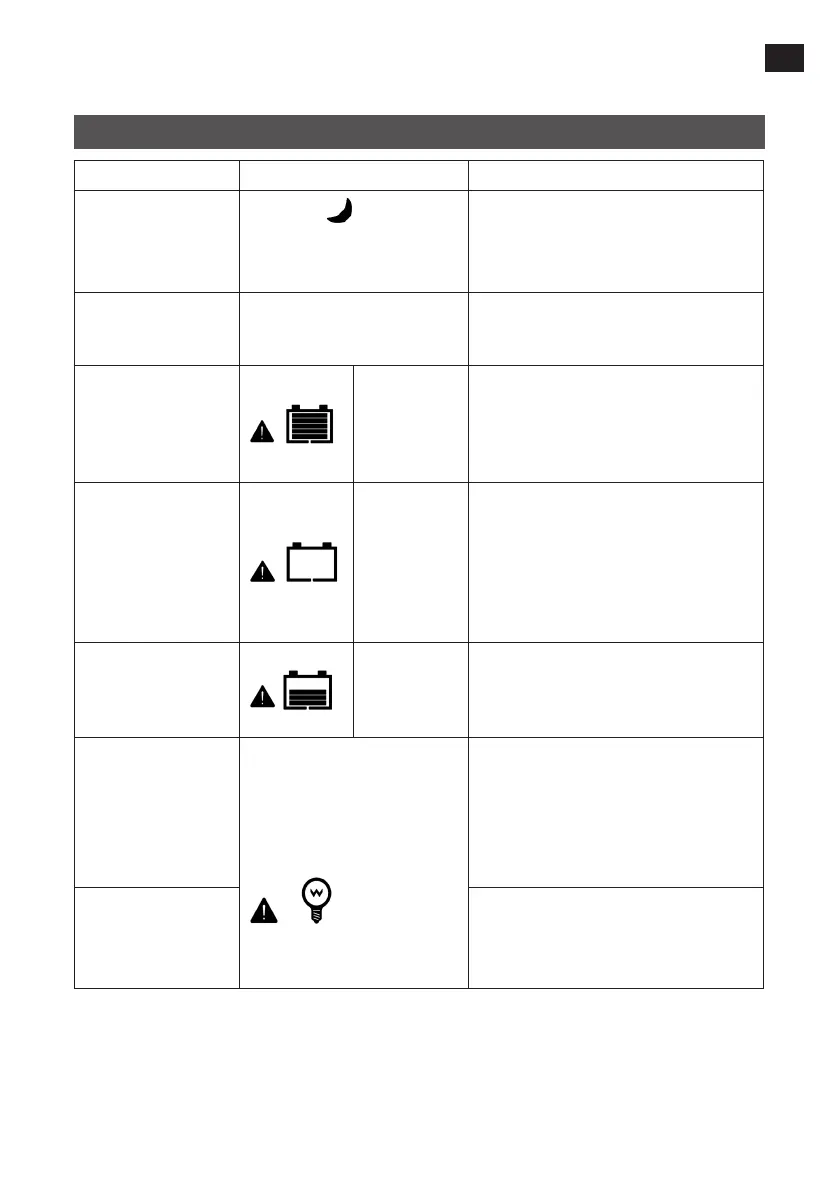
The symbol
is shown on
the display during the day
when the solar panels are
illuminated by daylight.
Check that the solar panel leads are
correctly connected to their respective
terminals and that they are rmly
tightened.
Battery voltage lower
than 8 V.
The charge controller is not
working, even though all the
leads are correctly connected.
Measure the battery voltage. The charge
controller needs at least 8 V to be
activated.
Overvoltage, battery
Battery level
shows full,
battery frame
ashing, fault
icon ashing
Check if battery voltage is too high.
Undervoltage, battery
Battery level
shows empty,
battery frame
ashing, fault
icon ashing
The battery voltage has dropped
below the disconnection limit and
the overdischarge protection has
disconnected the consumers from the
battery. When the battery voltage is
restored to at least the reconnection
limit, the consumers are reconnected.
Overheating, battery
The charge controller disconnects the
battery automatically. When the battery
temperature has dropped below 55°C
the battery is reconnected.
Overload, consumer
1. No output to consumer.
2. The icons for consumer and
error ash.
1. Disconnect one or more connected
consumers to reduce the power
output.
2. Restart the charge controller.
3. Wait until a night/day cycle has
passed (night time > 3 hours).
Short circuit,
consumer
1. Carefully check the consumers and
their connections, and rectify the
short circuit.
2. Restart the charge controller.


 To Previous Page