ITX-D255R Mini-ITX Mother Board Manual
24 / 31
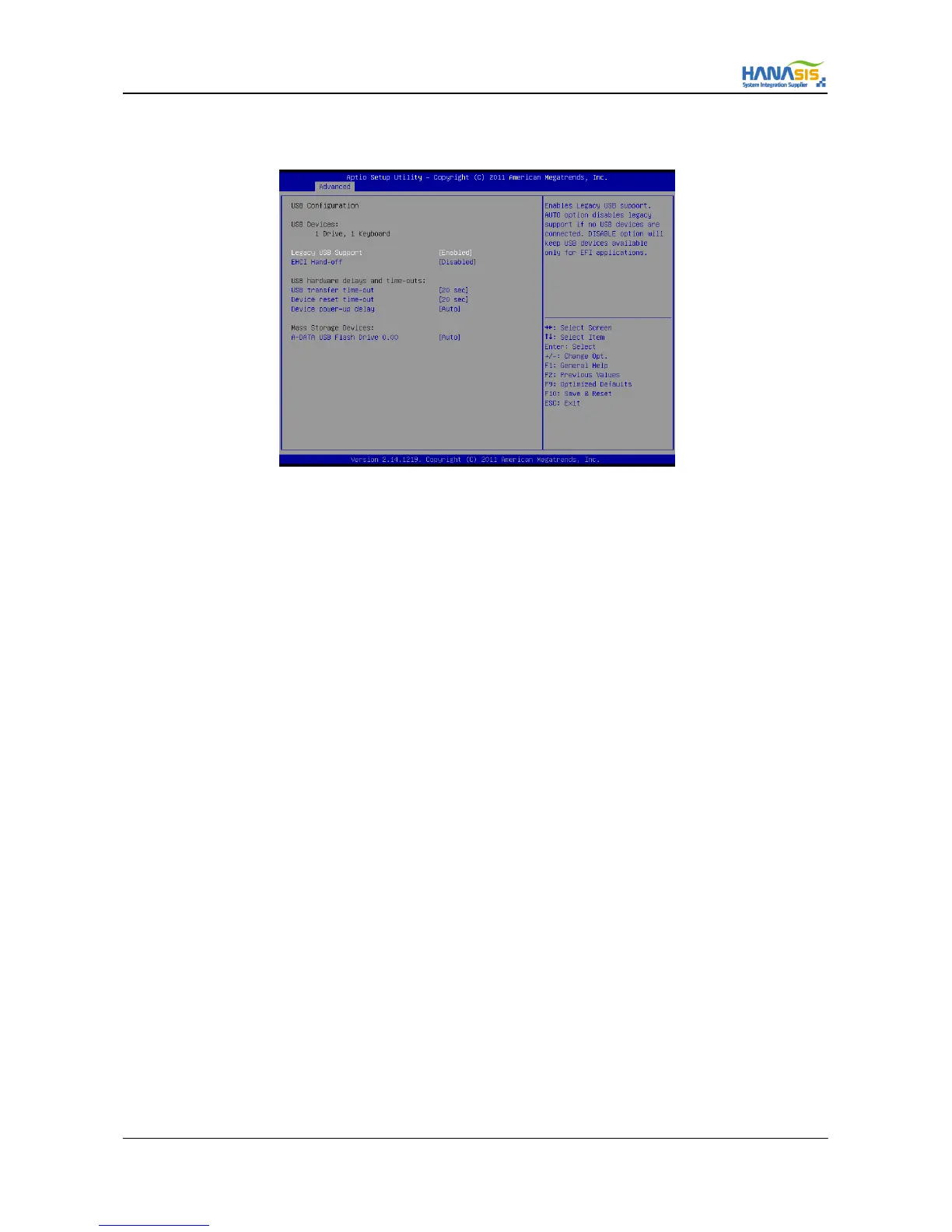
3.3.6 USB Configuration
3.3.6.1 Legacy USB Support
Use this option to select legacy support for USB devices. There are four configuration options: [Enabled], [Auto] and [Disabled].
The default value is [Enabled]. Please refer to below descriptions for the details of these four options:
[Enabled] - Enables support for legacy USB.
[Auto] - Enables legacy support if USB devices are connected.
[Disabled] - USB devices are not allowed to use under legacy OS and UEFI setup when [Disabled] is selected
If you have USB compatibility issue, it is recommended to select [Disabled] to enter OS.
3.3.6.2 EHCI Hand-Off
This is a workaround for OS without EHCI Hand-Off support. The EHCI ownership change should be claimed by EHCI driver.
3.3.6.3 USB Transfer Time-out
This is a time-out value for Control, Bulk, and interrupt transfers.
3.3.6.4 Device Reset Time-out
This is a start unit command time-out of USB mass storage.
3.3.6.5 Device Power-Up Delay
Maximum time the device will take before it properly reports itself to the host controller. [Auto] uses default value.
For a root port, it is 100ms. For a hub port, the delay is taken from hub descriptor.



 To Next Page