WG‐500PHotspotinaPrinter
26
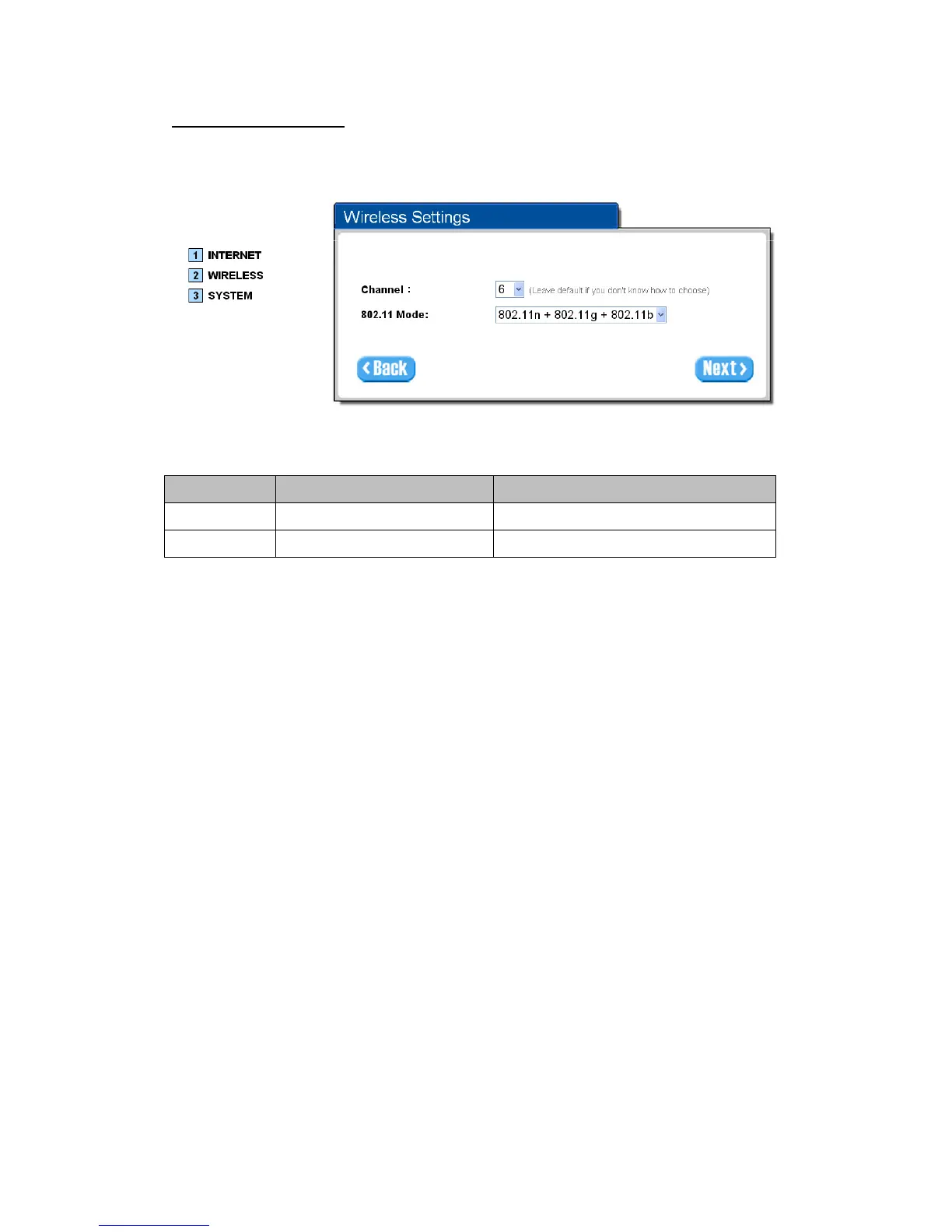
Step5:WirelessSetting
WirelessSetting:ThispageallowsyoutoChannelIDand802.11Modeforwireless
connection.
Figure3‐1‐10WirelessSettingScreen
Item Default Description
Channel 6 Enter the channel ID for wireless connection.
802.11 Mode 802. 11n + 802.11g + 802.11b Enter the 802.11 Mode for wireless connection.


 To Next Page