Easy Hotspot Kit
78
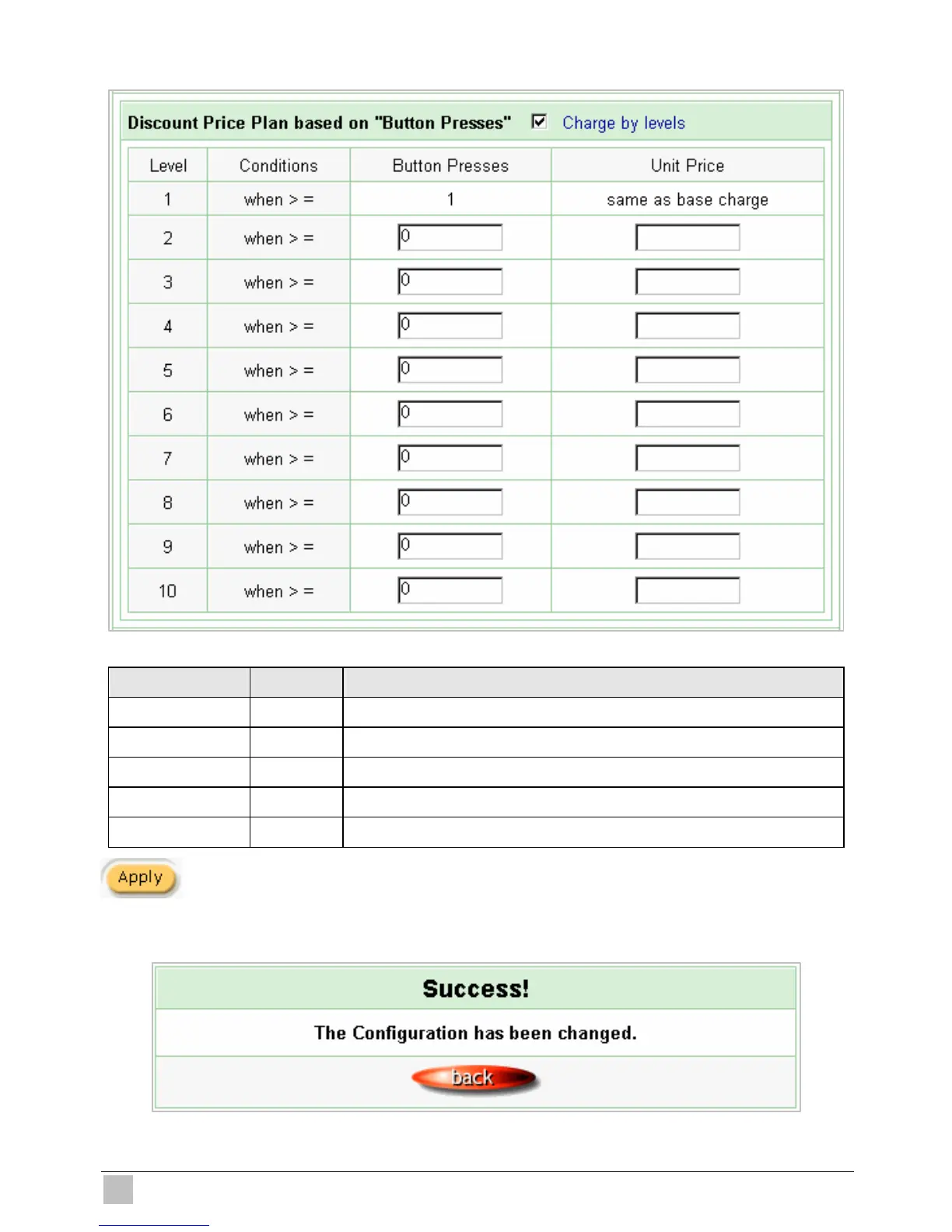
z Discount Price Plan based on “Button Presses”
Figure 3-69 Discount Price Plan Setting Screen
Item Default Description
Charge by levels Enable Enables or disables the charge by levels function.
Level 1~10 This field displays the level number of charge rate.
Conditions When>= The discount condition.
Button Presses - Enter the times of pressing button.
Unit Price - Enter the amount of charge level.
Click Apply button to save the new settings.
Click Apply button, the success dialog box appears. Click on Back to return to Accounting setting
screen.
Figure 3-70 Success Dialog Box



 To Next Page