Easy Hotspot Kit
17
3. Configuring the Wireless Subscriber Gateway
3-1 Setting Wizard
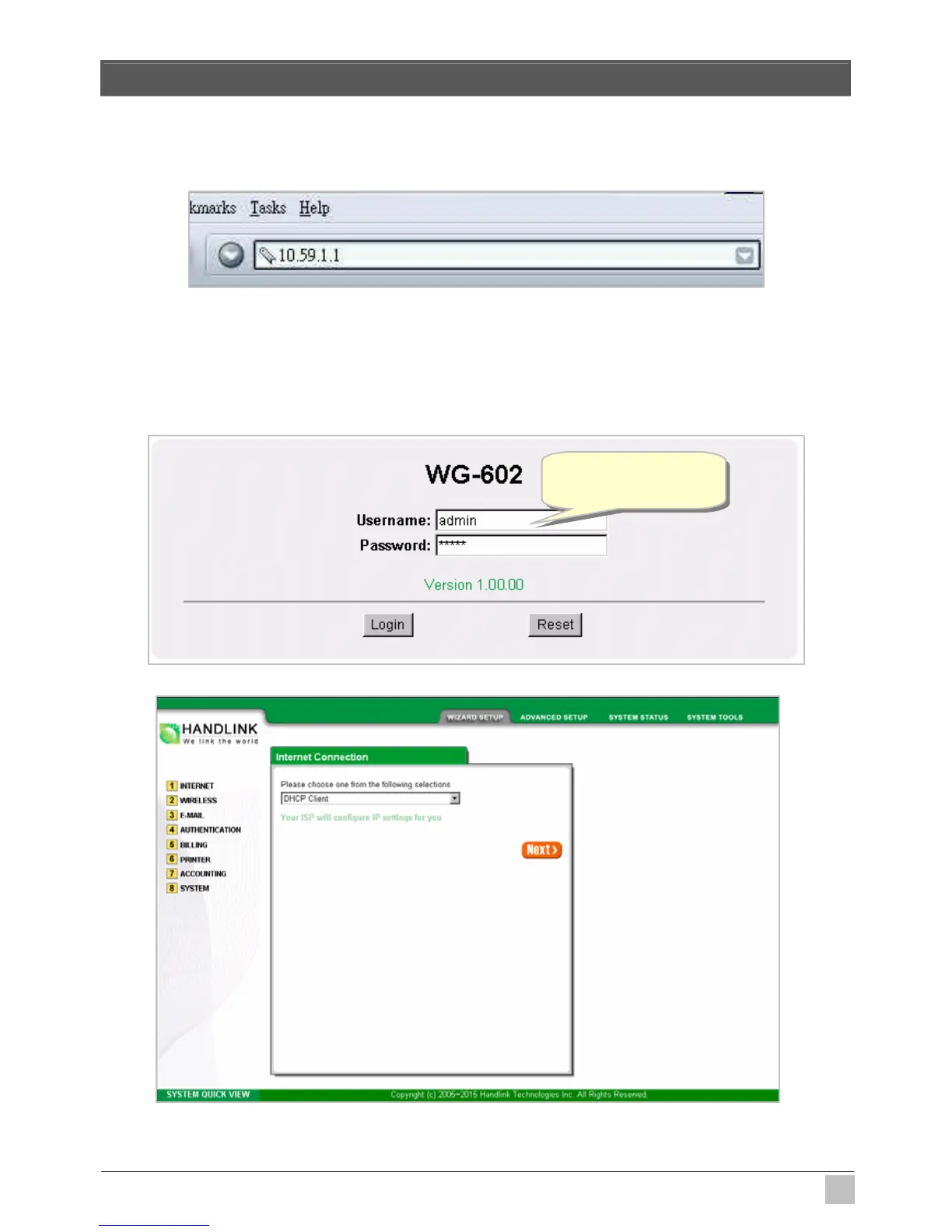
Step 1: Start your browser, and then enter the factory default IP address 10.59.1.1 in your browser’s
location box. Press Enter.
Figure 3-1 Web Browser Location Field (Factory Default)
Step 2: The Wireless Subscriber Gateway configuration tools menu will appear. In the Username and
Password field, type the factory default user name admin and password admin and click
Login. If you are first time setting the system, the wizard setup screen will appear. You will be
guided, step-by-step, through a basic setup procedure.
Figure 3-2 Configuration Tools Menu
Figure 3-3 Wizard Setup Screen
Username: admin
Password: admin



 To Next Page