Easy Hotspot Kit
18
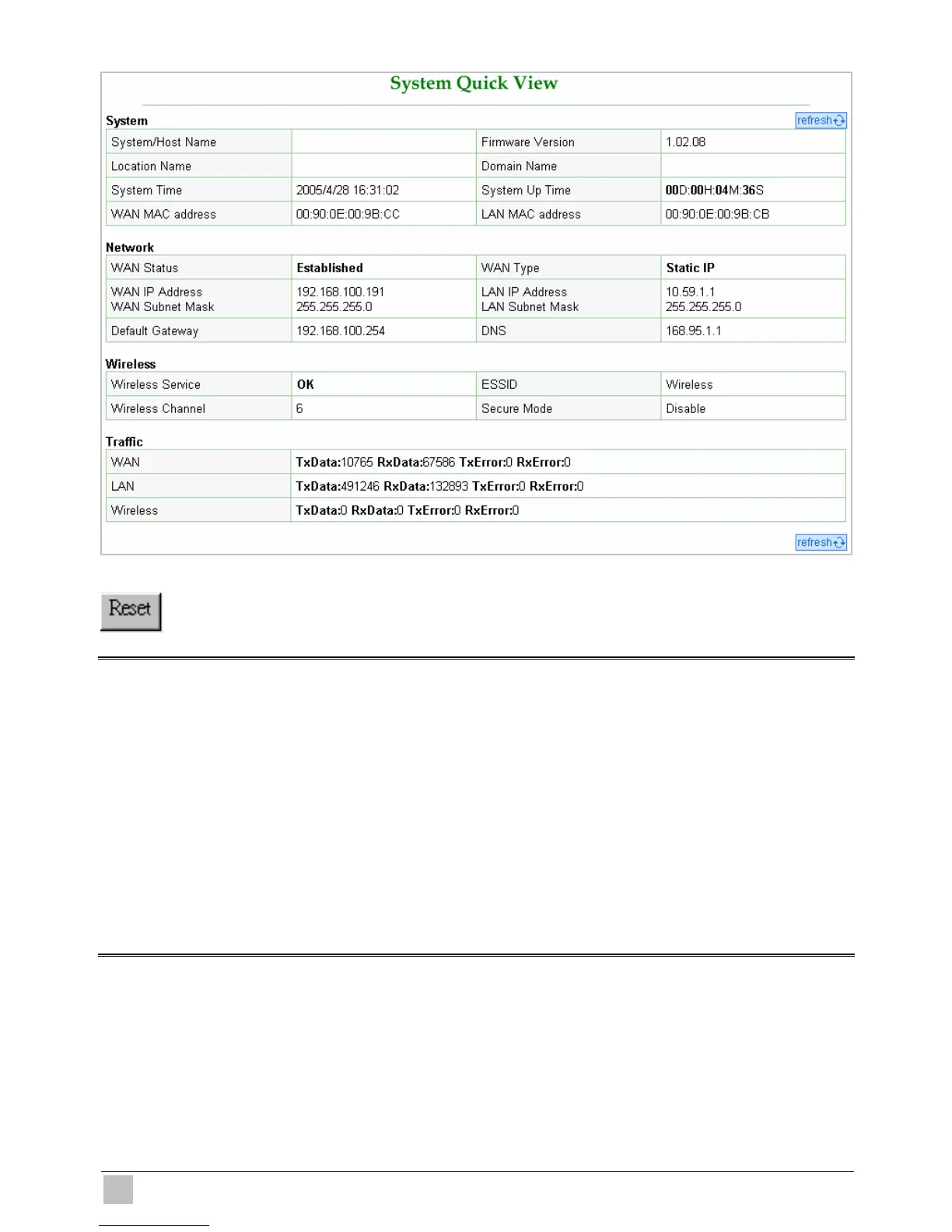
Figure 3-4 System Quick View
Click on reset button to clear the username and password data.
Note:
)
This Web agent is best viewed with IE 5.0 or Netscape 6.0 and above browsers.
)
If you would like to change the password please see Step 10.
)
Username and Password can consist of up to 20 alphanumeric characters and are case sensitive.
)
If for some reason your password is lost or you cannot gain access to the Wireless Subscriber
Gateway Configuration Program, please press the reset button to load the device to manufacturer
defaults.
)
If the Wireless Subscriber Gateway doesn’t send packet in 5 minutes (default), the Wireless
Subscriber Gateway wills logout automatically.
)
Proxy needs to set disable first when administrator accesses admin UI.



 To Next Page