Easy Hotspot Kit
45
Item Default Description
SSL Certificate Default
Option: default or customize certificate, These are two
ways to create a certificate, one is purchase a
certificate from a certificate authority (Ex. Verisign or
Thawte), and another is creating a self-certificate (For
example: Uses OpenSSL tool).
Click Apply button to save the new settings.
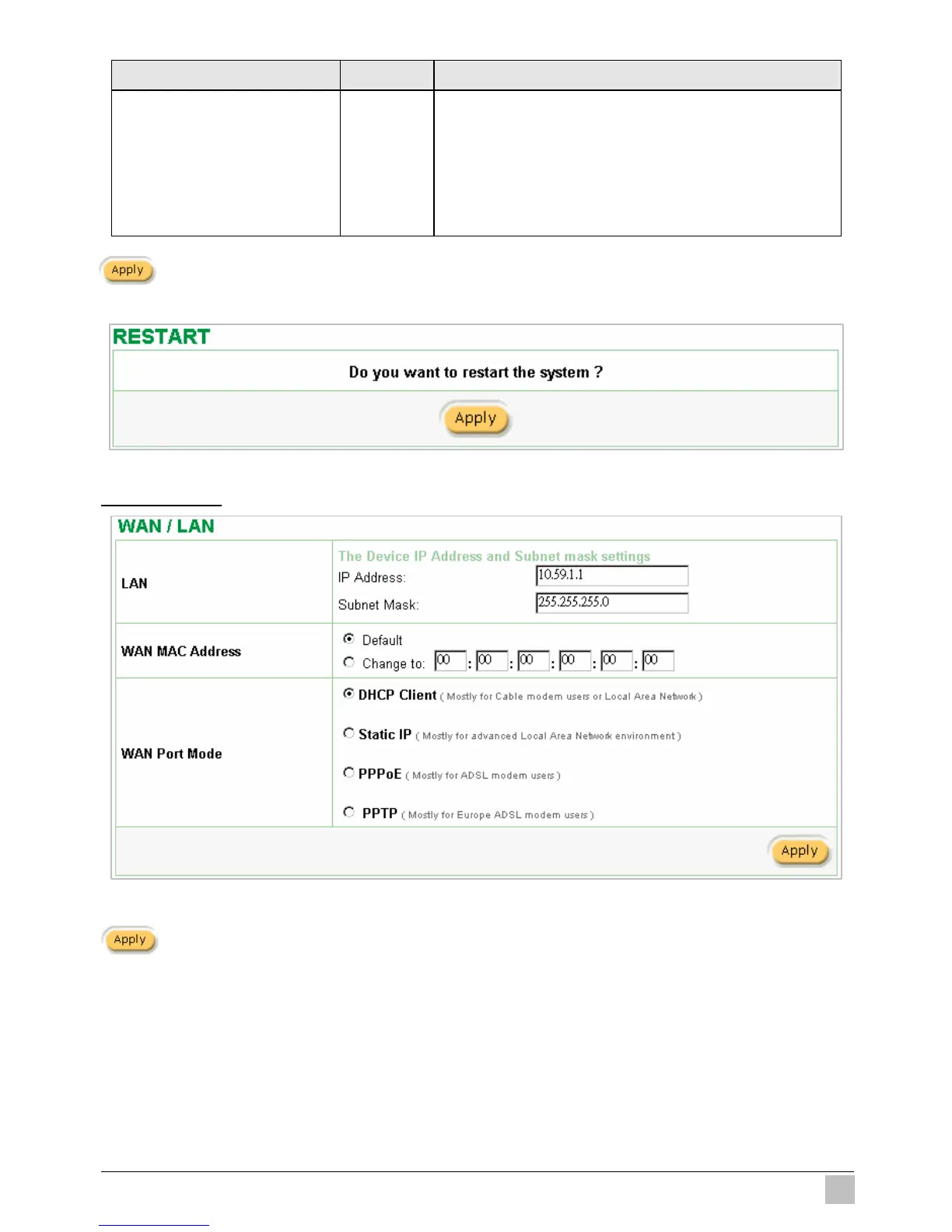
Click Apply button, then Restart dialog box will appear. Click Apply to restart the system.
Figure 3-32 Restart Dialog Box
3-2-2 WAN/LAN
Figure 3-33 WAN/LAN Setting Screen
Click Apply button to save the new settings.
Click Apply button, then Restart dialog box will appear. Click Apply to restart the system.



 To Next Page