Easy Hotspot Kit
46
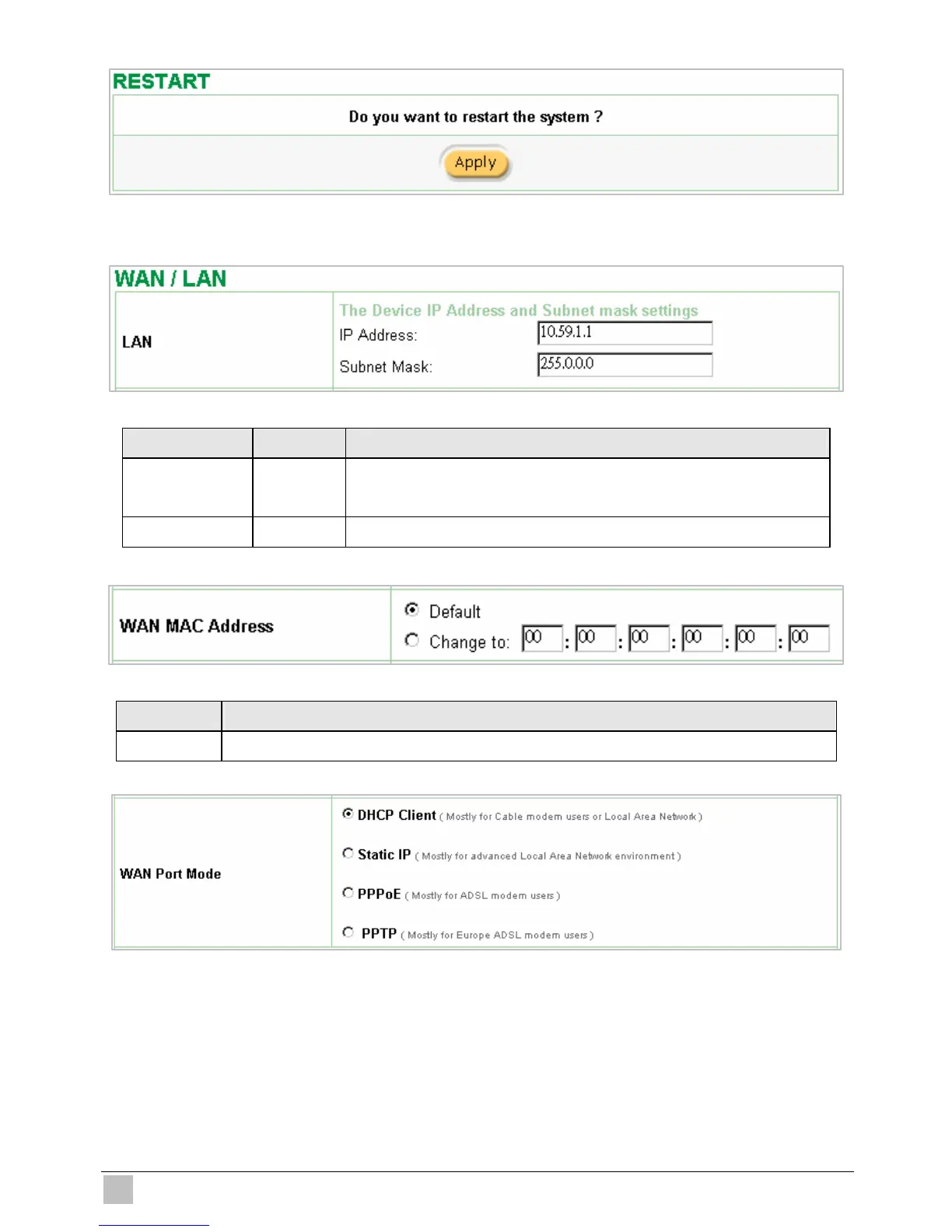
Figure 3-34 Restart Dialog Box
z Device IP (LAN IP) Setting
Figure 3-35 Device IP (LAN IP) Setting
Item Default Description
IP Address 10.59.1.1 The internal LAN IP address of your Wireless Subscriber Server
Gateway.
Subnet Mask 255.0.0.0 Enter the subnet mask for the IP address.
z WAN MAC Address
Figure 3-36 WAN MAC Address Setting
Item Description
IP Address The default MAC address is set to the WAN physical interface on device.
z WAN Port Mode
Figure 3-37 WAN Port Mode Setting



 To Next Page