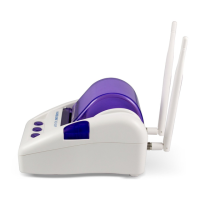
Easy Hotspot Kit
8
1. RS-232: Reserve for manufacture use.
2. LAN (1-4):
The rear panel supports four auto-sensing RJ-45 ports and all ports can be auto-switched to MDI-II
connections. The LAN ports used for linking hosts or other network devices. The individual port can be
either connected to 100BaseTX networks or 10BaseT networks. When connecting to a 100BaseTX
network, the ports operate at 100Mbps in half-duplex mode or 200Mbps in full-duplex mode. When
connecting to a 10BaseT network, the ports operate at 10Mbps in half-duplex mode or 20Mbps in
full-duplex mode.
3. WAN: One Ethernet port used for linking xDSL or Cable Modem.
4. Reset Button:
The Wireless Subscriber Gateway has a reset button at the rear panel of the device. Use this function
to reset the system back to factory defaults.
5. Power Jack: Used to connect the external power supply with the Wireless Subscriber Gateway.
1-5 Technical Specifications
1-5-1 Hardware Specifications
Network Specification
IEE802.3 10BaseT Ethernet
IEE802.3u 100BaseTX Fast Ethernet
IEE802.11g Wireless LAN
IEEE802.3af Power over Ethernet
ANSI/IEEE 802.3 NWay auto-negotiation
Wi-Fi Compatible
Connectors
One Printer Port (1 DB9 DTE male connector for Account Generator Printer)
Four LAN Ports (10BaseT/100BaseTX Auto cross-over)
One WAN Port (10BaseT/100BaseTX Auto cross-over)
Encryption
WEP (Wired Equivalent Privacy) 64/128-bit RC4
WPA (Wi-Fi Protected Access)
External Antenna Type
2dBi (Max) Dual detachable diversity antenna with reverse SMA



 To Next Page