Technical Support : +82-2-3452-8966 / techsupport@ihanil.com
17/26
4. Operation
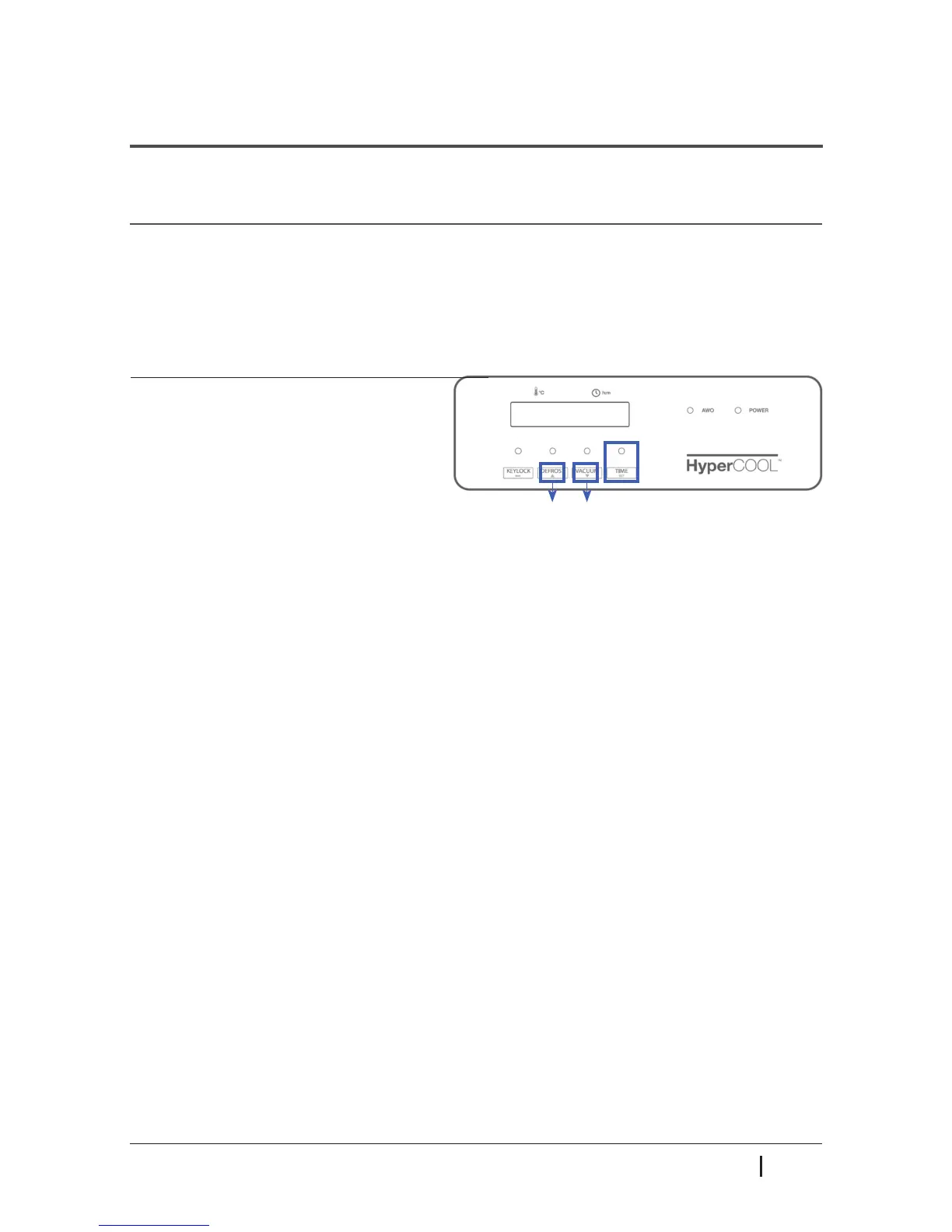
4.5 Time
Operating time can be set up to 999 hours and 59 minutes, or ‘continuous running’ is also
available.
(Up) (Down)
* Time LED Status
- LED OFF : at continuous running mode (00:00)
- LED ashing : at TIME setting mode
- LED ON : at running for the set TIME
1. Press the TIME button.
2. Press the DEFROST(up) or VACUUM
(down) button to up or down the value.
3. Press the TIME button to x the value.
4. When the operation is completed,
"End" message comes up with beep sound.
▶ At continuous running mode (0:00), time counts up from (0:00).
▶ When the DEFROST(up) button is kept pressed, ‘M’ increases till it reaches 59 minutes.
‘H’ follows afterwards and goes up acceleratedly.
▶ The TIME setting can be canceled by pressing KEYLOCK button.
▶ The factory default setting is continuous running mode (0:00).
▶ Press any button (KEYLOCK, DEFROST, VACUUM or TIME) to silence the beep sound.



 To Next Page